Calibration
1MAN0158-H11 04-2005 CSIP Level 1 CardioMD Service Manual 4-7
Procedure Details
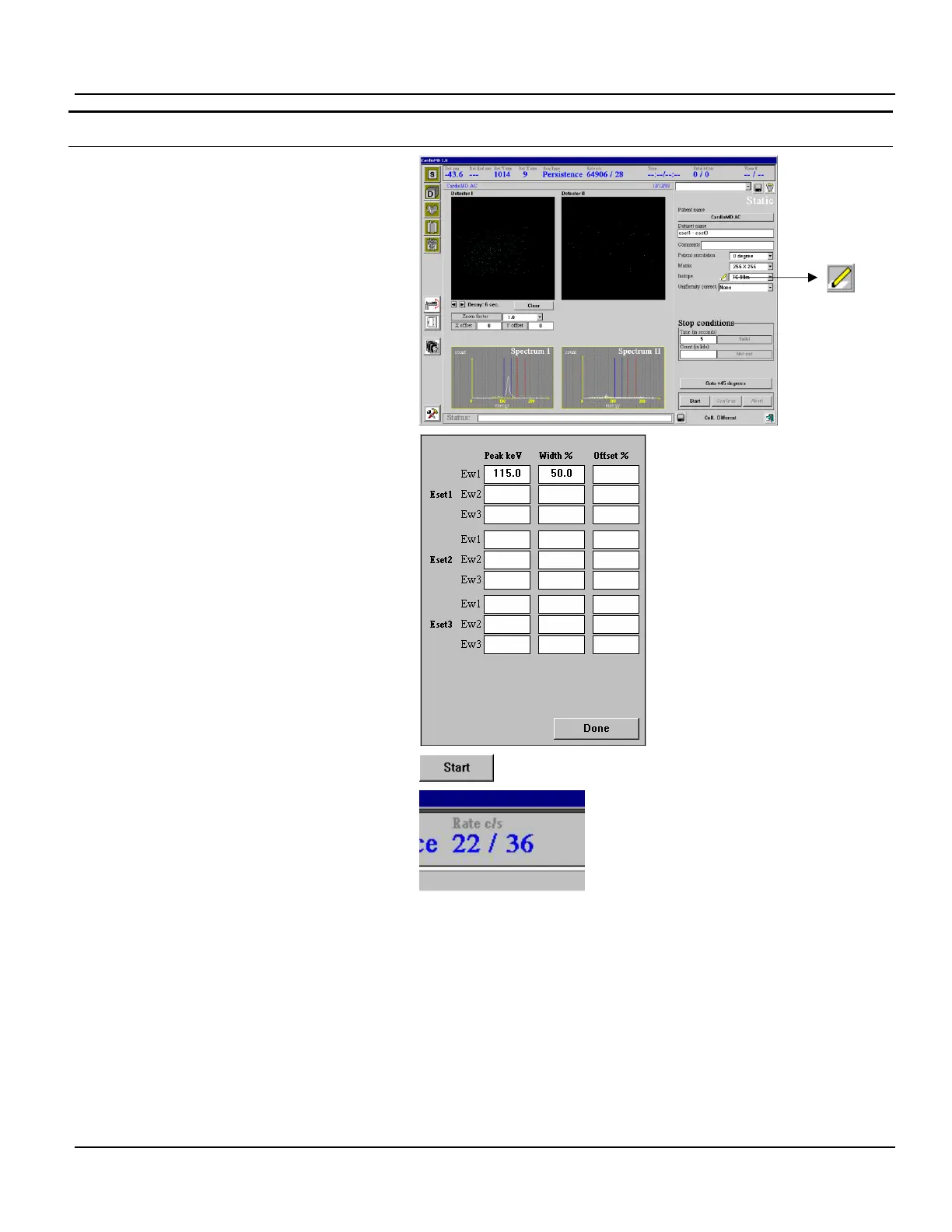
The Static Acquisition page appears.
4. Click the ‘Pencil’ button in the right-hand
side of the page.
The energy pop-up appears.
5. Set Peak keV to 115 and Width % to 50.
6. Click Done to close the energy pop-up.
7. Click Start to begin the acquisition.
The count rate now reflects the background
activity. Count rate information is provided in
the Rate c/s field at the top of the window.
8. Verify that the counts do not exceed 300
counts per second per detector.
Note. If the count rate exceeds this level, attempt to determine the cause of the excessive count
rate. Take steps to shield the detector appropriately so as to ensure that the excessive counts do not
to affect calibrations.



 To Next Page