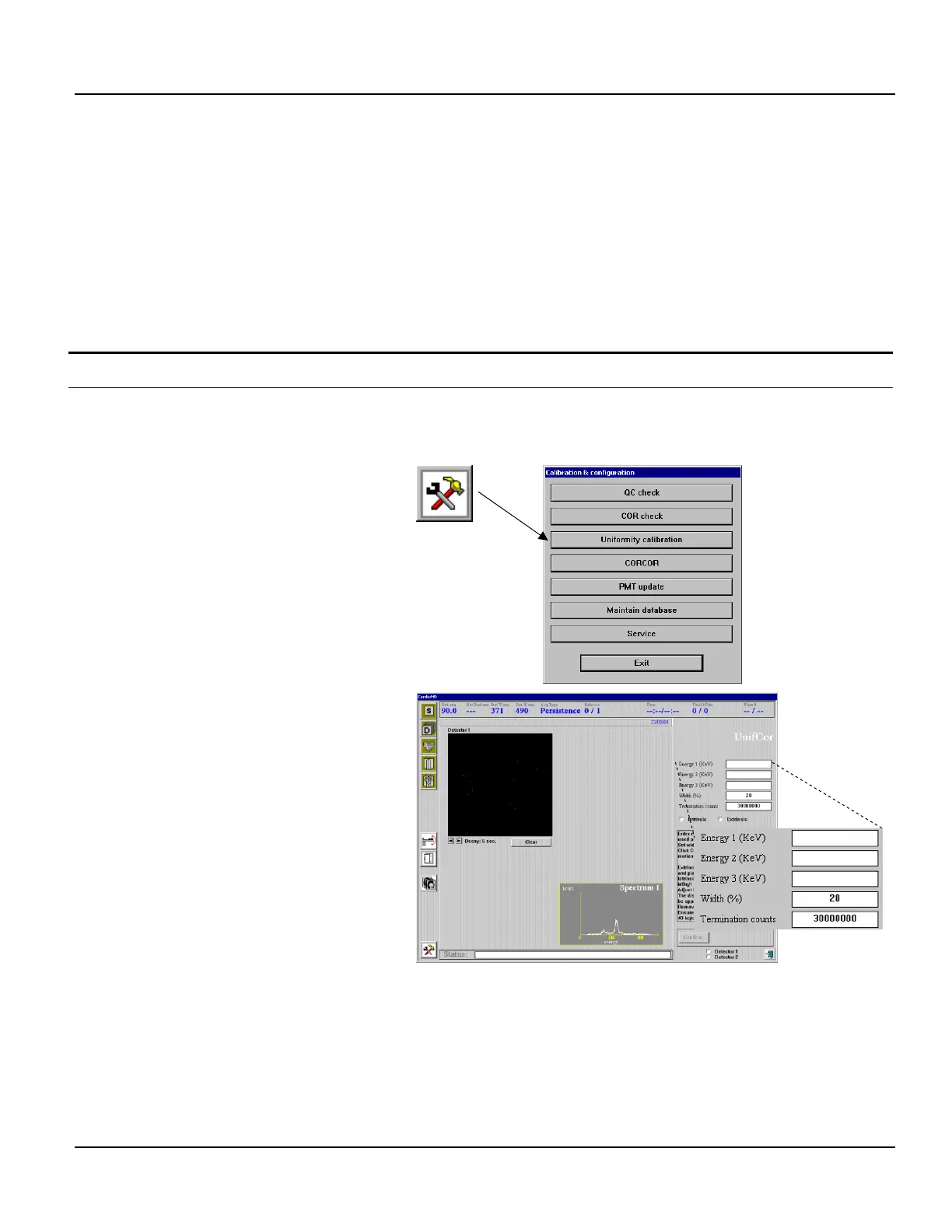
Detector Calibration
4-26 CardioMD Service Manual 1MAN0158-H11 04-2005 CSIP Level 1
Calibration file created: Intrinsic:
C:/Cardiocam/calibrations/Uniformity
Maps/U.None.<keV>.1
(or .2)
Extrinsic:
C:/Cardiocam/calibrations/Collimator
Maps/U.LEHR
(or LEGP).<keV>.1 (or .2)
Intrinsic Uniformity Calibration Procedure
Note. If the CardioMD system is equipped with the AC Option, the special AC option point
source holder must be used for the intrinsic uniformity calibration. See Chapter 12 CardioMD AC
Option for instructions.
Procedure Details
1. Ensure that the CardioMD system is in the
patient load position and that the acquisi-
tion PC is displaying the Persistence page.
2. Click the Tools button.
The Calibration & Configuration menu ap-
pears.
3. In the Calibration & Configuration menu,
click Uniformity calibration.
The Uniformity Calibration page appears.
4. Specify the energy settings for the uni-
formity correction table to be acquired.
5. Select Intrinsic.
6. Select the detector to be calibrated.
The uniformity correction table is assigned a
filename of the form:
U.coll.ew1.ew2.ew3.detectorNum
Where:
coll is set to LEGP, LEHR or NONE, depending
on the collimator mounted on the detector.
Ew1, ew2, ew3 are set to the values entered for
the isotope peaks.
DetectorNum is set to either 1 or 2, depend-
ing on which of the detectors the table is ac-
quired for.



 To Next Page