EasyManua.ls Logo

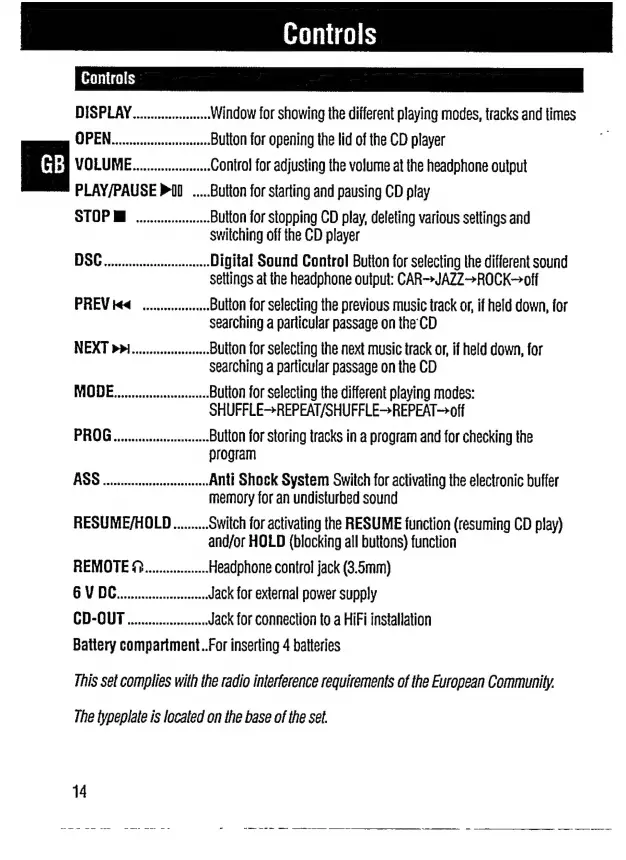
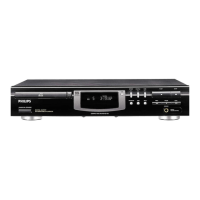
Philips CDP 200 - Controls; Display and Basic Operation Buttons; Sound and Track Navigation Controls; Playback Modes and Programming

Philips CDP 200
16 pages
Print Icon
To Next Page IconTo Next Page
To Previous Page IconTo Previous Page
Loading...
DISPLAY
.es
Window
for
showing
the
different
playing
modes,
tracks
and
times
Button
for
opening
the
lid
of
the
CD
player
Control
for
adjusting
the
volume
at
the
headphone
output
Button
for
starting
and
pausing
CD
play
Button
for
stopping
CD
play,
deleting
various
settings
and
switching
off
the
CD
player
προ
πμ
Digital
Sound
Control
Button
for
selecting
the
different
sound
settings
at
the
headphone
output:
CAR—=JAZ2>ROCK-off
ΡΗΕΝΙ««
..................
Button
for
selecting
the
previous
music
track
or,
if
held
down,
for
searching
a
particular
passage
on
the
CD
ΝΕΧΤ»»Ι......................
Buiton
for
selecting
ihe
next
music
track
or,
if
held
down,
for
searching
a
particular
passage
on
the
CD
MODE
ci
Button
for
selecting
the
different
playing
modes:
SHUFFLE>REPEAT/SHUFFLE>REPEAT-—>off
PROG
ai
Button
for
storing
tracks
in
a
program
and
for
checking
the
program
AO
ada
Anti
Shock
System
Switch
for
activating
the
electronic
bufter
memory
for
an
undisturbed
sound
RESUME/HOLD
..........
Switch
for
activating
the
RESUME
function
(resuming
CD
play)
and/or
HOLD
(blocking
all
buttons)
function
REMOTE
Ω..................
Headphone
control
jack
(3.5mm)
0V
BG
Jack
for
external
power
supply
CD-OUT
.......................
Jack
for
connection
to
a
HiFi
installation
Battery
compartment..For
inserting
4
batteries
This
sel
complies
with
the
radio
interference
requirements
of
the
European
Community.
The
typeplate
is
located
on
the
base
of
the
set.
14

Related product manuals