12 EN
6 Play from a
storage device
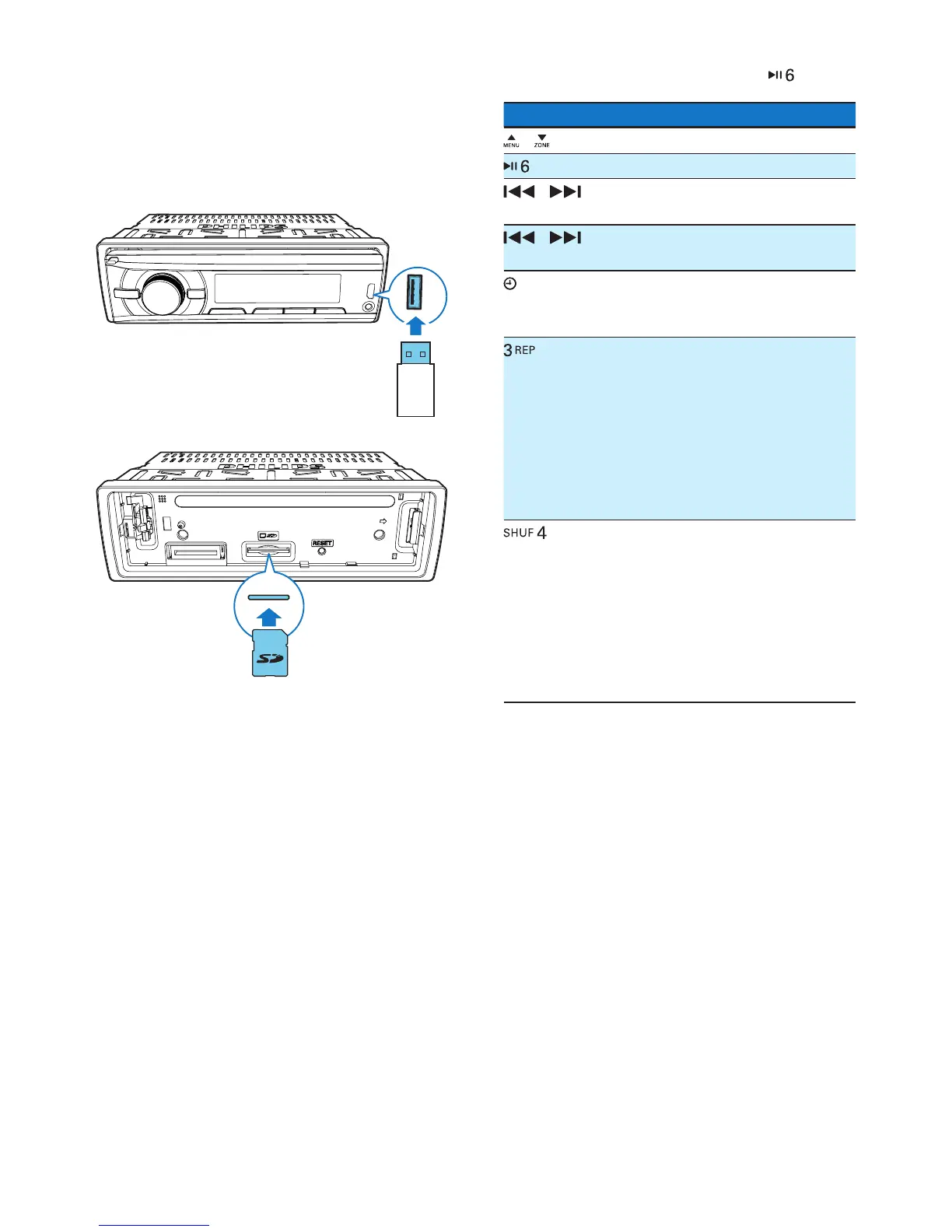
1 Connect a compatible USB storage device
or SD/SDHC card.
• For an SD/SDHC card, detach the
front panel rst, insert the card into
the card slot, and then attach the front
panel.
2 Switch the source to [USB] or [SD/SDHC].
3 If the play does not start, press .
Button Function
/ Press repeatedly to select a folder.
Pause or resume play.
/ Press to play the previous or next
track.
/ Press and hold to rewind a track
or search forward fast.
/DISP Press repeatedly to display
available information about the
current track.
Press repeatedly to select a
repeat mode:
• [REP ONE]: repeat the current
track,
• [RPT FLD]: repeat all tracks in
the current folder, or
• [RPT ALL]: repeat all tracks in
the storage device.
Press repeatedly to select a play
mode:
• [SHU ALL]: play all tracks
randomly,
• [SHU FLD]: play tracks in the
current folder randomly, or
• [SHU OFF]: play all tracks in
the storage device in sequence.



 To Next Page