16 EN
10 Adjust sound
The following operations are applicable to all
supported media.
Button Function
Rotate to increase or decrease the
volume level.
Press to mute the speakers or release
them from mute status.
Press to enable or disable the
maximum volume.
Press and hold to enable or disable
the Dynamic Bass Boost (DBB) effect.
Press repeatedly to select a sound
equalizer.
1 Press and hold to activate the setup
of customized sound equalizer.
2 Press repeatedly to select an option:
[BAS] (bass), [TRE] (treble), [BAL]
(balance), or [FAD] (fader).
3 Rotate to adjust the setting.
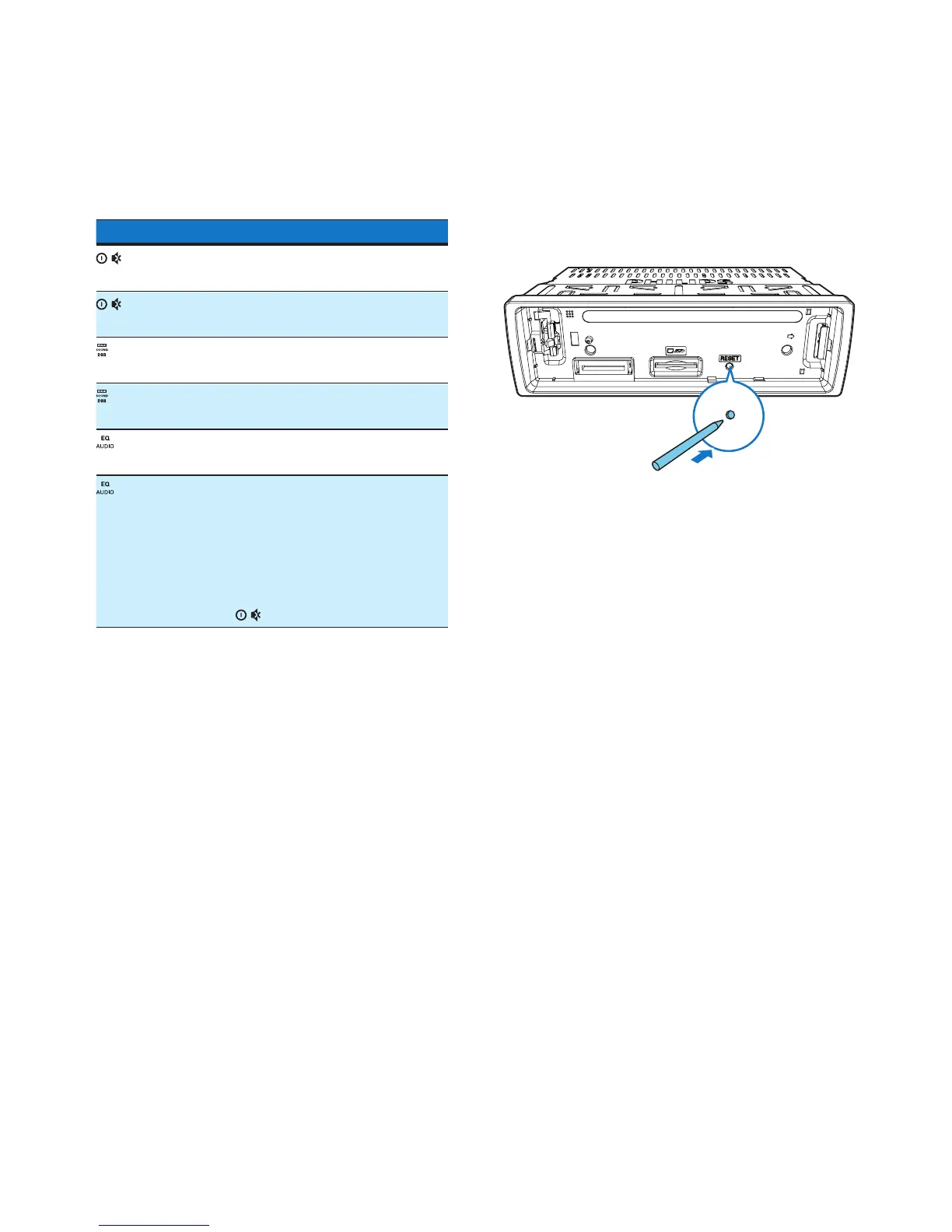
11 Reset the
system
If the system works abnormally, reset the
system to factory default settings.
1 Detach the front panel.
2 Press the RESET button with the tip of a
ball-point pen or toothpick.
» All settings are reset to factory default.



 To Next Page