16
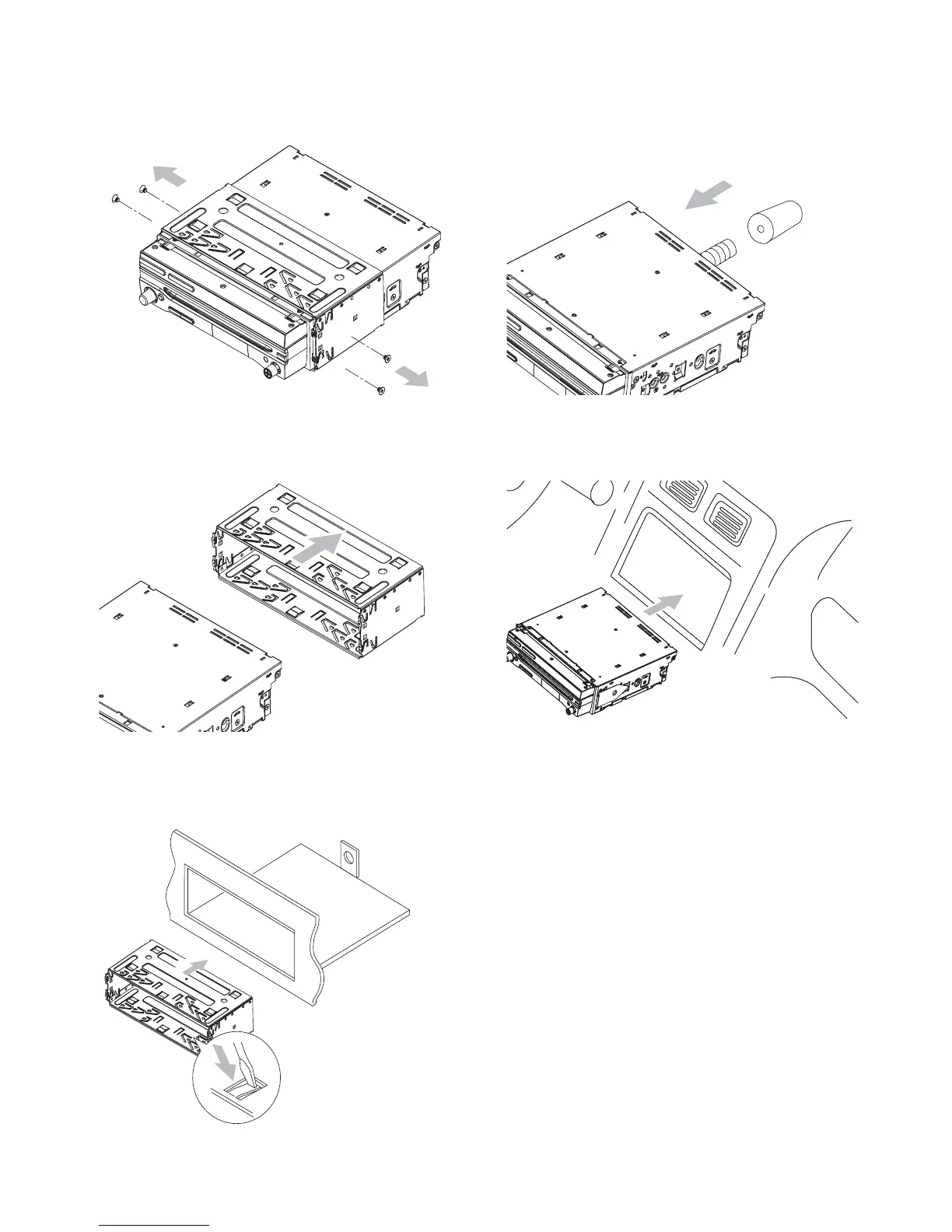
6 Place the rubber cushion over the end of
the bolt.
7 Slide the unit into the dashboard until a
click sound is heard.
If the unit cannot fi t into the •
dashboard, remove the mounting
bracket on the both side of the unit
and replace them with the supplied
short mounting brackets.
8 Attach the trim plate.
3 Remove the screws on the both side of
the unit.
4 Remove the mounting sleeve.
5 Install the sleeve into the dashboard and
bend the tabs outward to fi x the sleeve.
EN



 To Next Page