23
Tip
If the disc is blocked in the disc compartment, •
press and hold until the disc comes out.
Insert USB or SD/MMC card
Note
Ensure that the device contains playable •
content.
The unit supports SDHC card.
•
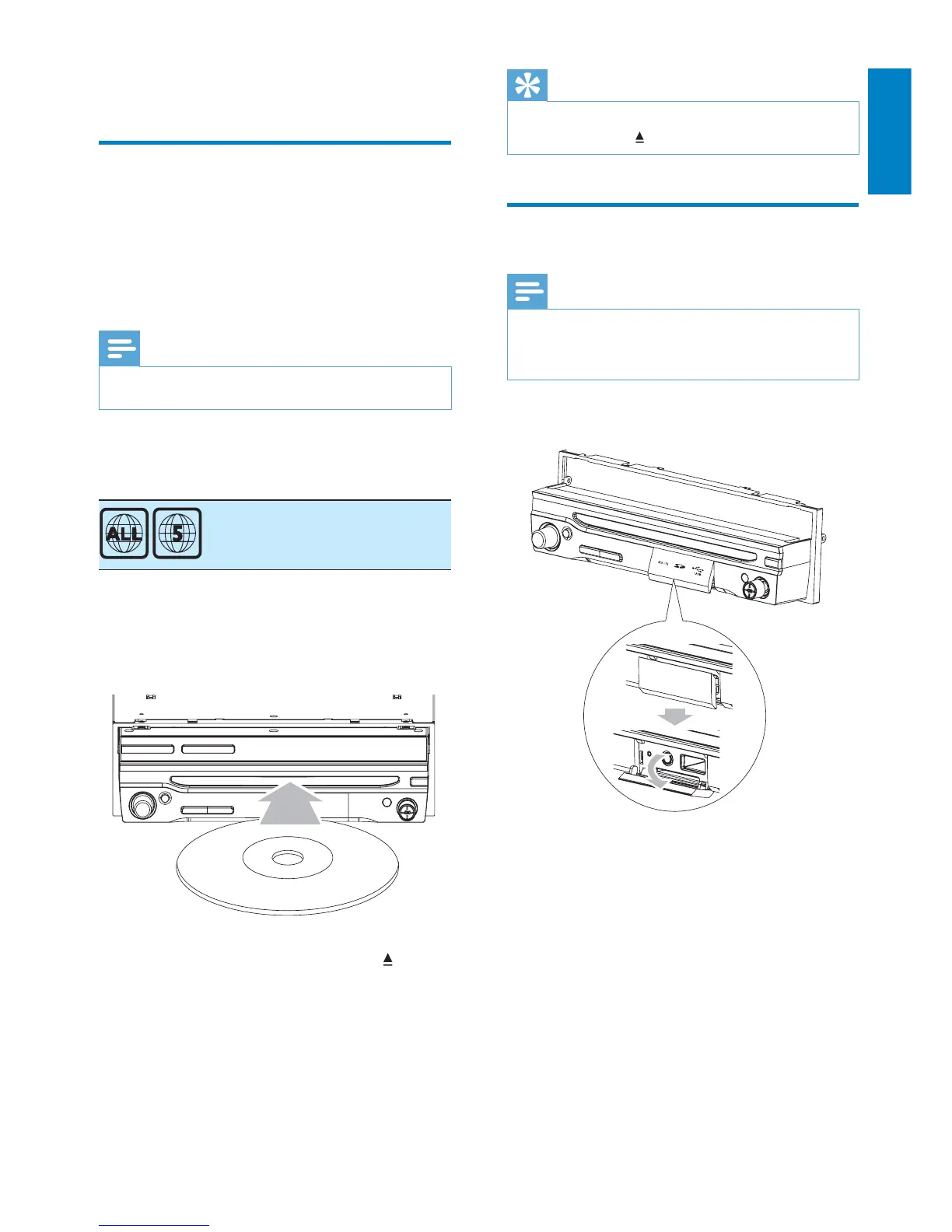
1 Open the USB/SD/MMC card cover.
2 Insert the USB device or SD/MMC card
into the USB socket or SD/MMC card
slot.
Play starts automatically.»
5 Play
Load discs
You can play video, audio or images stored on
the following discs:
DVD video, DVD-R, DVD-RW•
VCD•
Audio CD, CD-R, CD-RW•
Note
Ensure that the disc contains playable content. •
You can play DVD discs with the following
region codes:
Russia, India
1 Insert the disc into the disc slot with label
side facing up.
Play starts automatically. »
To remove the disc, press the »
button.
When the disc is ejected, the unit »
switches to the previous source,
if connected. Otherwise, the
unit switches to [Radio] mode
automatically.
P
r
i
n
t
i
n
g
i
n
C
h
i
n
a
P
r
i
n
t
i
n
g
i
n
C
h
i
n
a
English
EN



 To Next Page