17
Turn on
Caution
Risk of road accidents! Never watch video or •
adjust settings while you drive.
1 Press to turn on the unit.
The screen opens automatically.»
The available OSD (On-Screen »
Display) languages are displayed.
2 Touch a language to select.
The OSD language is changed to the »
selected language immediately.
To adjust the screen tilt, press •
TILT .
To close the screen, press • OPEN/CLOSE.
To adjust the brightness/contrast, press •
/ , then adjust 4 WAY NAVIGATION.
To turn off the unit, press •
for 3
seconds.
The screen closes automatically.»
Set clock
1 Touch to display main menu.
9 Reconnect the negative terminal of the
car battery.
Install remote control battery
Caution
Risk of explosion! Keep batteries away from •
heat, sunshine or fi re. Never discard batteries
in fi re.
Note
Remove batteries if they are exhausted or if •
the remote control is not to be used for a long
time.
Batteries contain chemical substances, they
•
should be disposed of properly.
Perchlorate Material - special handling may
•
apply. See www.dtsc.ca.gov/hazardouswaste/
perchlorate.
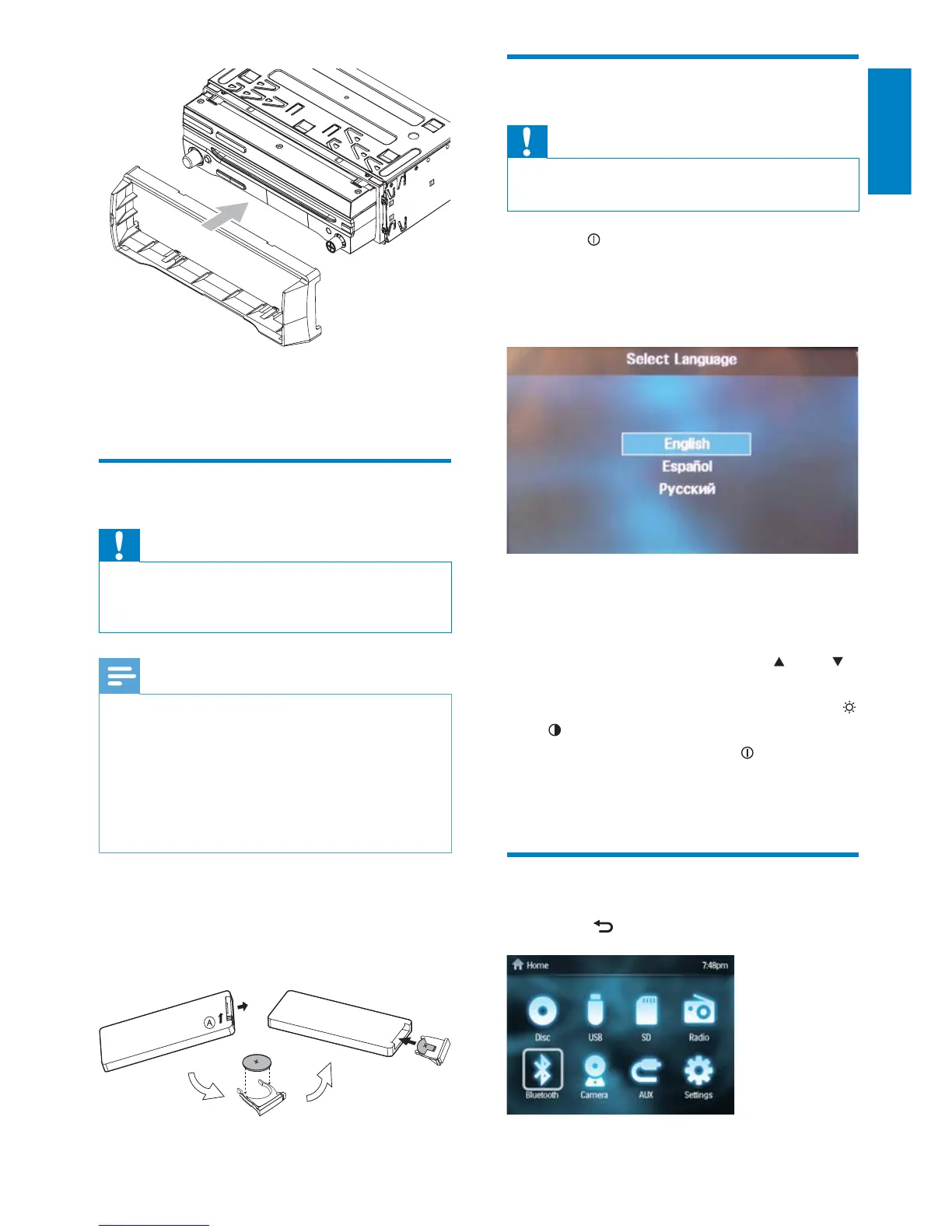
1 Open the battery compartment.
2 Insert one CR2025 battery with correct
polarity (+/-) as indicated.
3 Close the battery compartment.
English
EN



 To Next Page