9
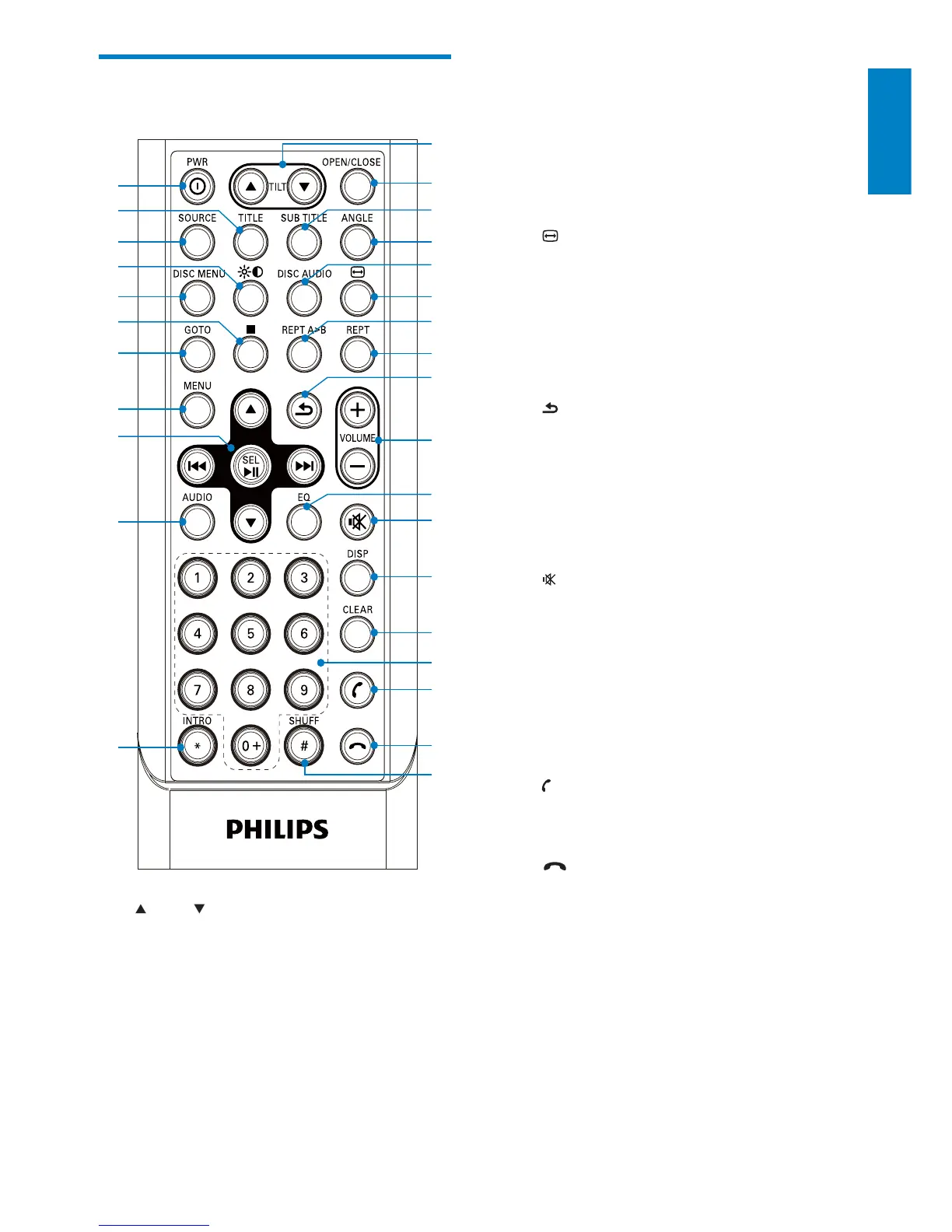
d ANGLE
Select a difference angle/version of •
the current DVD scene.
e DISC AUDIO
Select audio language or audio •
channel.
f
Change to wide screen display.•
g REPT A->B
Set A-B repeat play.•
h REPT
Select repeat play mode.•
i
Return to previous menu or exit.•
j VOLUME +/-
Adjust volume.•
k EQ
Select equalizer (EQ) setting.•
l
Mute or unmute audio.•
m DISP
Display play information. •
n CLEAR
Delete entered numbers.•
o Numeric keypad
p
(green)
Answer phone.•
Dial number.•
q
(red)
Terminate call.•
r SHUFF #
Turn random play on or off.•
# symbol for phone call.•
s INTRO *
Search for radio station and play the •
station for 10 seconds, then search
for next station.
* symbol for phone call.•
Overview of the remote
control
a TILT
Adjust tilt of the screen.•
b OPEN/CLOSE
Open or close the screen.•
c SUBTITLE
Select DVD or DivX subtitle •
language.
s
t
v
w
y
{
}
u
x
z
|
b
a
j
d
c
f
e
h
g
i
k
l
m
n
o
p
q
r
English
EN



 To Next Page