8 EN
4 Video Recording
When the driving recording is turned on, video
recording starts automatically. Press
OK
to stop
or restart recording.
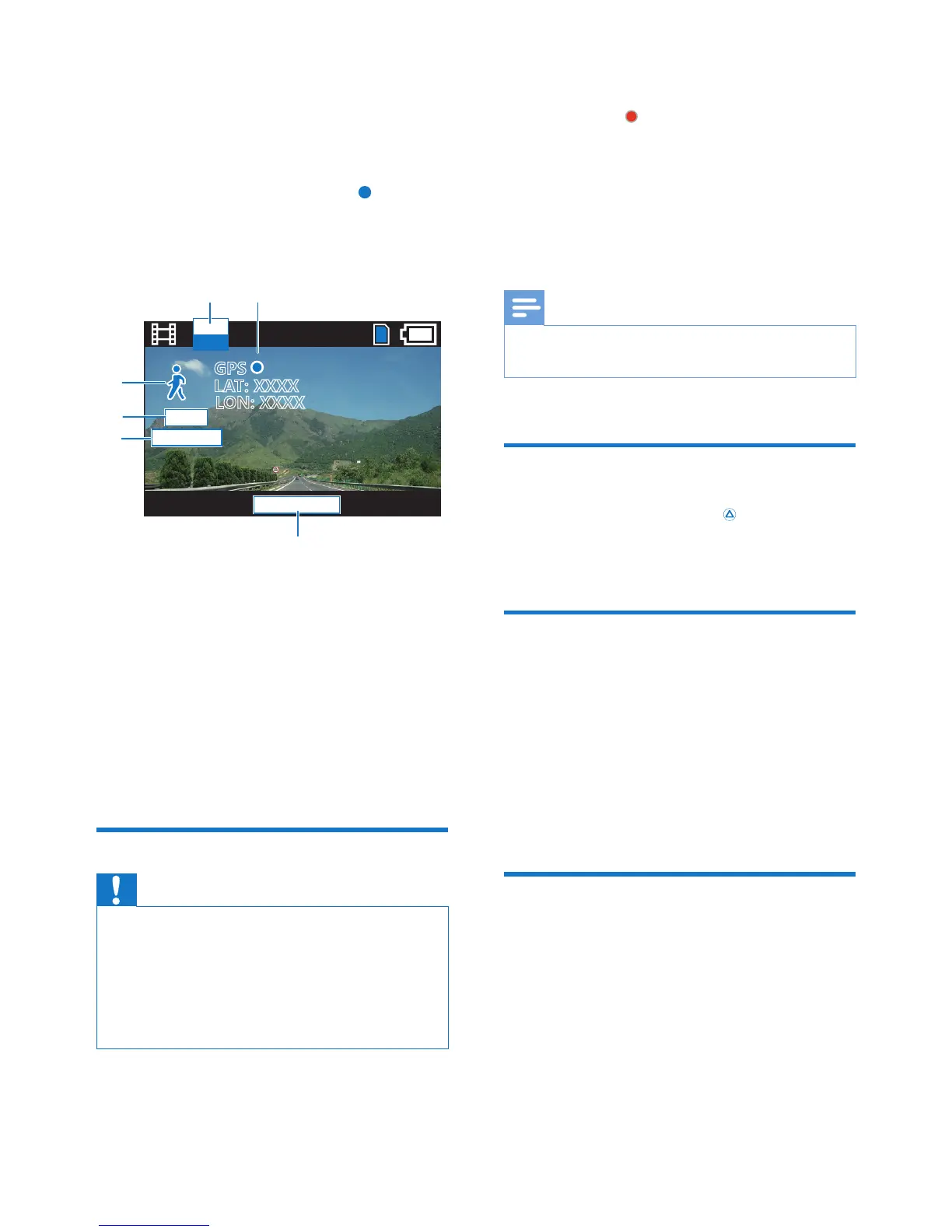
Video recording screen:
a Movie resolution
b GPS information
c The remaining recording time
d Exposure value
e White balance
f Scene
Loop recording
Caution
• The driving recorder will continue running for a while
after the engine is shut down to protect last recorded
le.
• For safety reasons the built-in battery will stop charging
if the device remains at a high-temperature for period
of time. If the built-in battery runs out of power you
will need to reset the date and time.
FHD
30P
'=(
+<
-69
2': >>>>
254 >>>>
f
a
b
c
d
e
When the driving recorder is powered on,
video recording starts automatically. When the
recording starts, blinks.
The driving recorder can record video les in
a specied time frame (You can set the record
time in [Movie Mode] - [Movie Clip Time]).
The number of les is dependant on the size of
the memory card. The rst recorded video will
be overwritten when the micro SD card is full.
Note
• When recording videos, you can turn the sound record
on or off in [Movie Mode] - [Sound Record].
Secure Record
During video recording, press to protect the
present le and the previous le from being
overwritten.
G-sensor data protection
When the G-sensor is triggered, the driving
recorder will protect the present video le and
the previous le automatically to ensure they
won't be overwritten by loop recording (for
CVR700 only).
You can set the [Protect Level] in [General
Settings].
GPS logger
The driving recorder receives a GPS signal and
records the date, time and driving path.


 To Next Page