6 EN
3 Get started
Install the driving recorder
Caution
• Do not install in any way which may distract the driver
or block their line of sight!
Note
• In order to get clear images,if there is any smudginess
on the windshield, please clean it before installing.
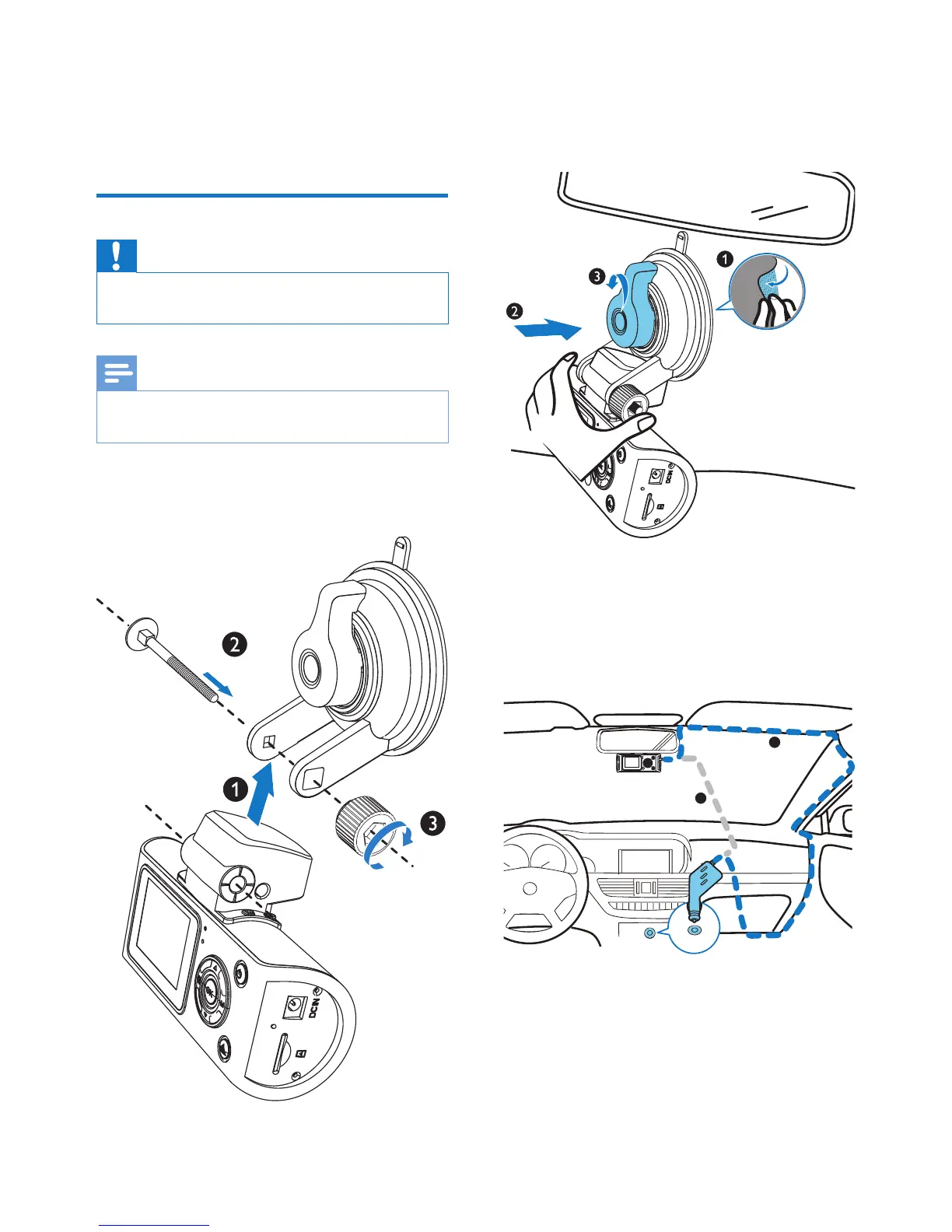
1 Connect the driving recorder with the
suction bracket as below:
2 Wipe clean the windshield.
3 Remove the protective cover of the
suction bracket and rotate the x button
to secure the suction bracket.
4 Connect the USB cable to:
• The mini USB socket of the driving
recorder
• The cigarette lighter socket of the car
A
B


 To Next Page