6
English
A Motor&upper pillar E Plastic nut
B Lower pillar F Fan blade
C Base G Spinner
D Rear grill H Front grill
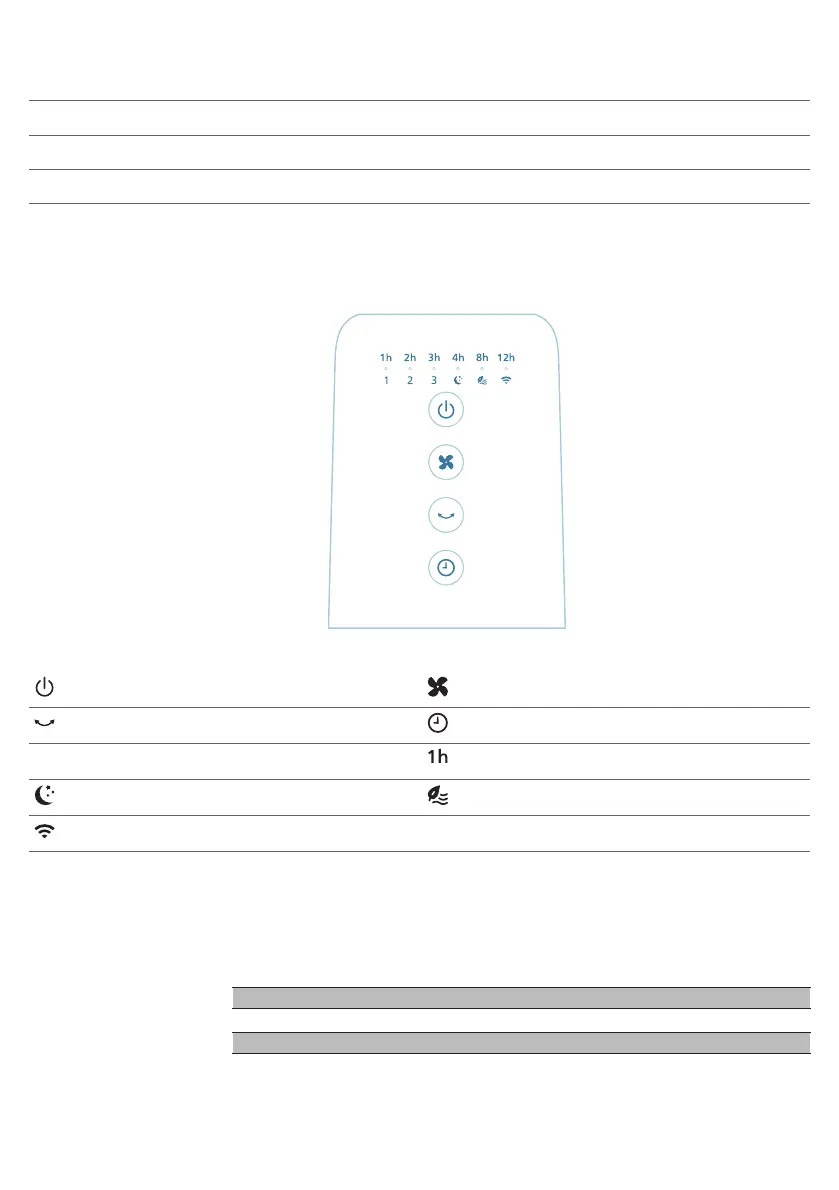
Controls overview
Power on/off button Fan speed/mode selection button
Rotation button Timer button
1, 2, 3 Fan speed indicator Timer indicator
Sleep mode indicator Natural breeze mode indicator
WiFi indicator
Getting started
Installing the fan
Remove all packaging of the fan before first use.
Make sure all components of the fan are correctly installed and fastened.



 To Next Page