9
English
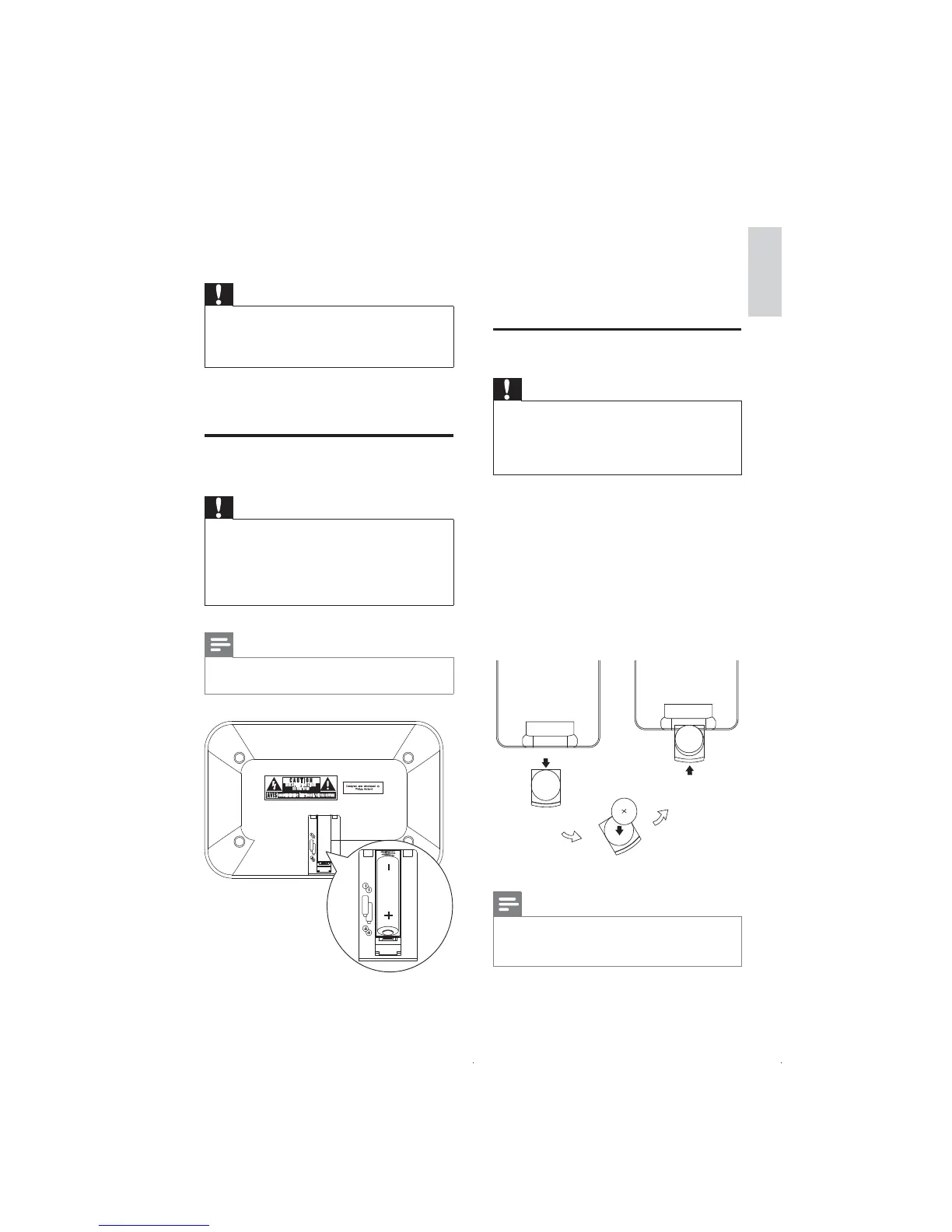
1 Open the battery compartment.
2 Insert 2 x AA batteries with correct
polarity (+/-) as indicated.
3 Close the battery compartment.
Prepare the remote control
Caution
Risk of explosion! Keep batteries away from heat, •
sunshine or fire. Never discard batteries in fire.
Danger of explosion if battery is incorrectly replaced.
•
Replace only with the same or equivalent type.
Keep children away from the battery.
•
For first-time use:
Remove the protective tab to activate the
remote control battery.
To replace the remote control battery:
1 Pull out the battery tray and remove the
old battery.
2 Place a new lithium CR2025 battery with
correct polarity (+/-) as indicated.
3 Insert the battery tray back into the slot.
Note
Before you press any function button on the remote •
control, first select the correct source with the
remote control instead of the main unit.
3 Get started
Caution
Use of controls or adjustments or performance •
of procedures other than herein may result in
hazardous radiation exposure or other unsafe
operation.
Always follow the instructions in this chapter
in sequence.
Install batteries to the main
unit
Caution
Risk of explosion! Keep batteries away from heat, •
sunshine or fire. Never discard batteries in fire.
Remove battery if it is exhausted or will not be used
•
for a long time.
Batteries contain chemical substances, so they should •
be disposed of properly.
Note
You can only use AC power as power supply. •
Batteries (not supplied) are for backup purpose.
2
x AA
2
x AA
EN


 To Next Page