12
Set clock
Note
You can set the clock in the standby mode only. •
1 In standby mode, press and hold PROG/
CLOCK SET to activate the clock setting
mode.
SET CLOCK is displayed. »
The 12 hour or 24 hour format is »
displayed.
2 Press / to select 12 hour or 24 hour
format.
3 Press PROG/CLOCK SET.
The hour digits begin to blink. »
4 Press / to set the hour.
5 Press PROG/CLOCK SET.
The minute digits begin to blink. »
6 Press / to set the minute.
7 Press PROG/CLOCK SET to confirm.
Turn on
1
Press .
The unit switches to the last selected »
source.
Switch to standby
1 Press to switch the system to standby
mode.
The backlight on the display panel is »
reduced.
The clock (if set) is displayed on the »
display panel.
To switch the system to Eco Power standby
mode:
1 In standby mode, press and hold for
more than 2 seconds.
ECO POWER is displayed. »
The backlight on the display panel »
turns off.
Prepare the remote control
Caution
Risk of explosion! Keep batteries away from heat, •
sunshine, or fire. Never discard batteries in fire.
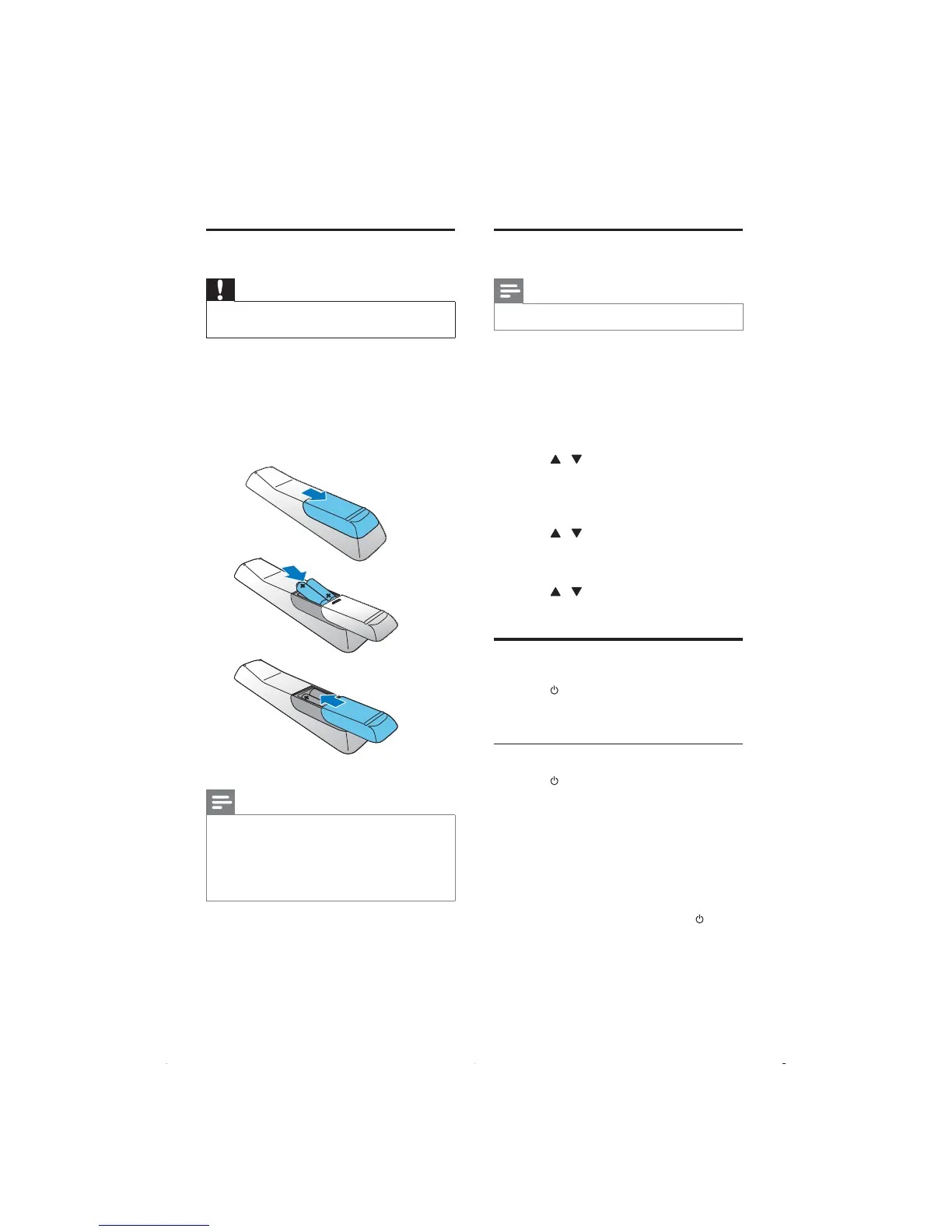
To insert the remote control battery:
1 Open the battery compartment.
2 Insert 2 AAA batteries with correct
polarity (+/-) as indicated.
3 Close the battery compartment.
Note
If you are not going to use the remote control for a •
long time, remove the batteries.
Do not use old and new or different types of
•
batteries in combination.
Batteries contain chemical substances, so they should
•
be disposed of properly.
a
b
c
EN



 To Next Page