16
Charge the iPod/iPhone/iPad
When the system is connected to power, the
docked iPod/iPhone/iPad begins to charge.
Note
IPod with color display, iPod classic, and iPod with •
video are not compatible with dock charging.
In Eco power standby mode, iPod/iPhone/iPad
•
cannot be charged.
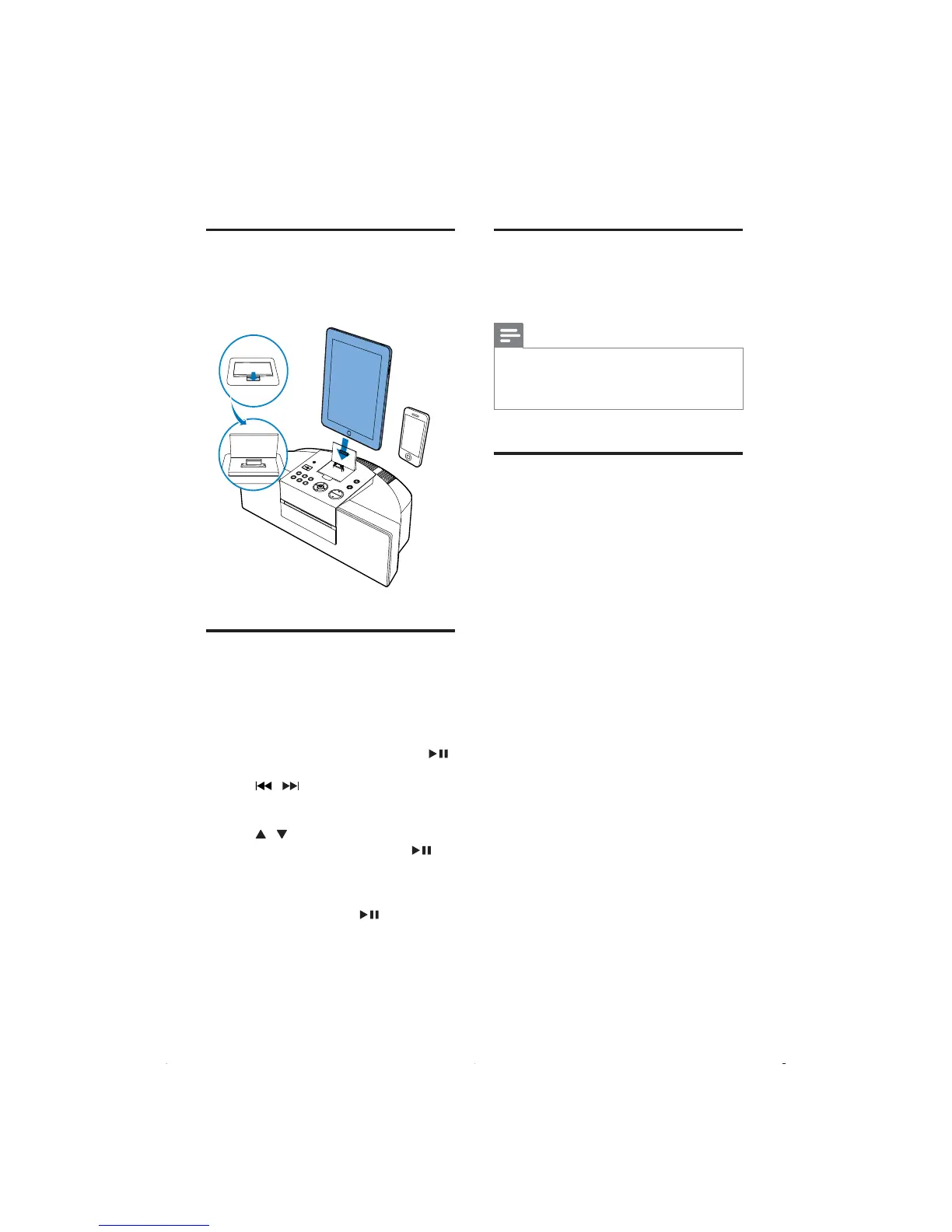
Remove the iPod/iPhone/iPad
1
Pull the iPhone/iPod/iPad off the dock.
2 Flip down the lid to hide the dock.
Load the iPod/iPhone/iPad
1
Lift the lid of the dock.
2 Load the iPod/iPhone/iPad onto the dock.
Listen to the iPod/iPhone/iPad
1
Press the button iPod on your RC.
2 Load your iPod/iPhone/iPad.
3 Play the selected track on your iPod/
iPhone/iPad.
To pause/resume the play, press •
.
To search during play: press and hold •
/ , then release to resume
normal play.
To scroll through the menu, press •
/ .
To confirm a selection, press •
to
confirm.
If no key is pressed for more than »
10 seconds after pressing the
button MENU,
acts back as
the play/pause key.
EN



 To Next Page