11
Connect FM antenna
Tip
For optimal reception, fully extend and adjust •
the position of the antenna.
Connect the supplied FM antenna to the FM
ANTENNA jack on the main unit.
Connect power
Caution
Risk of product damage! Ensure that the power •
voltage corresponds to the voltage printed on
the back or underside of the apparatus.
Risk of electric shock! When you unplug the
•
AC adaptor, always pull the plug from the
socket. Never pull the cord.
Before connecting the AC adaptor, ensure you
•
have completed all other connections.
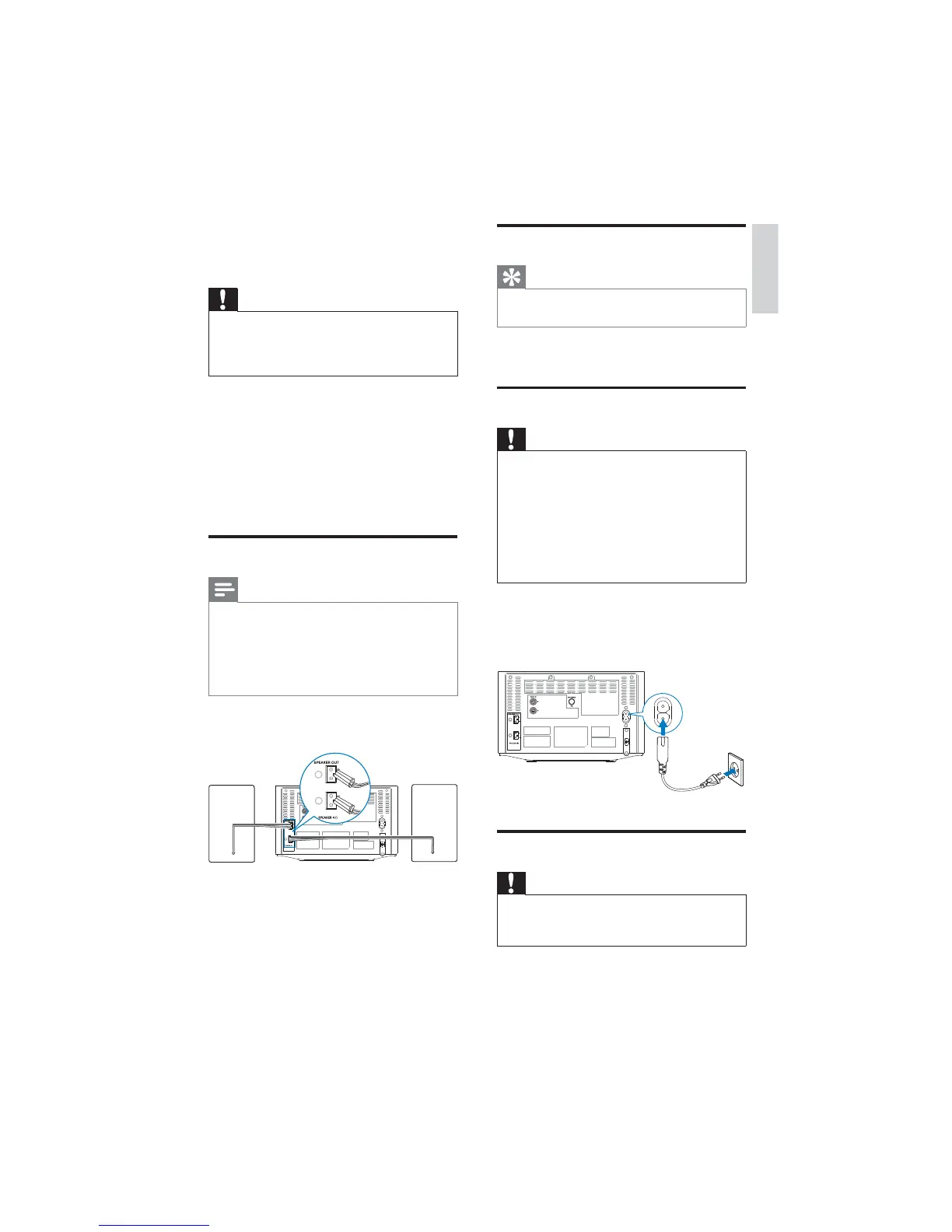
Connect the power adaptor to:
the • AC MAIN~ jack on the main
unit.
the wall outlet.•
Prepare the remote control
Caution
Risk of explosion! Keep batteries away from •
heat, sunshine or fire. Never discard batteries
in fire.
3 Get started
Caution
Use of controls or adjustments or •
performance of procedures other than herein
may result in hazardous radiation exposure or
other unsafe operation.
Always follow the instructions in this chapter in
sequence.
If you contact Philips, you will be asked for the
model and serial number of this apparatus. The
model number and serial number are on the
rear of the apparatus. Write the numbers here:
Model No. __________________________
Serial No. ___________________________
Connect speakers
Note
For optimal sound, use the supplied speakers •
only.
Connect only speakers with impedance that is
•
the same or higher than the supplied speakers.
Refer to the Specifications section of this
manual.
Insert the speaker wires completely into the
speaker input sockets on the back of the unit.
English
EN


 To Next Page