16 EN
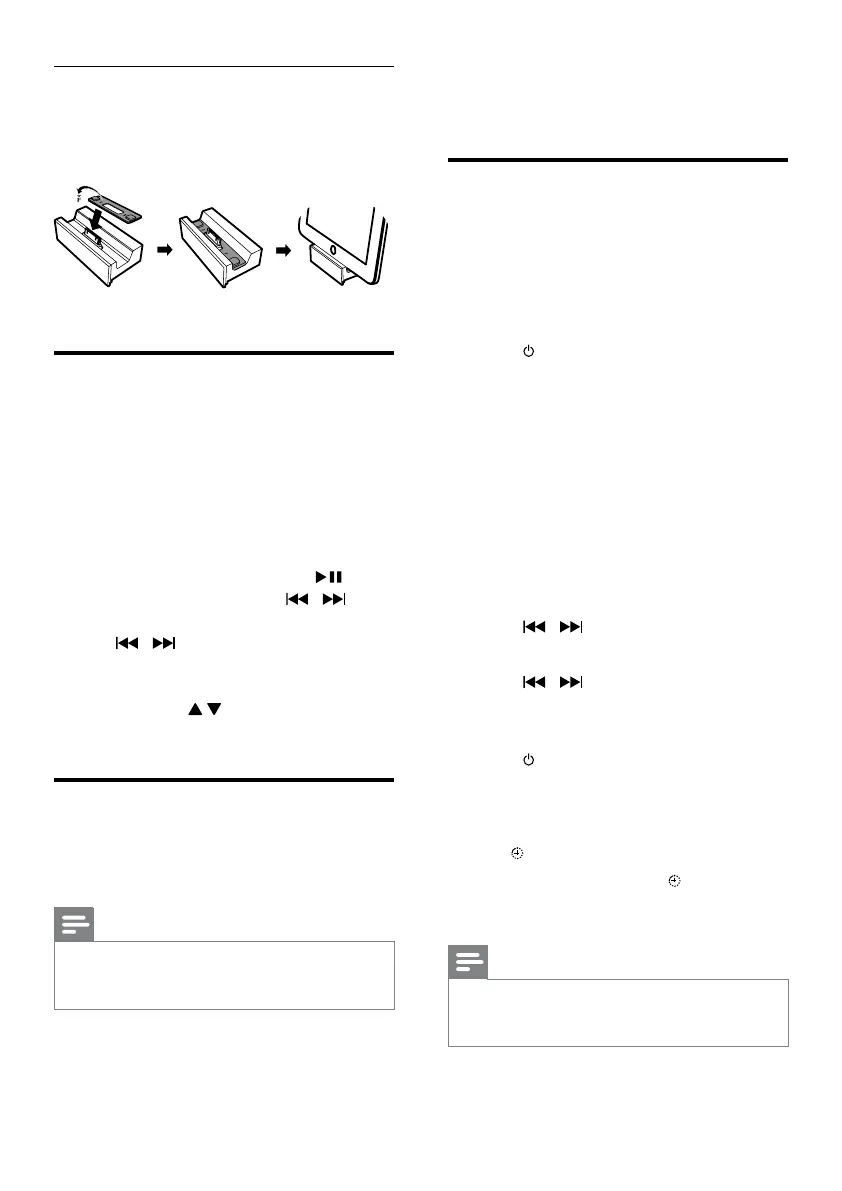
Install the rubber pad
If necessary, install the supplied rubber pad to
keep the iPad/iPad 2 stable before you place
the iPad/iPad 2.
Listen to the iPod/iPhone/
iPad
1
Make sure that the iPod/iPhone/iPad is
correctly placed.
2 Press DOCK to select the iPod/iPhone/
iPad source.
3 Play music on the iPod/iPhone/iPad.
• To pause/resume play, press
.
• To skip to a track, press
/ .
• To search during play, press and hold
/ , and then release to resume
normal play.
• To navigate the menu, press MENU,
and press
to select an option, and
then press OK to conrm.
Charge the iPod/iPhone/iPad
When the unit is connected to power, the
docked iPod/iPhone/iPad begins to charge.
Note
•
The following iPod models cannot be charged: iPod
classic, iPod with video, and iPod with color display.
• In Eco power standby mode, charge is not available.
8 Other features
Set the alarm timer
This unit can be used as an alarm clock. The
disc/radio/USB/docked product is activated to
play at a preset time.
1 Make sure that you have set the clock
correctly.
2 Press to switch the unit to standby.
• Make sure that the clock is displayed
(see "Turn on" > "Switch to standby").
3 Press and hold SLEEP/TIMER.
» A prompt to select the source is
displayed.
4 Press CD, FM, USB or DOCK to select a
source.
5 Press SLEEP/TIMER to conrm.
» The clock digits are displayed and
begin to blink.
6 Press / to set the hour.
7 Press SLEEP/TIMER to conrm.
8 Press / to set the minute.
» The timer is set and activated.
To deactivate or re-activate an alarm timer
1 Press to switch to standby mode.
2 Press SLEEP/TIMER repeatedly to activate
or deactivate timer.
» If timer is activated, the display shows
.
» If timer is deactivated,
disappears on
the display.
Note
•
In MP3 link mode, the alarm timer cannot be set.
• If disc/USB/dock source is selected and the audio
cannot be played, tuner is activated automatically.


 To Next Page