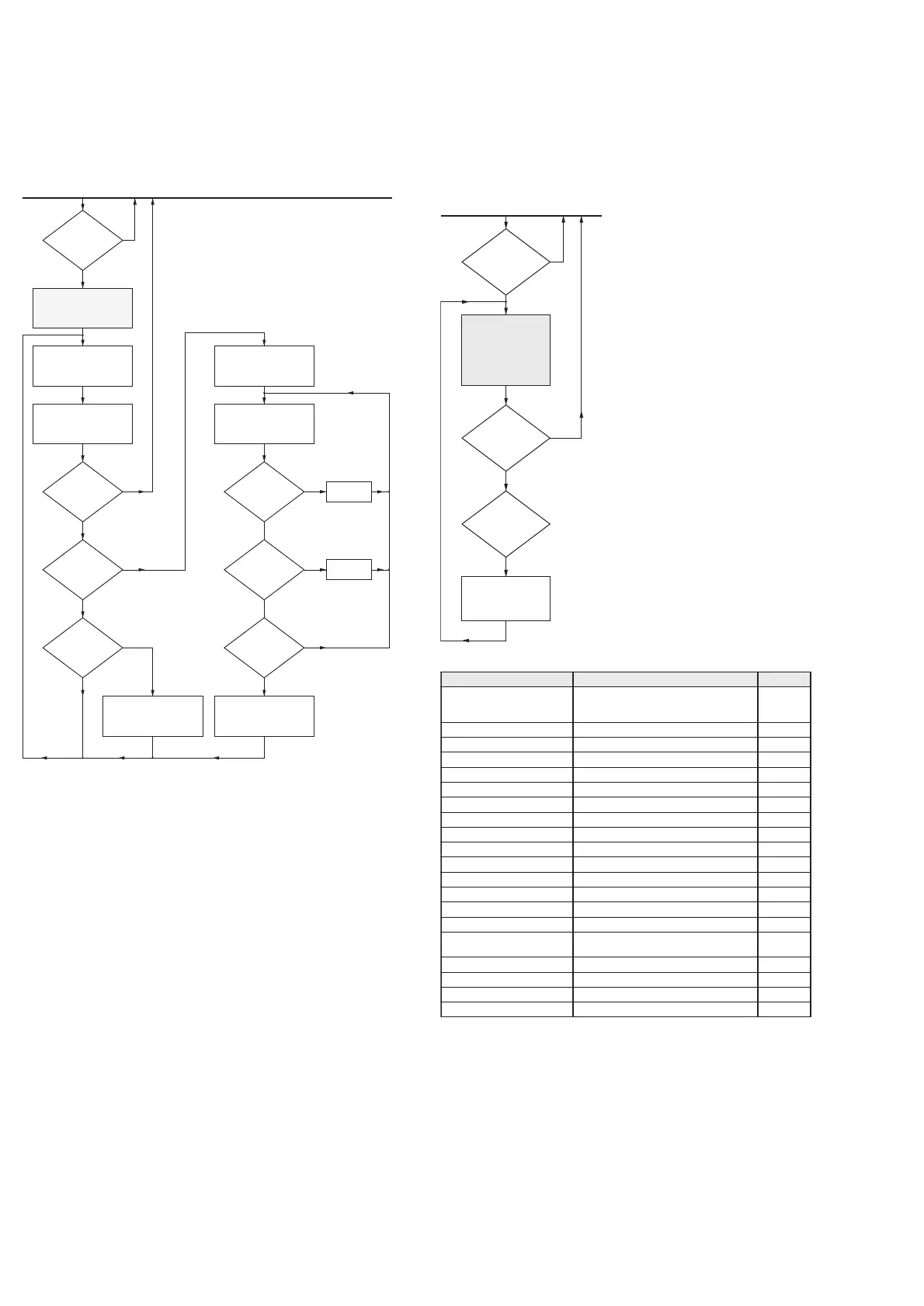
7. DAB bit error rate test
Purpose: Reads and displays the bit error rate of the DAB
tuner.
Notes: “rrr.rr” is the bit error rate in %.
“NO VALUE” is shown if no station is available. In
this case connect antenna or the test signal and
press the DAB ErrorBitRate button again. The
module will scan band III and the L band for stations
(about 2 minutes) and tune to the first station found.
It is possible to set the DAB module to a defined
center frequency. Press “RIGHT” on the RC and
229.072 MHz center frequency (228.304 till 229.840
with block name 12D) will be selected. Use “RIGHT”
and “LEFT” to select another frequency. Press the
DAB ErrorBitRate button to tune to the frequency.
7. Audio switch test
Purpose: Switches several audio modes according to the
table below. System related limitations are
ignored.
Notes: All DAC/CODEC outputs are routed to amplifiers/line
out sockets. If connecting ADC data output to all data
inputs of CODEC/DAC in parallel, input signal to
ADC will show on all outputs.
The test starts with -30dB as volume setting.
VOLUME (at least rotary) will work setting the
volume level. BASS/TREBLE will be 0dB (not
changeable). The routing will be influenced by HP
connect (HP out instead of LS). Line out and record
out is always active (L+R).
edomoiduA noitpircseD yalpsiD
lennahcitluM
rekaepsduolehtotstupnilennahcitlumkniL
erasreifilpmalla;PSDehtgnisutuohtiw
delbasiderasnoitcnufgnitumlla;delbane
NIHC_M
1golanAtuptuoehtotrenutehtkniLNIRENUT
2golanAtuptuoehtotniVTkniLNIVT
3golanAnitnorFkniLNIMAC
4golanAniDVDkniLNIDVD
5golanAniemaGkniLNIEMAG
tsetCDA )CAD-CDA(PSDehtesutubniemaGkniLNICDA
LrotarenegenottseT zH044htiwBPVehtnorotarenegenottsetesUTFEL
CrotarenegenottseT zH044htiwBPVehtnorotarenegenottsetesURETNEC
RrotarenegenottseT zH044htiwBPVehtnorotarenegenottsetesUTHGIR
RSrotarenegenottseT zH044htiwBPVehtnorotarenegenottsetesURRAER
LSrotarenegenottseT zH044htiwBPVehtnorotarenegenottsetesULRAER
WBUSrotarenegenottseT zH044htiwBPVehtnorotarenegenottsetesUWBUS
ximnwodLrotarenegenottseT zH044htiwBPVehtnorotarenegenottsetesULNWOD
ximnwodRrotarenegenottseT zH044htiwBPVehtnorotarenegenottsetesURNWOD
1xaoC
dnaSTDroDDfiedoced,nilatigidesU
rekaepsduolehtotrefsnart
NI1XAOC
2xaoCnilatigidesUNI2XAOC
3xaoCnilatigidesUNI3XAOC
lacitpOnilatigidesUNITPO
metitsrifhtiwniagatratS
“ffff.fff” + “ rrr.rr” or
“ffff.fff”
dec. freq.
inc. freq.


 To Next Page