Chapter 3: Getting Started 13
Start screen
After the memory card has been inserted or the DPM is turned on, a start
screen is displayed. This screen is identical to the screen which is displayed
when the DPM is in Stop mode.
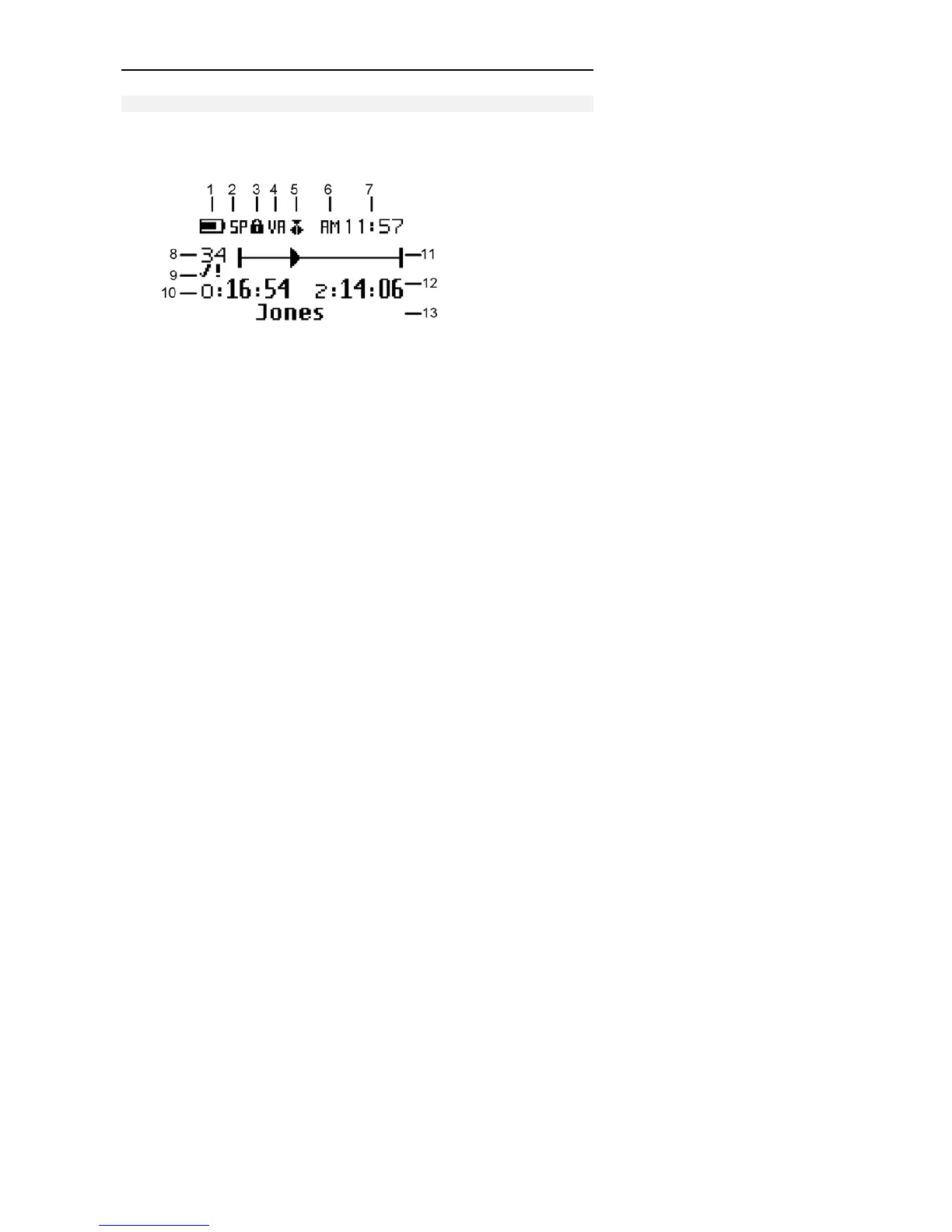
Note: The screen above is a fictional screen with the maximum number
of symbols which could appear.
1 Battery power.
2 Recording format: Standard Play or Long Play.
3 Write-protected SD memory card.
4 Voice-activated recording mode is enabled.
5 Insert mode is activated.
6 AM (or PM) symbol if the US time format is used.
7 Current time in HH:MM (hours:minutes).



 To Next Page