8 EN
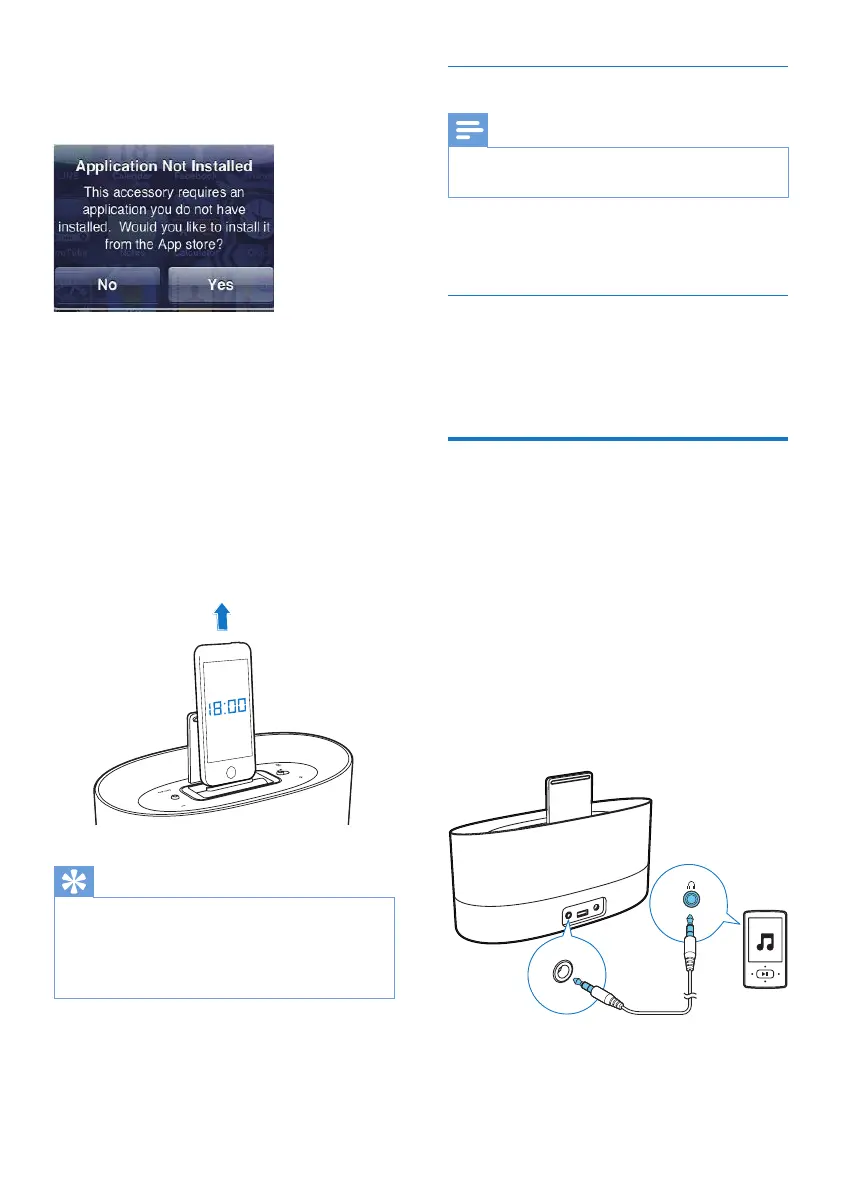
2 When using DS1600 for the rst time, a
required software application automatically
pops up.
3 Tap [Yes] (yes)to accept the installation
request.
4 Follow the on-screen instructions to
complete the installation.
» DS1600 synchronizes time and date
from the docked iPod/iPhone/iPad.
Remove the iPod/ iPhone/ iPad
To remove the iPod/ iPhone/ iPad
• Pull your iPod/ iPhone/ iPad out of the
dock.
Tip
• When placing or removing the iPod/ iPhone/ iPad, hold
the iPod/ iPhone/ iPad at the same angle as that of the
connector of DS1600.
• Before disconnecting the iPod/ iPhone/ iPad, pause the
audio play.
Listen to the iPod/ iPhone/ iPad
Note
• Make sure that the iPod/ iPhone/ iPad is loaded
correctly.
• Start music play in your iPod/ iPhone/ iPad.
» You can hear music from DS1600.
Charge the iPod/ iPhone/ iPad
When the docking speaker is connected to
power, the docked iPod/ iPhone/ iPad charges
automatically.
Play through an audio cable
Through an MP3 link cable, you can also play on
DS1600 from an external audio device, such as
an MP3 player.
1 Use an MP3 link cable to connect DS1600
with an external audio device.
2 On DS1600, do the following:
• Make sure that you have paused the
music on your iPod/ iPhone/ iPad
docked on DS1600.
3 On the external audio device, start music
play and change the volume.



 To Next Page