10 EN
Adjust brightness
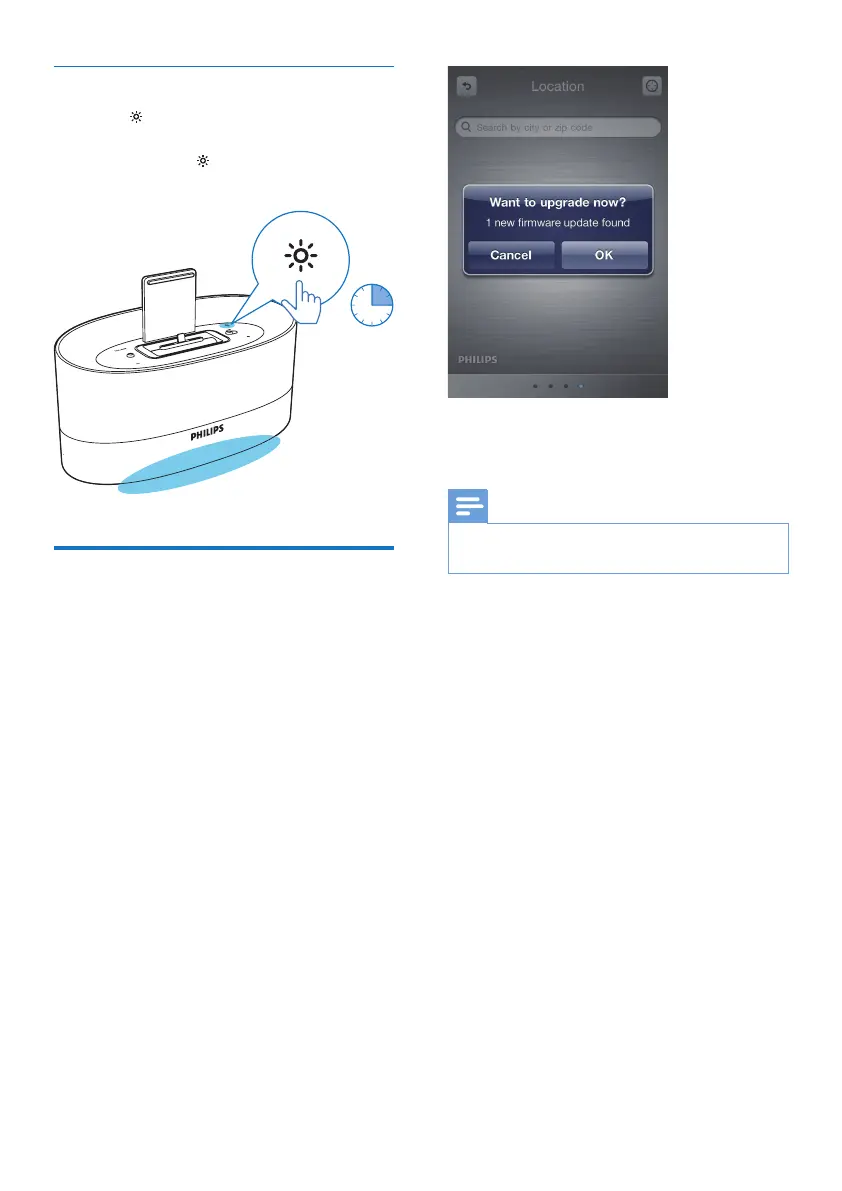
• Press repeatedly to select different levels
of display light.
• Press and hold to turn on or off the
bottom light.
Update the rmware
With the ClockStudioapp on your iPod/
iPhone/ iPad, you can update the rmware of
DS1600.
1 Make sure that your iPod/ iPhone/ iPad is
connected to the Internet.
2 Mount the iPod/ iPhone/ iPad onto the
lightning dock of DS1600.
» ClockStudio starts to search for
available rmware update.
» When the rmware update is available,
a message is displayed.
3 sec
3 Follow onscreen instructions to complete
rmware updating.
Note
• During the rmware updating, keep the iPod/ iPhone/
iPad powered on and docked on DS1600.



 To Next Page