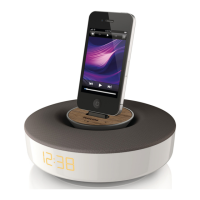
What’s in the box
Check and identify the contents of your
package:
• Main unit
• Remote control
• 2 x AC power cords
• 1 x MP3 link cable
• Desk top adaptor
• User manual
• Quick start guide
What else you need
To stream audio wirelessly by AirPlay, you need:
• A wireless router that is powered on
and working properly.
• An AirPlay device (e.g., an iOS 4.2 (or
later) enabled iPod touch/iPhone/iPad
or Wi-Fi enabled PC or Mac installed
with iTunes 10 (or later)).
Overview of the main unit
2 Your
Entertainment
System
Congratulations on your purchase, and
welcome to Philips! To fully benet from the
support that Philips offers, register your product
at www.philips.com/welcome.
If you contact Philips, you will be asked for the
model and serial number of this apparatus. The
model number and serial number are on the
bottom of the apparatus. Write the numbers
here:
Model No. __________________________
Serial No. ___________________________
Introduction
With this unit, you can:
• stream audio from your iOS 4.2 (or
later) enabled device (e.g., an iPod
touch/iPhone/iPad) wirelessly by
AirPlay.
• stream audio from your Wi-Fi enabled
PC or Mac installed with iTunes 10 (or
later) wirelessly by AirPlay.
• play audio from other audio devices
through the AUX IN socket.
• charge your iPod/iPhone/iPad through
the USB socket with a USB cable (not
supplied).
EN



 To Next Page