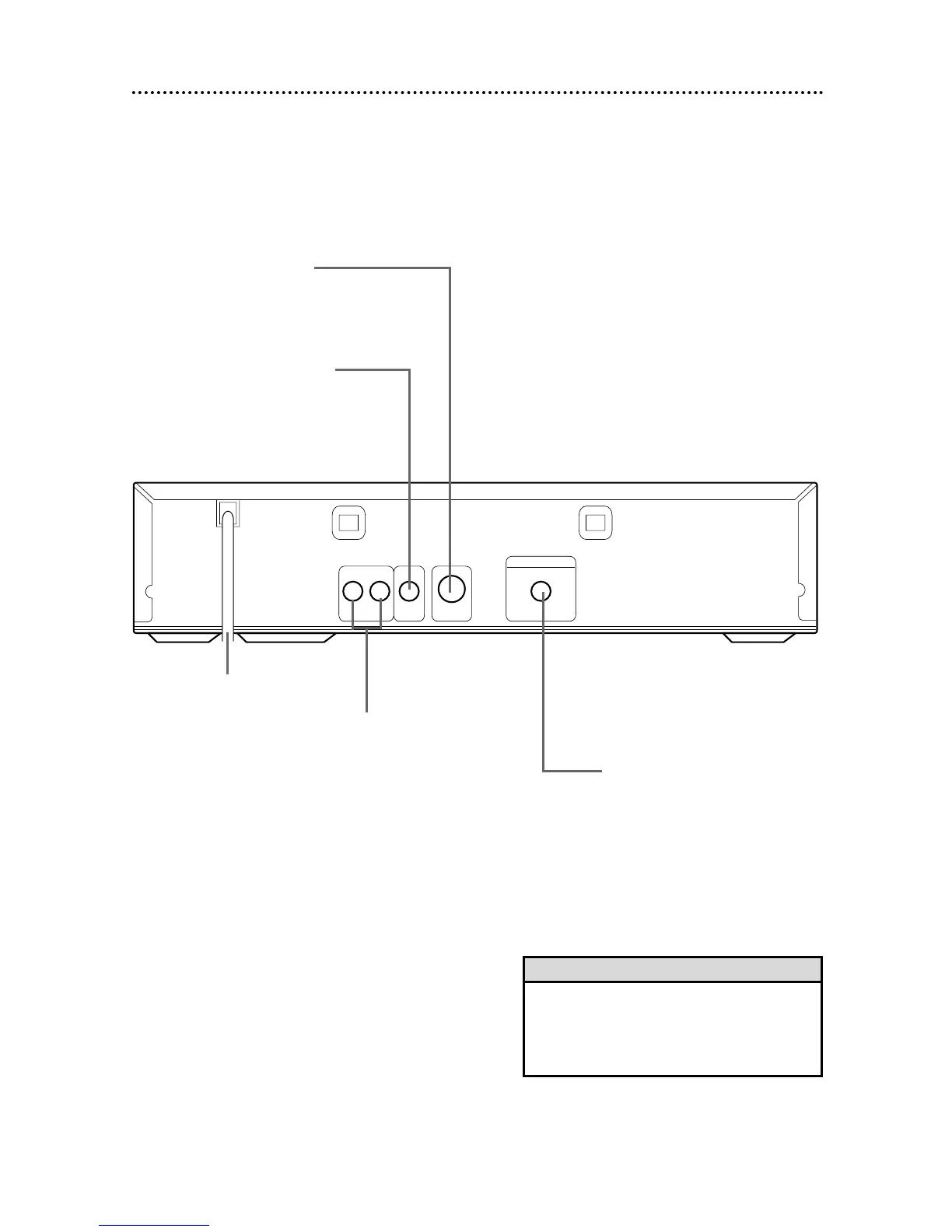
AC Power Cord
Connect to a standard AC
outlet to supply power to
the DVD Player.
COAXIAL Jack
Connect an optional audio
coaxial digital cable here
and to the coaxial digital
Audio In jack of a decoder
or amplifier. Details are on
pages 11-12.
S-VIDEO OUT Jack
Connect an optional S-Video cable here
and to the S-Video In jack of a televi-
sion. Details are on pages 9-12.
VIDEO OUT Jack
Connect the yellow video cable
(supplied) here and to the TV’s
Video In jack. Details are on
pages 8 and 10-12.
AUDIO OUT Jacks
Connect the supplied red
and white audio cables here
and to the Audio In jacks of
a television or stereo. Details
are on pages 8-10.
• You only need one audio connection and one
video connection, so you will not have a cable
connected to every jack. For example, if you
are using the S-VIDEO OUT jack, you will not
use the VIDEO OUT jack.
Helpful Hint


 To Next Page