Channel Setup (cont’d)
27
Adding/Deleting Channels
You may want to add or delete TV channels if your channel lineup
changes or if you no longer watch some channels.
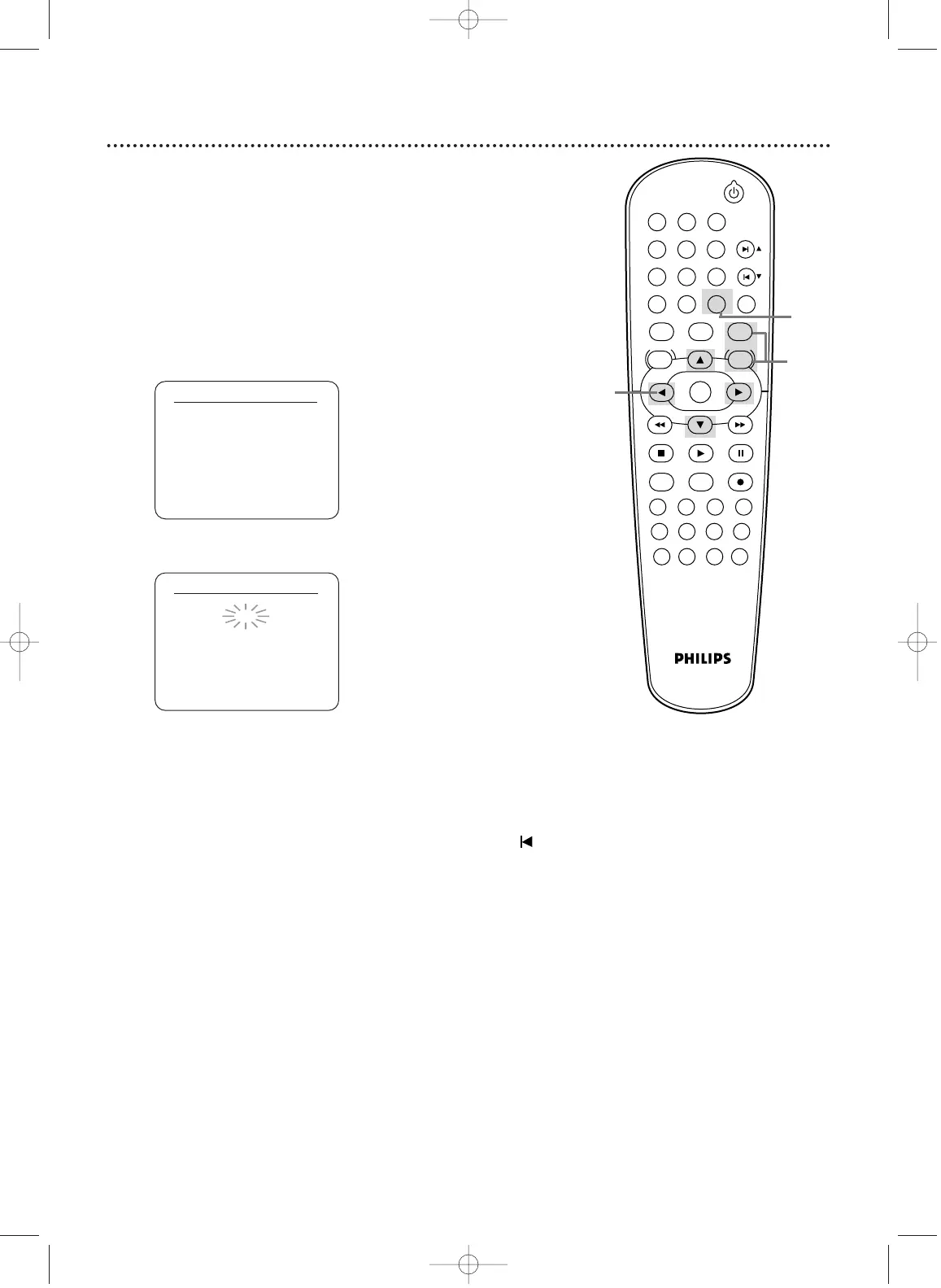
1
Press VCR, then press DISC/VCR/MENU.
2
Press o or p to select CHANNEL SET UP, then
press B.
3
Press o or p to select MANUAL SET UP, then
press B.
CHANNEL SET UP
AUTO SET UP
B MANUAL SET UP
MANUAL SET UP
CHANNEL 30 (CATV)
ADD
5
Press B or s so ADD or DELETE flashes on the
screen.
6
While your choice is flashing, press
CLEAR/RESET. The channel you added or deleted will be
the current channel.Added channels are available when you
flip through channels using the SKIP3/CHo and SKIP /
CHp buttons.You still can select deleted channels with the
Number buttons.
4
Press o or p until the channel number you want to
add or delete appears on the screen.
STANDBY-ON
PLAY
VCR/TV
VCRDVD
OK
MENU MENU
SYSTEM
RETURN TITLE
A-B
CLEAR/RESET SLOW
SUBTITLE ZOOM
ANGLE
REPEAT REPEAT
AUDIO
SEARCH MODE
DISPLAY
SKIP / CH
DISC/VCR
PAUSESTOP
VCR Plus+ RECORDTIMER SET
SPEED
1 2 3
7
6
5
4
8
9
0
+10
2-5
6
1
H9421CD/DVD750(EN).pgs1-51.QX3 03.4.11 11:29 AM Page 27












 To Next Page