50
Multi-Channel Television Sound (cont’d)
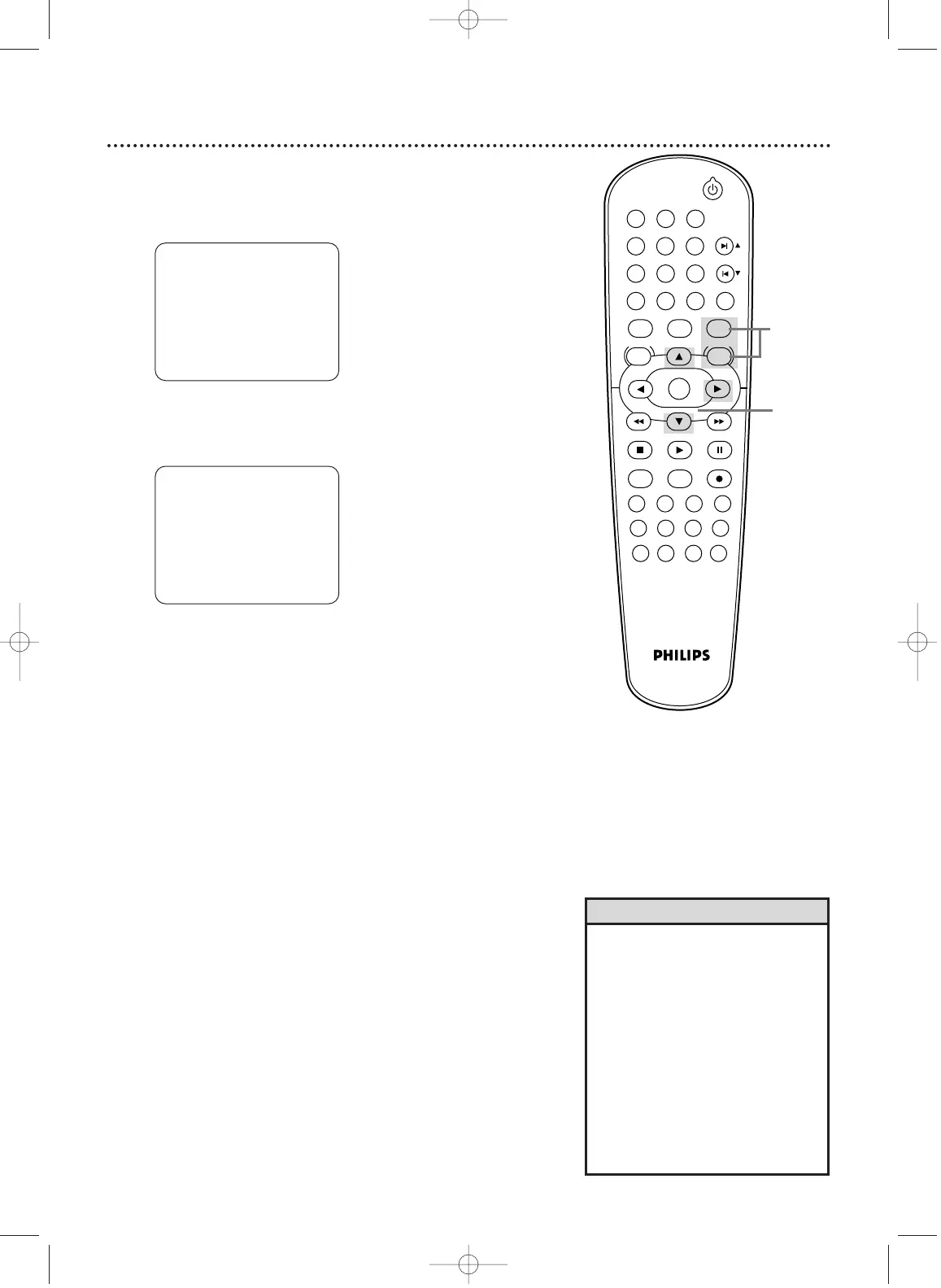
2
Press o or p to select TV STEREO or SAP (Second
Audio Program). Press B so ON appears beside your
selection.
3
Press DISC/VCR/MENU to remove the menu.
- M E N U 1 -
TIMER PROGRAMMING
AUTO REPEAT [OFF]
CHANNEL SET UP
CLOCK SET
LANGUAGE SELECT
AUDIO OUT
B TV STEREO [ON]
SAP
• You can only receive and record in
stereo or second audio programs
that are broadcast in stereo or sec-
ond audio.You can only play in
stereo or second audio tapes that
were recorded in stereo or second
audio. Please see page 49 to deter-
mine if the program is in stereo or
second audio.
• If SAP is ON but the program is not
broadcast in Second Audio, you will
hear and record the program in nor-
mal audio.
Helpful Hints
- M E N U 1 -
B TIMER PROGRAMMING
AUTO REPEAT [OFF]
CHANNEL SET UP
CLOCK SET
LANGUAGE SELECT
AUDIO OUT
TV STEREO [ON]
SAP
To set the DVD/VCR to receive programs in stereo or second
audio, follow these steps.
1
Press VCR, then press DISC/VCR/MENU.
STANDBY-ON
PLAY
VCR/TV
VCRDVD
OK
MENU MENU
SYSTEM
RETURN TITLE
A-B
CLEAR/RESET SLOW
SUBTITLE ZOOM
ANGLE
REPEAT REPEAT
AUDIO
SEARCH MODE
DISPLAY
SKIP / CH
DISC/VCR
PAUSESTOP
VCR Plus+ RECORDTIMER SET
SPEED
1 2 3
7
6
5
4
8
9
0
+10
1,3
2
H9421CD/DVD750(EN).pgs1-51.QX3 03.4.11 11:30 AM Page 50












 To Next Page