3
Icons & symbols
Learn about the icons and symbols on the screen.
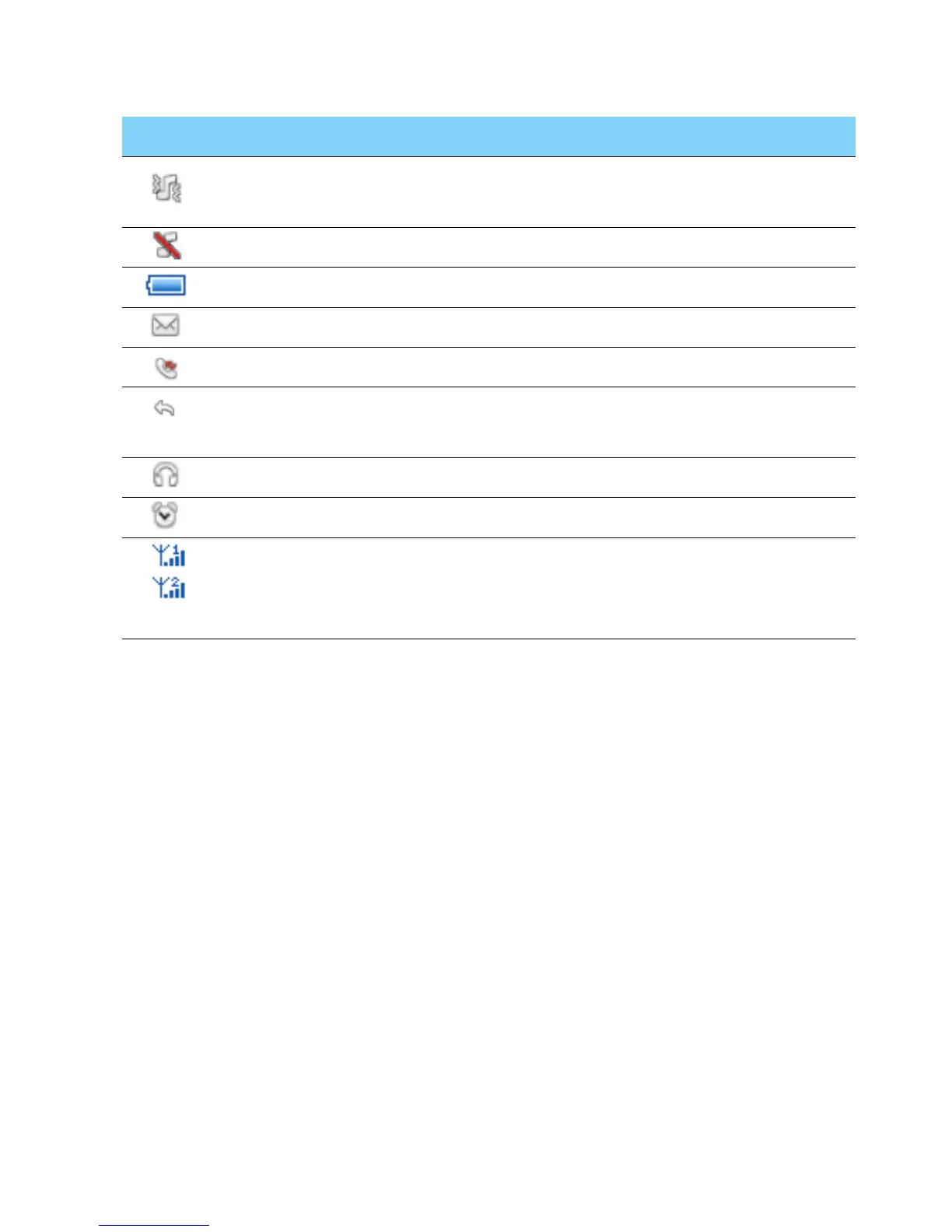
Icons Definition Function
Vibration
only
Your phone will vibrate when receiving a call.
Silent Your phone will not ring when receiving a call.
Battery The bars indicate the battery level.
SMS You have a new message.
Missed call You have missed a call.
Call diverts All your incoming voice calls are being
forwarded to a number.
Headset The headset is plugged into the phone.
Alarm The alarm clock is activated.
GSM
network
Your phone is connected to a GSM network.
The more bars are shown the better the
reception is.



 To Next Page