Need help?
Do you have a question about the Philips VOIP1511B and is the answer not in the manual?
Covers power requirements, safety warnings, terms of use, environmental care, and conformity statements.
Details service center contacts, warranty information, EMF guidelines, and FCC compliance declarations.
Lists included items and necessary additional hardware for phone operation.
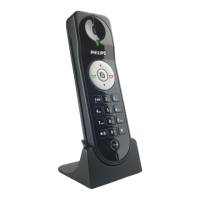
Explains handset layout, physical components, and detailed display icons.
Describes the information displayed on the handset screen when in idle mode.
Guides through installing the VOIP151 driver and initial phone setup procedures.
Explains how to check connection status and provides basic troubleshooting tips.
Instructions on initiating, answering, and ending calls via contact lists or dial pad.
Covers call waiting, emergency call limitations, and call rejection methods.
Manages earpiece volume, microphone mute, and placing calls on hold.
Details conference call functionality and activating computer handsfree mode.
Steps to access, listen to, and understand voicemail status indicators on the computer.
Configures auto-start, language, ringers, status, and general phone settings.
Manages Skype audio input, output, volume, and default device settings.
Customizes ringer melodies, volume, and key tones for the handset.
Assigns functions to phone keys for quick access to features.
Displays software version, firmware, and connection status details.
 Picture/Display
| display screen type | LCD alphanumeric |
|---|---|
| lines of text | 1 line of 12 alphanumerical characters |
Sound| handset volume control | Volume up/down |
|---|---|
| number of melodies | 6 |
 System Requirements
| PC OS | Windows Vista, XP or 2000 with 800 Mhz CPU at least |
|---|---|
| RAM memory | 256 MB |
| hard disk space | 50 MB or more |
 Power
Power| power supply | USB powered |
|---|
USB Compatibility| USB Specification | USB 1.1 specification, USB 2.0 |
|---|

 To Next Page