EasyManua.ls Logo

Philips BaseLine Pro - User Manual

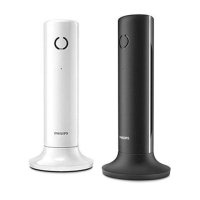
Philips BaseLine Pro
71 pages
Print Icon
To Next Page IconTo Next Page
Loading...
A Publication of
NEC Philips Unified Solutions Nederland B.V.
HILVERSUM, THE NETHERLANDS
Order No : 3522 009 11055
Date : April 2007
Great care has been taken to ensure that the information contained
in this handbook is accurate and complete. Should any errors or
omissions be discovered or should any users wish to make
suggestions for improving this handbook, they are invited to send
the relevant details to:
NEC Philips Unified Solutions Nederland B.V.
P.O. BOX 32
1200 JD HILVERSUM
THE NETHERLANDS
© NEC Philips Unified Solutions Nederland B.V. 2007.
All rights are reserved. Reproduction in whole or in part is prohibited
without the written consent of the copyright owner.
All brand names and product names in this document are
trademarks or registered trademarks of their respective companies.
Question and Answer IconNeed help?

Do you have a question about the Philips BaseLine Pro and is the answer not in the manual?

Summary

English

What the symbols mean

Explains symbols for call length, memory storage, mute function, and call transfer.

Answering a call

Instructions on how to answer an incoming call using the handset or speakerphone.

Transferring a call

Procedure for transferring an ongoing call to another number or party.

Making a call using the handset

Steps to make a call using the phone's handset and controlling the loudspeaker.

Storing numbers in memory (21 digits or less)

Process to store phone numbers up to 21 digits in memory buttons.

Re-dialling the last number called

How to redial the most recently dialled phone number.

Muting the microphone

Instructions to disable or enable the handset or handsfree microphone during a call.

Installation Settings

Switch controls

Details on setting three switches for message waiting, recall type, and recall timing.

Product Disposal Information (UK)

Summary

English

What the symbols mean

Explains symbols for call length, memory storage, mute function, and call transfer.

Answering a call

Instructions on how to answer an incoming call using the handset or speakerphone.

Transferring a call

Procedure for transferring an ongoing call to another number or party.

Making a call using the handset

Steps to make a call using the phone's handset and controlling the loudspeaker.

Storing numbers in memory (21 digits or less)

Process to store phone numbers up to 21 digits in memory buttons.

Re-dialling the last number called

How to redial the most recently dialled phone number.

Muting the microphone

Instructions to disable or enable the handset or handsfree microphone during a call.

Installation Settings

Switch controls

Details on setting three switches for message waiting, recall type, and recall timing.

Product Disposal Information (UK)

Philips BaseLine Pro Specifications

General IconGeneral
Caller IDYes
Phonebook entries50
RedialYes
Wall mountableYes
Call WaitingYes
Ringer Volume ControlYes
Handset Volume ControlYes
TypeCorded
Power SourcePhone line

Related product manuals