5
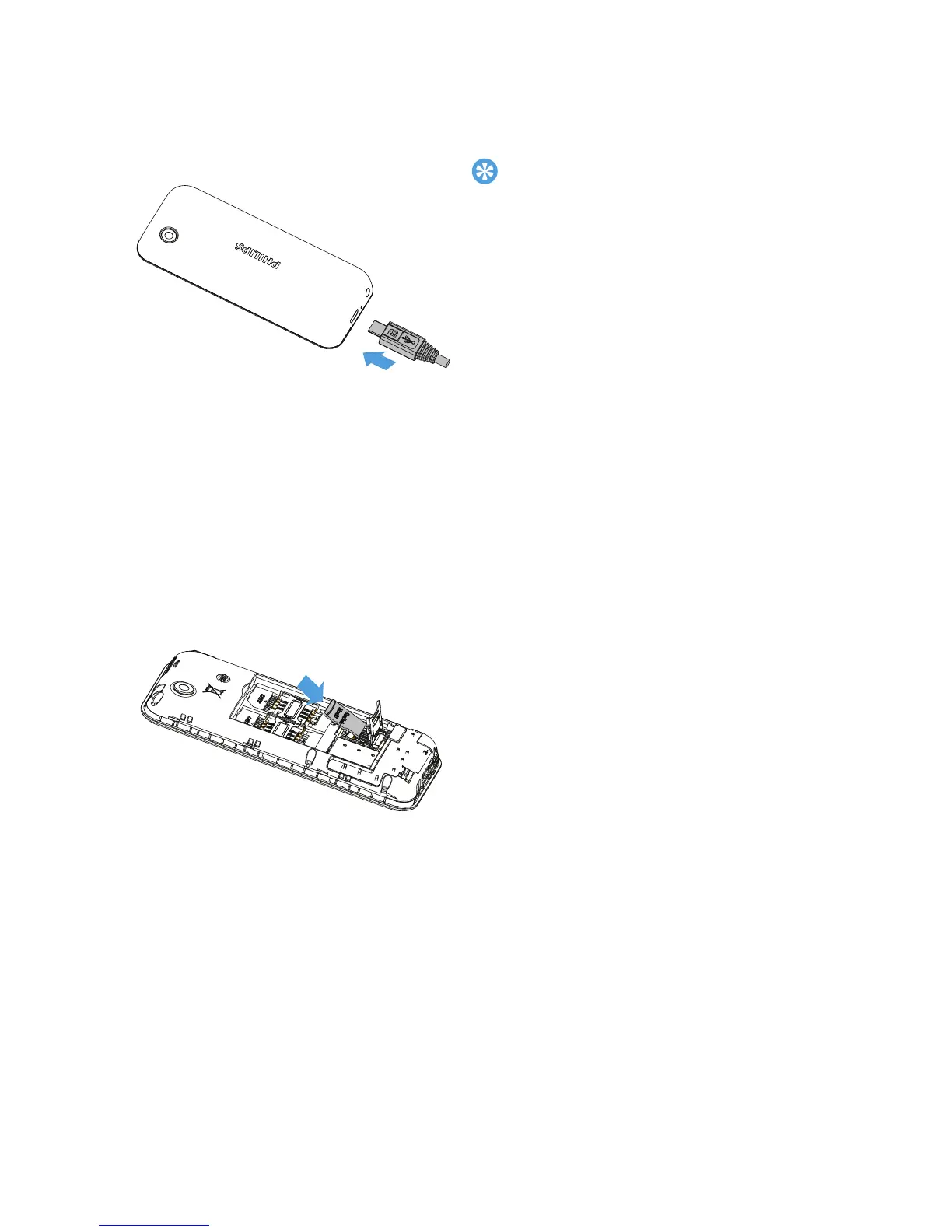
Charge the battery
A new battery is partially charged. The battery icon in the upper-right
corner shows the battery level of charging status.
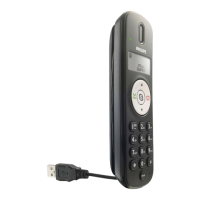
Insert a Micro SD card (Memory card:up to 32GB)
•
You can use the phone while it is charging.
•
Keeping the charger plugged to the mobile
phone when the battery is fully charged
will not damage the battery. The only way
to turn off the charger is to unplug it, so it
is advisable to use an easily accessible
power socket.
•
If you do not intend to use your phone for
several days, we recommend that you
remove the battery.
•
If a fully charged battery left unused, it will
lost its charge over time.
•
If a battery is being used for the first time
or the battery has not been used for a
prolonged period, it may take longer time
to recharge.
You can expand the memory of your
phone by adding a micro SD card.
1
Push down the card holder and
lift it up. Align your micro SD
card with the slot. Put it in place.
2
Press down the card holder and
pull it until it is locked.



 To Next Page