EasyManua.ls Logo

Philips for Intel Socket 775 processor - Abnormal Display

Philips for Intel Socket 775 processor
46 pages
Print Icon
To Next Page IconTo Next Page
To Previous Page IconTo Previous Page
Loading...
Diagnostic software
EN 24 S/SD/HD 3.1 PDP5.
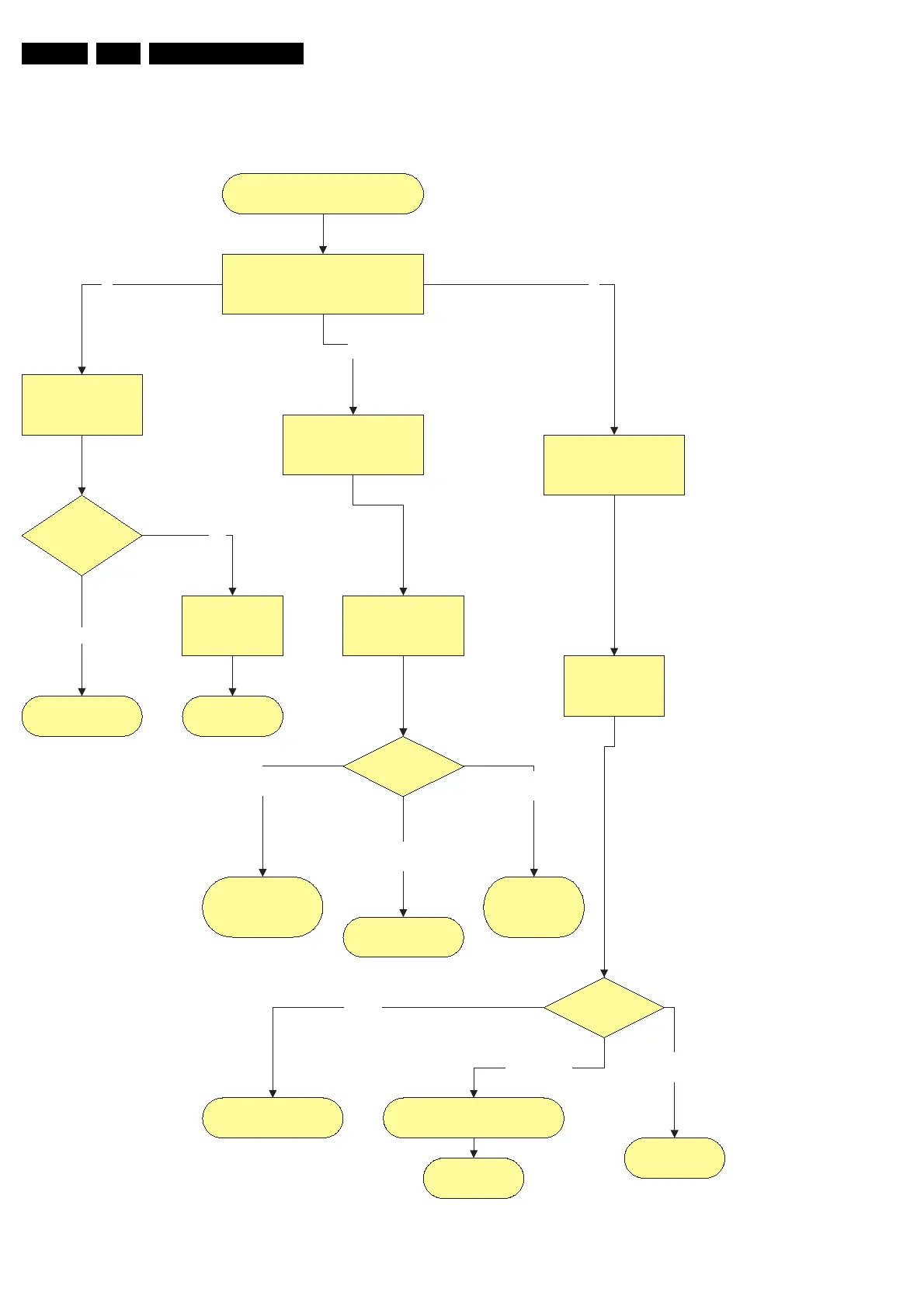
Figure 5-11
Abnormal Display
Abnormal Display
Exept horizontal or Vertical Lines
Check FFC
Flat Foil Connections
between Logic-main, X-main and Y-
main
Logic-Main
Observation of
abnormal Display
Y-Main Check
Check Fuses and FET
X-Main Check
Check Fuses and FET
Regular abnormal
pattern
Logic main
normal state
Replace PDP
Ye s
No
Replace the Logic-
main board
Check X
Waveform
Check Ramp
waveform on Y-board
(buffer)
1
2
3
Waveform?
Go to X-Main board
Check
Check voltages.
Adjust Y waveform
Check voltages.
Replace Y-Main
board
Not
correct
Waveform is
OK
No
waveform
Waveform?
X main board seems to be OK.
Check supply voltages or
replace X-Main board.
Replace X-Main
board
Not
correct
Waveform is
OK
Waveform not
OK
Replace PDP

Related product manuals