EasyManua.ls Logo

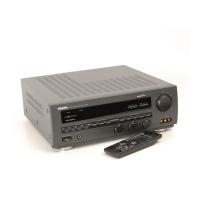
Philips FR980 - Unpacking; Placement; Digital Home Cinema speaker configurations; Connecting the power supply

Philips FR980
63 pages
Print Icon
To Next Page IconTo Next Page
To Previous Page IconTo Previous Page
Loading...
L8€
86
SOd
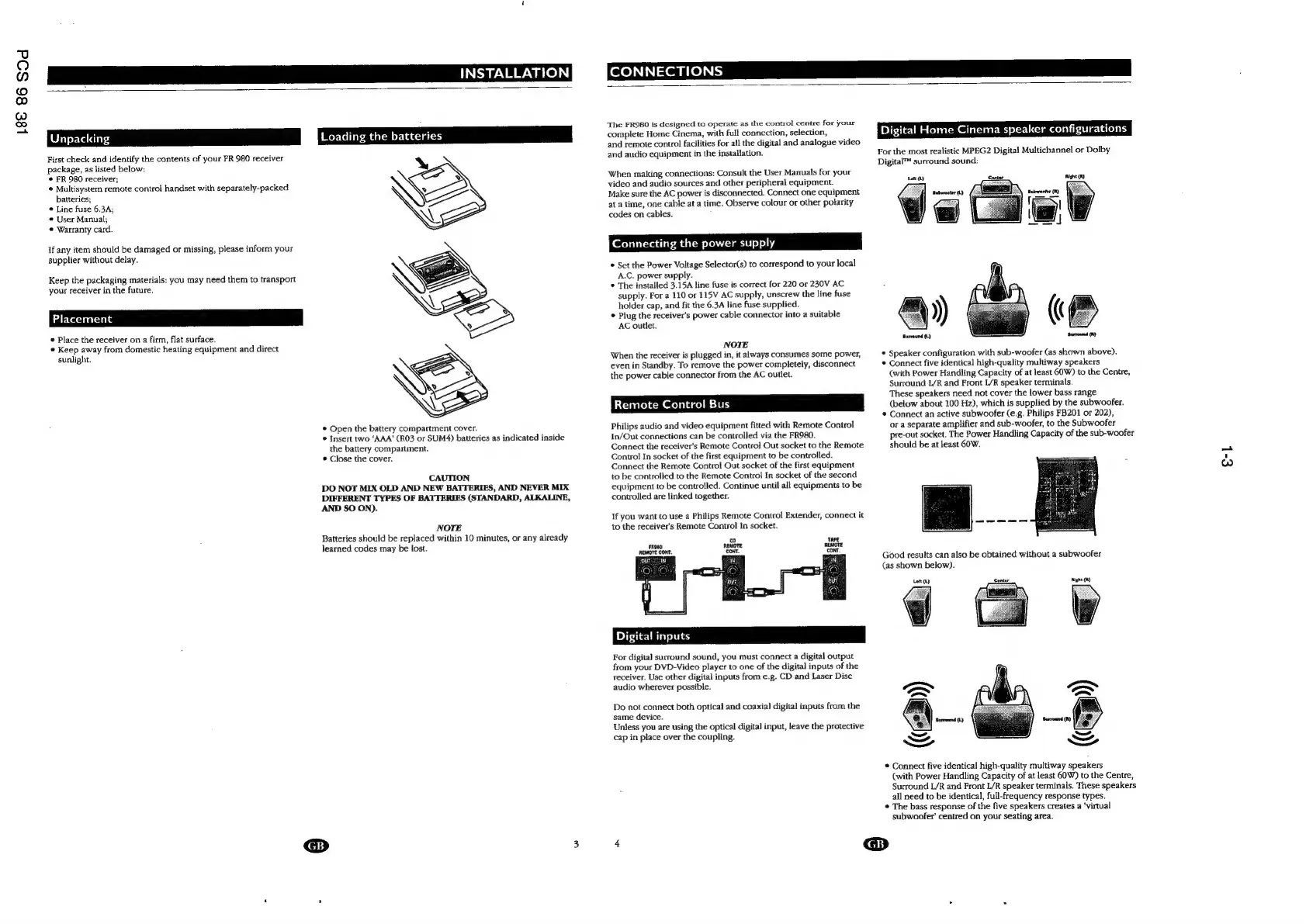
Unpacking
First
check
and
identify
the
contents
of
your
FR
980
receiver
package,
as
listed
below:
©
FR
980
receiver;
Multisystem
remote
control
handset
with
separately-packed
batteries;
Line
fuse
6.3A;
*
User
Manual;
©
Warranty
card.
If
any
item
should
be
damaged
or
missing,
please
inform
your
supplier
without
delay.
Keep
the
packaging
materials:
you
may
need
them
to
transport
your
receiver
in
the
future.
Placement
®
Place
the
receiver
on
a
firm,
flat
surface.
©
Keep
away
from
domestic
heating
equipment
and
direct
sunlight.
Loading
©
Open
the
battery
compartment
cover.
©
Insert
two
‘AAA’
(R03
or
SUM4)
batteries
as
indicated
inside
the
battery
compartment.
©
Close
the
cover.
CAUTION
DO
NOT
MIX
OLD
AND
NEW
BATTERIES,
AND
NEVER
MIX
DIFFERENT
TYPES
OF
BATTERIES
(STANDARD,
ALKALINE,
AND
SO
ON).
NOTE
Batteries
should
be
replaced
within
10
minutes,
or
any
already
learned
codes
may
be
lost.
The
FR980
is
dcsigned
to
operate
as
the
control
centre
for
your
complete
Home
Cinema,
with
full
connection,
selection,
and
remote
control
facilities
for
all
the
digital
and
analogue
video
and
audio
equipment
in
the
installation.
When
making
connections:
Consult
the
User
Manuals
for
your
video
and
audio
sources
and
other
peripheral
equipment.
Make
sure
the
AC
power
is
disconnected.
Connect
one
equipment
at
a
time,
one
cable
at
a
time.
Observe
colour
or
other
polarity
codes
on
cables.
Connecting
the
power
supply
©
Set
the
Power
Voltage
Selector(s)
to
correspond
to
your
local
A.C.
power
supply.
*
The
installed
3.15A
line
fuse
is
correct
for
220
or
230V
AC
supply.
For
a
110
or
115V
AC
supply,
unscrew
the
line
fuse
holder
cap,
and
fit
the
6.3A
line
fuse
supplied.
©
Plug
the
receiver’s
power
cable
connector
into
a
suitable
AC
outlet.
NOTE
When
the
receiver
is
plugged
in,
it
always
consumes
some
power,
even
in
Standby.
To
remove
the
power
completely,
disconnect
the
power
cable
connector
from
the
AC
outlet.
Remote
C
ol
Bus
Philips
audio
and
video
equipment
fitted
with
Remote
Control
In/Out
connections
can
be
controlled
via
the
FR980.
Connect
the
receiver’s
Remote
Control
Out
socket
to
the
Remote
Control
In
socket
of
the
first
equipment
to
be
controlled.
Connect
the
Remote
Control
Out
socket
of
the
first
equipment
to
be
controlled
to
the
Remote
Control
In
socket
of
the
second
equipment
to
be
controlled.
Continue
until
all
equipments
to
be
controlled
are
linked
together.
If
you
want
to
use
a
Philips
Remote
Control
Extender,
connect
it
to
the
receiver's
Remote
Control
In
socket.
Digita!
inputs
For
digital
surround
sound,
you
must
connect
a
digital
output
from
your
DVD-Video
player
to
one
of
the
digital
inputs
of
the
receiver.
Use
other
digital
inputs
from
e.g.
CD
and
Laser
Disc
audio
wherever
possible.
Do
not
connect
both
optical
and
coaxial
digital
inputs
from
the
same
device.
Unless
you
are
using
the
optical
digital
input,
leave
the
protective
cap
in
place
over
the
coupling.
Digital
Home
Cinema
speaker
configurations
For
the
most
realistic
MPEG2
Digital
Multichannel
or
Dolby
Digital™
surround
sound:
Lar
(Ly
Center
aughe
Surround
(L)
®
Speaker
configuration
with
sub-woofer
(as
shown
above).
©
Connect
five
identical
high-quality
multiway
speakers
(with
Power
Handling
Capacity
of
at
least
60W)
to
the
Centre,
Surround
L/R
and
Front
L/R
speaker
terminals.
These
speakers
need
not
cover
the
lower
bass
range
(below
about
100
Hz),
which
is
supplied
by
the
subwoofer.
©
Connect
an
active
subwoofer
(e.g.
Philips
FB201
or
202),
or
a
separate
amplifier
and
sub-woofer,
to
the
Subwoofer
pre-out
socket.
The
Power
Handling
Capacity
of
the
sub-woofer
should
be
at
least
60W.
Good
results
can
also
be
obtained
without
a
subwoofer
(as
shown
below).
©
Connect
five
identical
high-quality
multiway
speakers
(with
Power
Handling
Capacity
of
at
least
60W)
to
the
Centre,
Surround
L/R
and
Front
L/R
speaker
terminals.
These
speakers
all
need
to
be
identical,
full-frequency
response
types.
¢
The
bass
response
of
the
five
speakers
creates
a
‘virtual
subwoofer’
centred
on
your
seating
area.
.
@
€-1

Other manuals for Philips FR980

Related product manuals