2 Use your TV
Watch TV
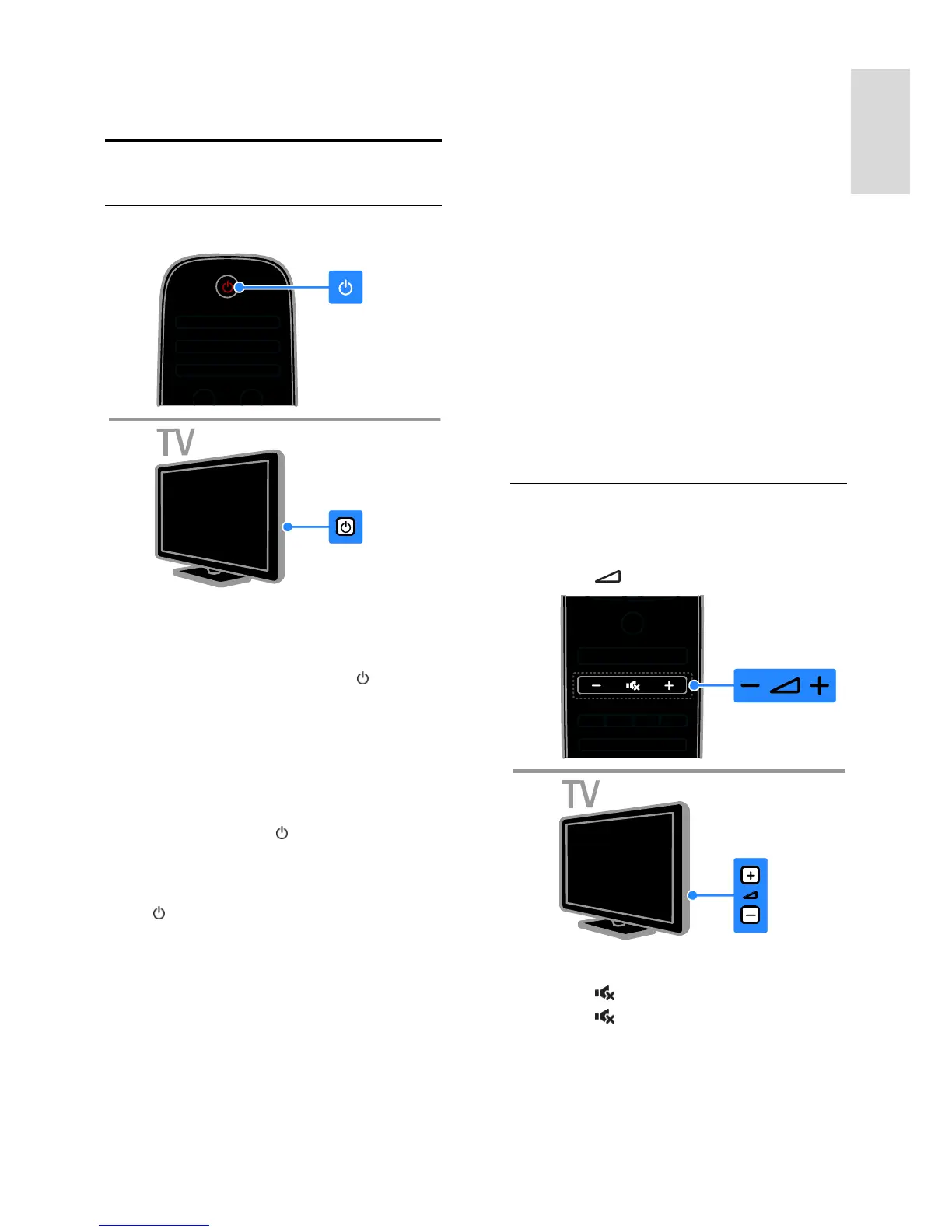
Switch TV on or off
Switch the TV on
Connect the TV to the mains outlet
and press the mains power switch.
If the TV is in standby, press on the
remote control or on the rear panel of
the TV.
Note: There is a short delay before the TV
responds.
Tip: If you cannot find your remote control
and want to switch on the TV from standby,
press CH - / CH + or on the rear panel
of the TV.
Switch TV to standby
Press on the remote control or on the
rear panel of the TV.
The remote control sensor on the TV
switches to red.
Switch off the TV
Turn off the mains power switch.
The TV switches off.
Note: Though your TV consumes very little
energy when it is in standby or switched off,
it does use some energy. If you are not going
to use the TV for an extended period of
time, disconnect the TV from the mains plug.
Automatic switch off
You can save energy with this TV's energy
efficiency settings. The settings are enabled
by default, so that if there is no user
interaction (such as pressing a remote
control button or a control on the rear
panel) for four hours, the TV will
automatically switch to standby.
To disable automatic switch off
1. While you watch TV, press the Green
button on the remote control.
2. Select [Auto switch off], then press OK.
A confirmation message is displayed.
Adjust TV volume
Increase or decrease the TV volume
Press +/- on the remote control.
Press +/- on the side of the TV.
Mute or unmute the TV volume
Press to mute the TV.
Press again to restore the volume.
Adjust headphone volume






 To Next Page