EN 4
TV controls
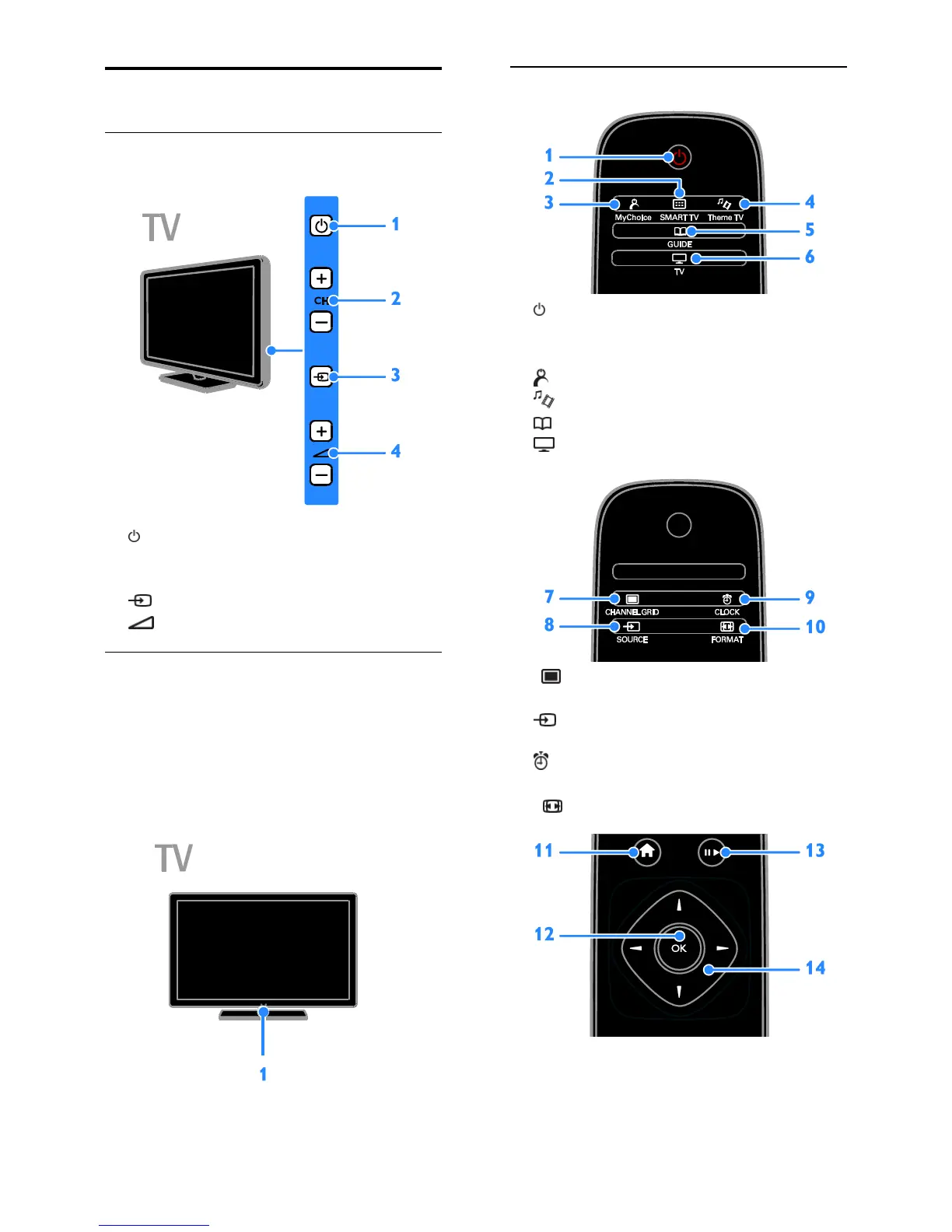
Rear controls
1. : Switch the TV on or to standby.
2. CH +/-: Switch to the next or previous
channel.
3. : Select a connected device.
4. +/-: Increase or decrease volume.
Sensors
1. Remote control sensor
Point the remote control at the sensor.
Make sure that the line-of-sight between the
remote control and the TV is not blocked by
furniture or other objects.
Remote control
1. (Standby): Switch the TV on or to
standby.
2. SMART TV: Access Smart TV features.
3. MyChoice: Access customized menu.
4. ThemeTV: Access ThemeTV options.
5. GUIDE: Access TV Guide.
6. TV: Switch source to watch TV.
7. CHANNEL GRID: Access the TV
channel list.
8. SOURCE: Access a connected
device.
9. CLOCK: Access the TV clock.
Available on certain models only.
10. FORMAT: Change picture format.










 To Next Page