EN 44
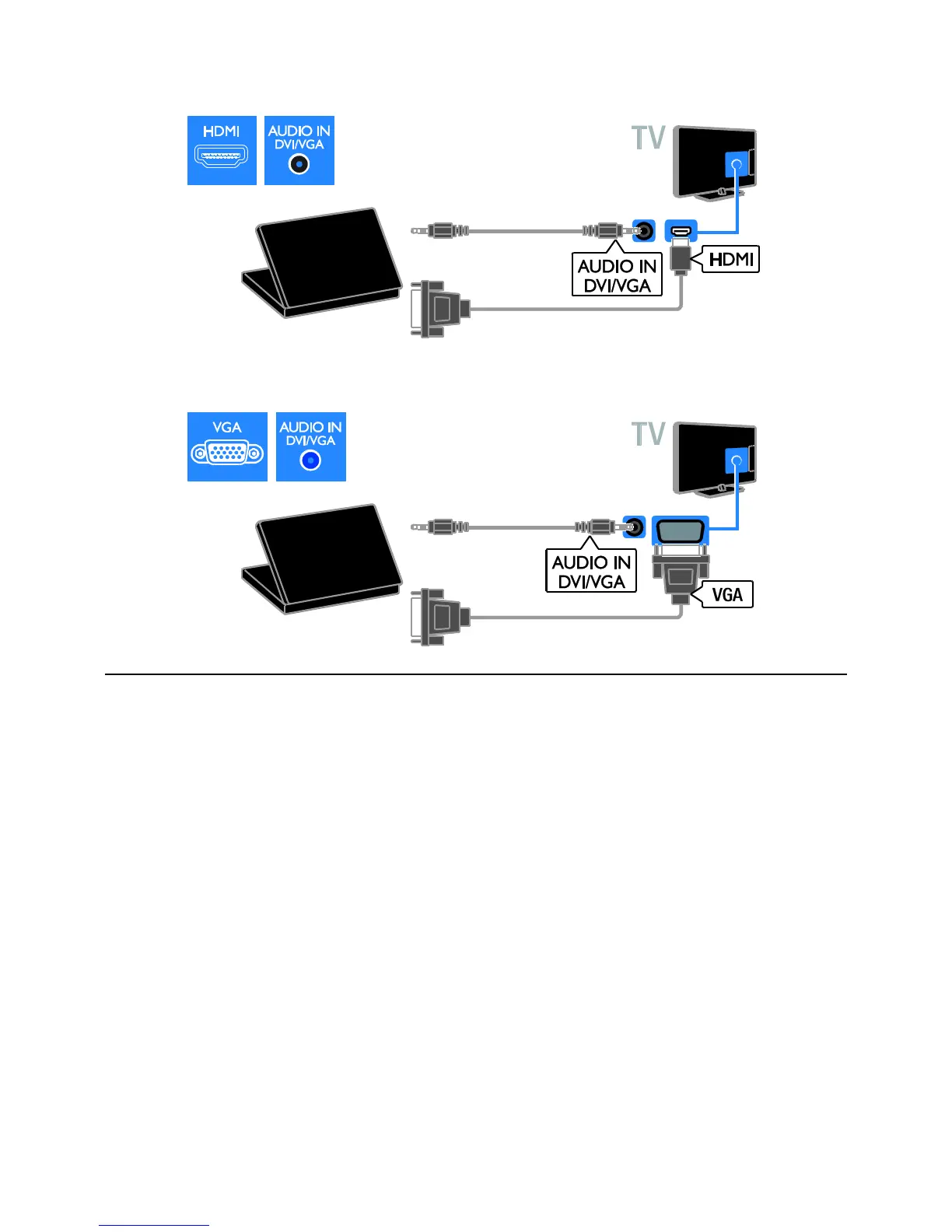
Connect the computer with a DVI-HDMI cable and an audio cable to the TV.
Connect the computer with a VGA cable and an audio cable to the TV.
Keyboard and mouse
USB keyboard
You can connect a USB keyboard to enter
text such as device names on the TV or text
for Smart TV apps.
USB mouse
You can connect a USB mouse to navigate
pages on the Internet and click on links
easily.
Note:
If you need extra USB connectors, use
a USB hub. You can also connect the
USB mouse to a connected USB
keyboard.
You can also connect the USB mouse
to a connected USB keyboard.






 To Next Page