14
EN
4 Preset the increase button (+) and the
decrease button (-) to set the desired
preset time.
5 Press the start button (On/Off) to conrm
the preset timer.
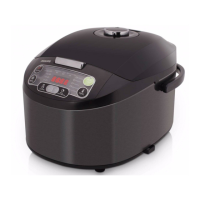
6 The cooking will be nished when the
preset time has elapsed. You will hear 4
beeps and the selected cooking function
light will be off.
7 The multicooker will be in keep-warm
mode automatically.
»
The keep- warm indicator (Chaud)
lights up.
Note
• The preset function is not available in bake
(Four), fry (Frire), and reheat (Réchauffer)
mode.
• The preset button is not responsive in standby
mode.
5 To set a different cooking temperature,
press the temperature button (Temp) , and
the default temperature starts ashing on
the display.
6 Press the increase (+) or the decrease
(-) button to set the desired cooking
temperature.
Preset time for delayed cooking
You can preset the delayed cooking time for all
cooking modes except the reheating, baking,
and frying modes.
1 Follow steps 6 and 7 in “Preparations
before cooking”.
2 Press the menu button (Menu) until your
preferred cooking function is selected.
3 Press the preset time button
(Départ différé), and the default preset
time starts ashing on the display.



 To Next Page