16
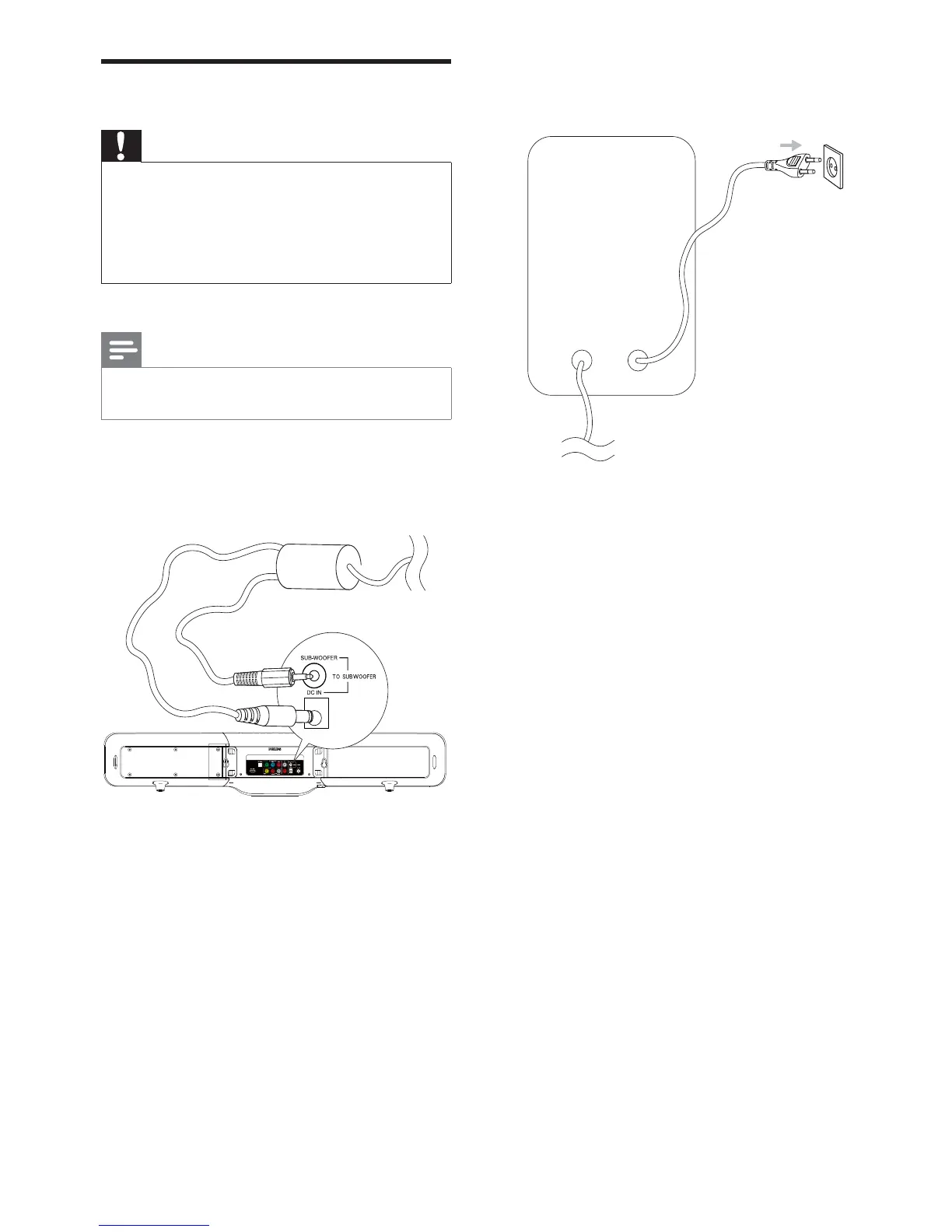
2 Connect the other end to the wall outlet.Connect power
Caution
Risk of product damage! Ensure that the power supply •
voltage corresponds to the voltage printed on the back
or the underside of the product.
Risk of electric shock! When you unplug the AC power,
•
always pull the plug from the socket. Never pull the
cord.
Note
Before connecting AC power, ensure you have •
completed all other connections.
1 Connect one end of the power plug to the
DC IN and SUB-WOOFER sockets on
the main unit.
EN


 To Next Page