13EN
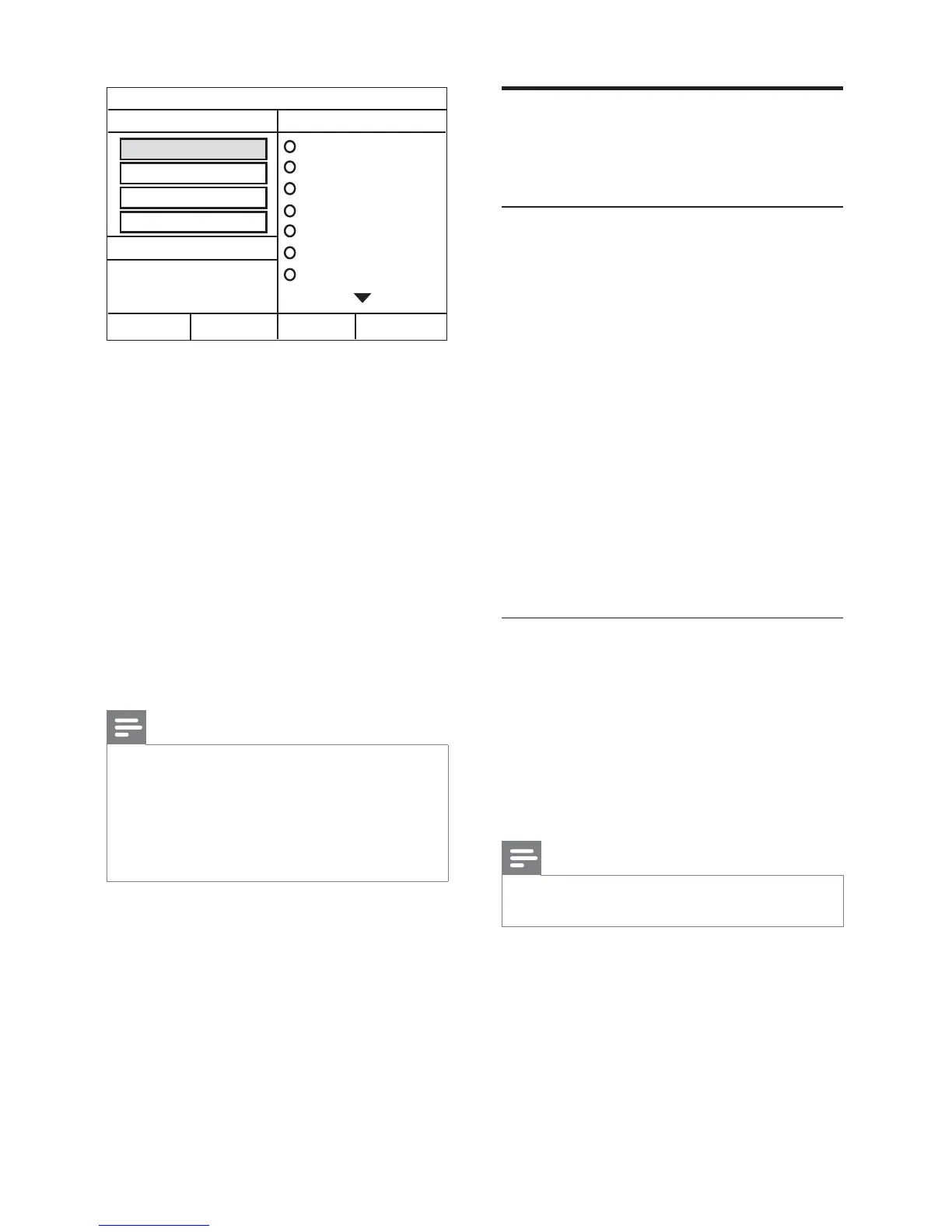
5 Press the Navigation buttons and OK to
select and change:
• [Speed] : Select the write-to-fi le speed.
• [Bitrate] : Select the conversion quality.
• [Device] : Select the USB storage device
which you use to store the MP3 fi les.
6 Navigate to the right panel, select the audio
tracks and press OK .
• To select all tracks, navigate to [Select
All] , and then press OK .
7 Select [Start] and then press OK to start the
MP3 conversion.
» A new folder which contains the MP3
fi les is created in the USB storage device.
• To exit the menu, select [Exit] , and then
press OK .
Note
•
Do not remove the USB and press any buttons
when the conversion is in progress.
• DTS CDs and copy-protected CDs cannot be
converted.
• Write-protected or password-protected USB
storage device cannot be used to store MP3
fi les.
CREATE MP3
OPTIONS
TRACK
Bitrate 128kbps
SUMMARY
Select Track 0
Start Exit
Select All
Deselect All
Time 00:00
Track01 04:14
Track02 04:17
Track03 03:58
Track04 04:51
Track05 03:53
Track06 04:09
Track07 04:38
Speed Normal
CRT ID3 Yes
Device USB1
Choose sound
This section helps you choose the ideal sound for
your video or music.
Sound mode
Select predefi ned sound modes to suit your video
or music.
1 Press SOUND repeatedly to select a sound
mode.
• mOVIE : Enjoy a cinematic audio
experience, specially enhanced for
movies.
• mUSIC : Recreate the original recording
environment of your music, in the studio
or at a concert.
• gAMIng : Enjoy thrilling arcade sounds,
ideal for action-packed video games or
loud parties.
• nEWS : Hear every word with optimised
speech and clear vocals.
• OrIgInAL : Experience the original sound
of your movies and music, without added
sound effects.
Surround sound mode
Experience an immersive audio experience with
surround sound modes.
1 Press SURR repeatedly to select a surround
mode.
• mUL-CH : Traditional 5.1 channel for a
more relaxing cinematic experience.
• StErEO : Two-channel stereo sound. Ideal
for listening to music.
Note
•
If the audio source is a 2.1 channel. multi-channel
mode will output 5-channel stereo sound.



 To Next Page