4 EN
2 Your home theatre
Congratulations on your purchase, and welcome
to Philips! To fully benefi t from the support that
Philips offers, register your product at www.philips.
com/welcome.
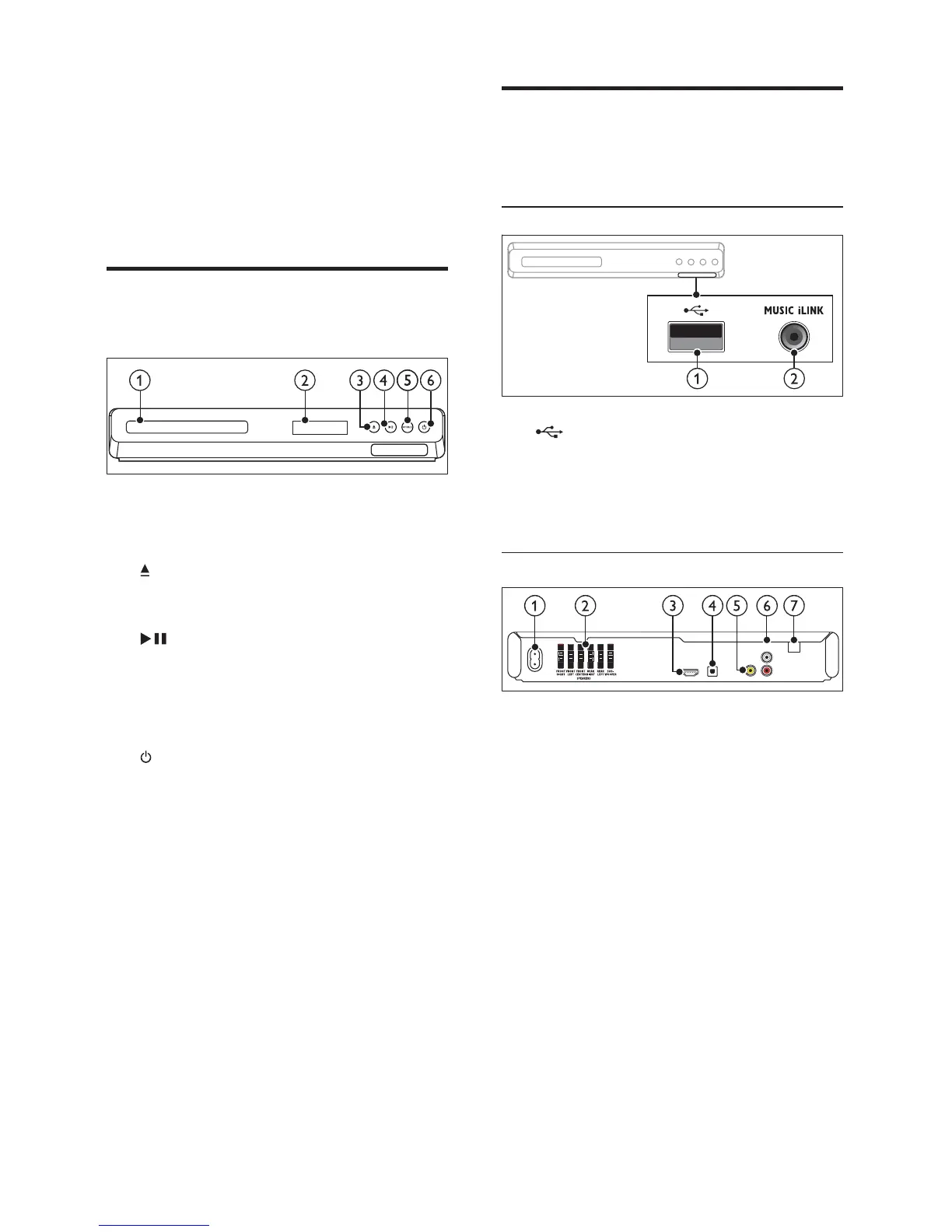
Main unit
This section includes an overview of the main unit.
a Disc compartment
b Display panel
c ( Open/Close )
Open or close the disc compartment, or
eject the disc.
d ( Play/Pause )
Start, pause or resume play.
e SOURCE
Select an audio or video source for the home
theatre.
f ( Standby-On )
Switch the home theatre on or to standby.
Connectors
This section includes an overview of the
connectors available on your home theatre.
Front connectors
a ( USB )
Audio, video or picture input from a USB
storage device.
b MUSIC iLINK
Audio input from an MP3 player.
Rear connectors
a AC MAINS
Connect to the power supply.
b SPEAKERS
Connect to the supplied speakers and
subwoofer.
c HDMI OUT
Connect to the HDMI input on the TV.
d OPTICAL IN
Connect to an optical audio output on the
TV or a digital device.
e VIDEO OUT
Connect to the composite video input on
the TV.
f AUDIO IN - AUX
Connect to an analogue audio output on the
TV or an analogue device.
g ANTENNA FM
Fixed FM antenna.
AC MAINS~
FM
ANTENNA
VIDEO OUT
OPTICAL IN
AUX
L
R
AUDIO IN
HDMI OUT (ARC)



 To Next Page