EasyManua.ls Logo

Philips HU4902 - Setting Humidity Level; Water Level and Indicators

Philips HU4902
25 pages
Print Icon
To Next Page IconTo Next Page
To Previous Page IconTo Previous Page
Loading...
11EN
Water level
Wh
en t
h
ere
i
s not enou
gh
water
i
n t
h
e water
t
an
k,


t
h
e re
d
indicator light starts blinking.











m
o
r
e
h
ou
r
.


ta
nk.
Note



t
he water a
f
ter more than one hour. The red
i
n
di
cator
li
g
h
t
i
s on
.













!







"
1
Remove upper cover by lifting it at both
sides
.
Set the humidity level
Note


















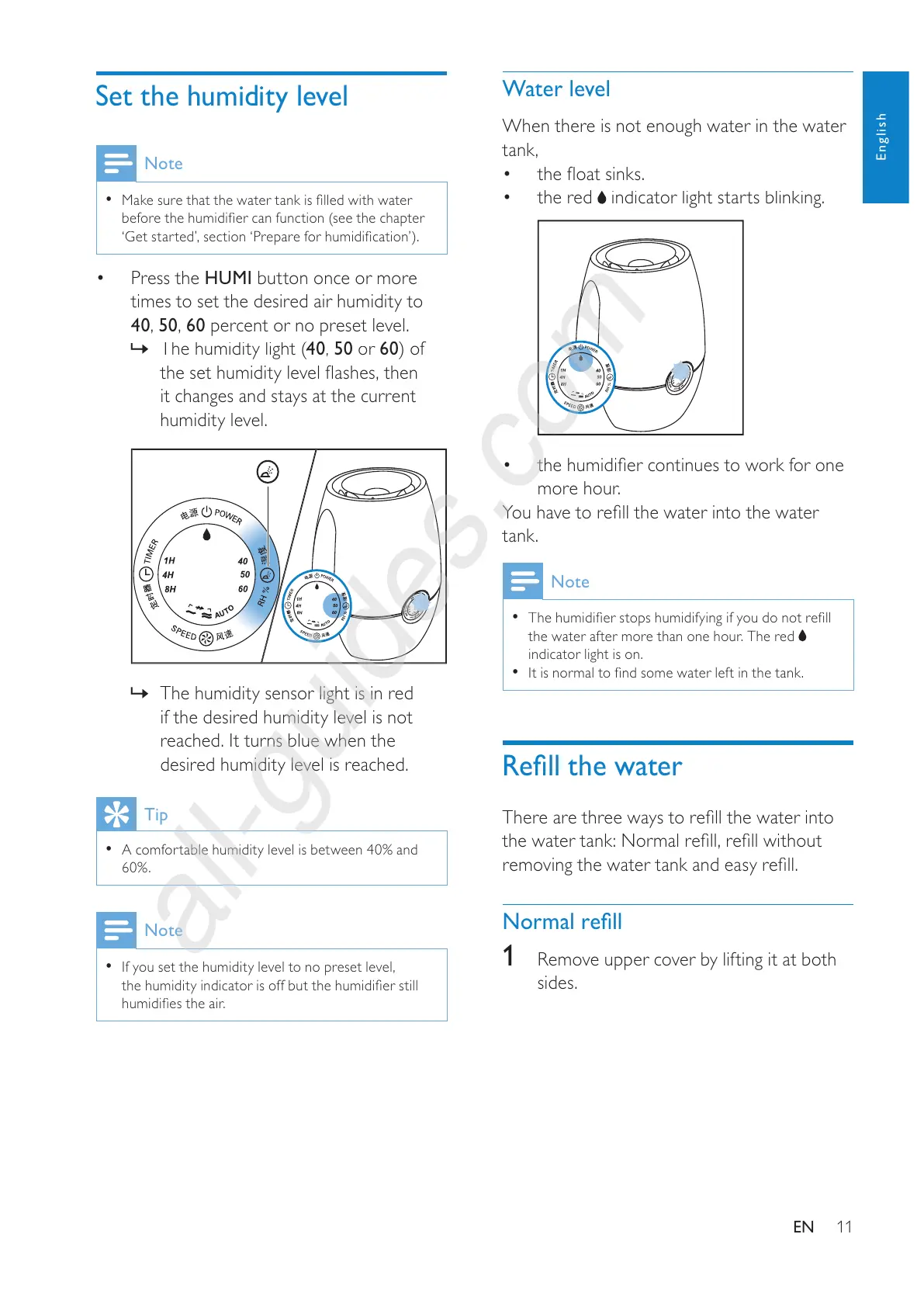
Press the H
U
M
I
button once or more
times to set the desired air humidit
y
to
4
0
,
50
,
6
0
percent or no preset
l
eve
l
.
»

40
,
5
0
or
60



it changes and stays at the current
humidity level.
»
Th
e
h
um
idi
ty sensor
li
g
h
t
i
s
i
n re
d
i
f
the desired humidity level is not
reac
h
e
d
.
I
t turns
bl
ue w
h
en t
h
e
d
es
i
re
d
h
um
idi
ty
l
eve
l
i
s reac
h
e
d.
Tip
A comfortable humidity level is between
40%
and
60%
.
Note
If
y
ou set the humidit
y
level to no
p
reset level,



English
All manuals and user guides at all-guides.com
all-guides.com

Other manuals for Philips HU4902

Related product manuals