EasyManua.ls Logo

Philips HU4902 - Fan Speed and Modes

Philips HU4902
25 pages
Print Icon
To Next Page IconTo Next Page
To Previous Page IconTo Previous Page
Loading...
8 EN
Change the fan speed
Auto
Note
A
U
T
O
mode is onl
y
available fo
r
H
U
4
9
0
3
.
Th
e automat
i
c mo
d
e uses t
h
e
di
g
i
ta
l
sensor
t
o constantl
y
monitor the air
q
ualit
y
. It turns

t
o ensure the humidit
y
level is constantl
y
at
t
he ri
g
ht level. The de
f
ault humidit
y
level o
f
t
he automatic mode is set at 50%, but
y
ou can
c
han
g
e to
y
our desired humidit
y
level
f
or the
automatic mode. Next time when
y
ou switch



set
h
um
idi
ty
l
eve
l
, un
l
ess you
h
ave unp
l
ugge
d
wall socket. Then the de
f
ault humidity level o
f
5
0%
is set again
.
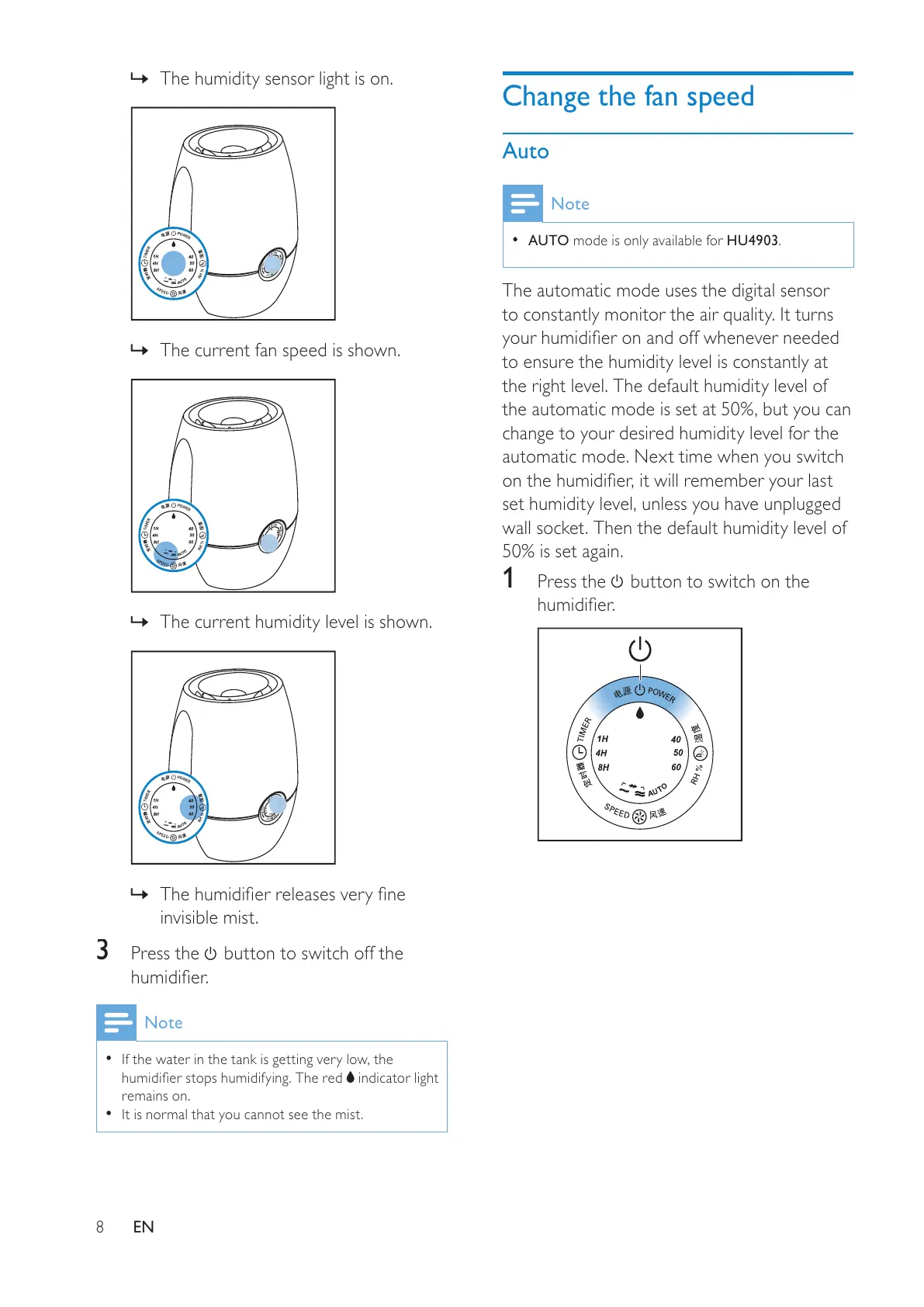
1
Press the
button to switch on the


»
The humidit
y
sensor li
g
ht is on.
»
The current fan speed is shown
.
»
Th
e current
h
um
idi
ty
l
eve
l
i
s s
h
own.
»



invisible mist
.
3
P
ress t
h
e
button to switch off the

Note
I
f
the water in the tank is getting very low, the




i
n
di
cator
li
g
h
t
r
e
m
a
in
s
o
n
.
I
t
i
s norma
l
t
h
at
y
ou cannot see t
h
e m
i
st.
All manuals and user guides at all-guides.com

Other manuals for Philips HU4902

Related product manuals