14
EN
Your ID937
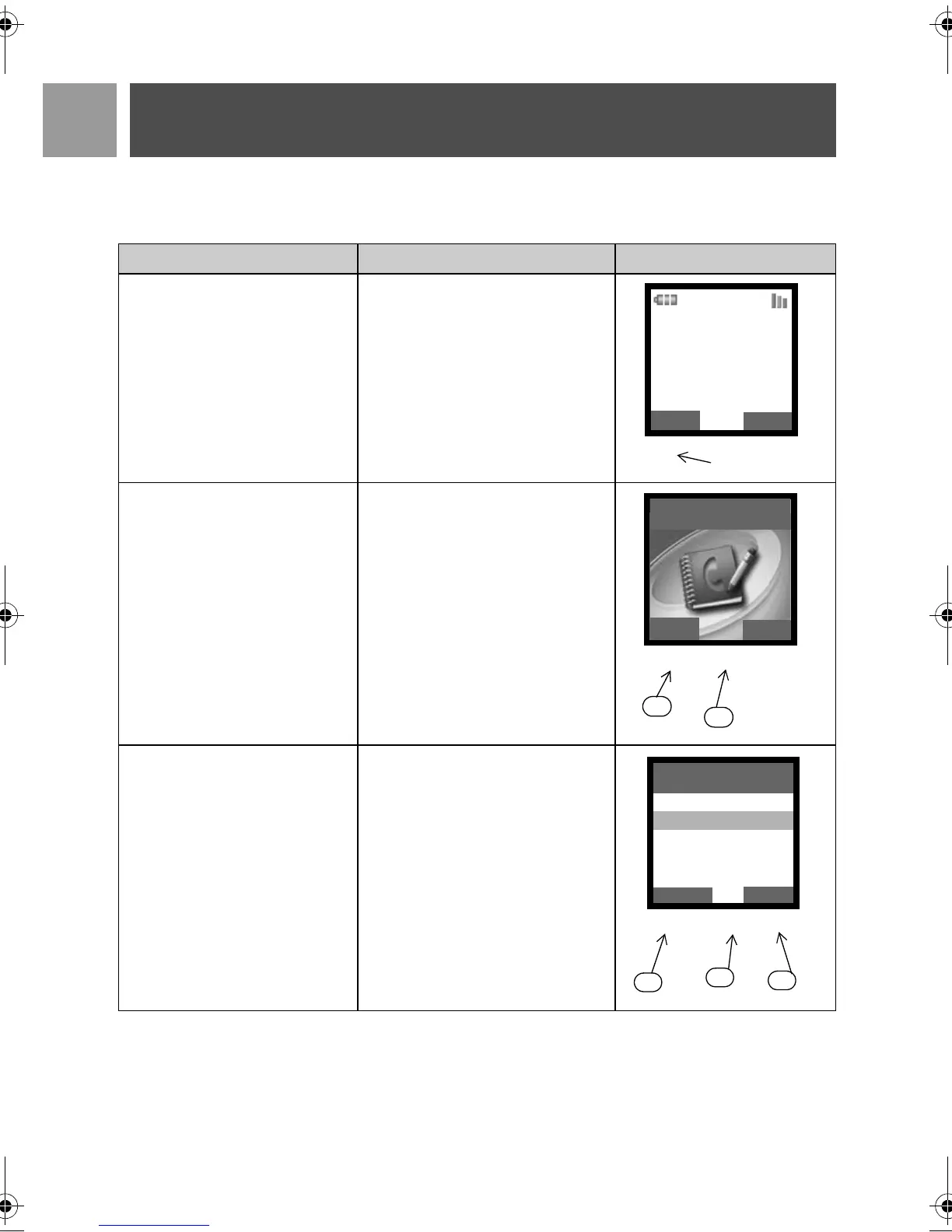
Menu navigation
The basic steps of navigating through the menus and options are as follows:
Task Action Illustration
Enter main menu/menu options Choose
MENU by pressing the key
directly below it (left soft key
m)
• Go to a specific menu/option
• Confirm your selection
1. Press
: key to scroll to your
desired menu/option
2. Choose
SELECT by pressing
the key directly below it (left
soft key
m)
In this example, the alarm is On
Once.
• To change your selection
• To confirm your selection
• Return to previous menu level
or stand-by screen
1. Press
: key to scroll to your
desired option
2. Choose
SELECT by pressing
the key directly below it (left
soft key
m)
3. Choose
BACK by pressing the
key directly below it (right soft
key
>)
Philips 1
08-08
06:00pm
m
>
:
MENU
REDIAL
m
>
:
1
2
SELECT
BACK
Phonebook
Off
On Once
On Daily
SELECT
BACK
m
>
:
Alarm
1
2
3
ID937_IFU_EN_US.book Page 14 Thursday, February 8, 2007 4:16 PM



 To Next Page