16
EN
Install
Install battery
Your ID937 is supplied with 2 rechargeable batteries allowing approximately up to 12 hours of talk-time and
up to 150 hours stand-by time. Before using the handset, the batteries have to be installed and fully charged.
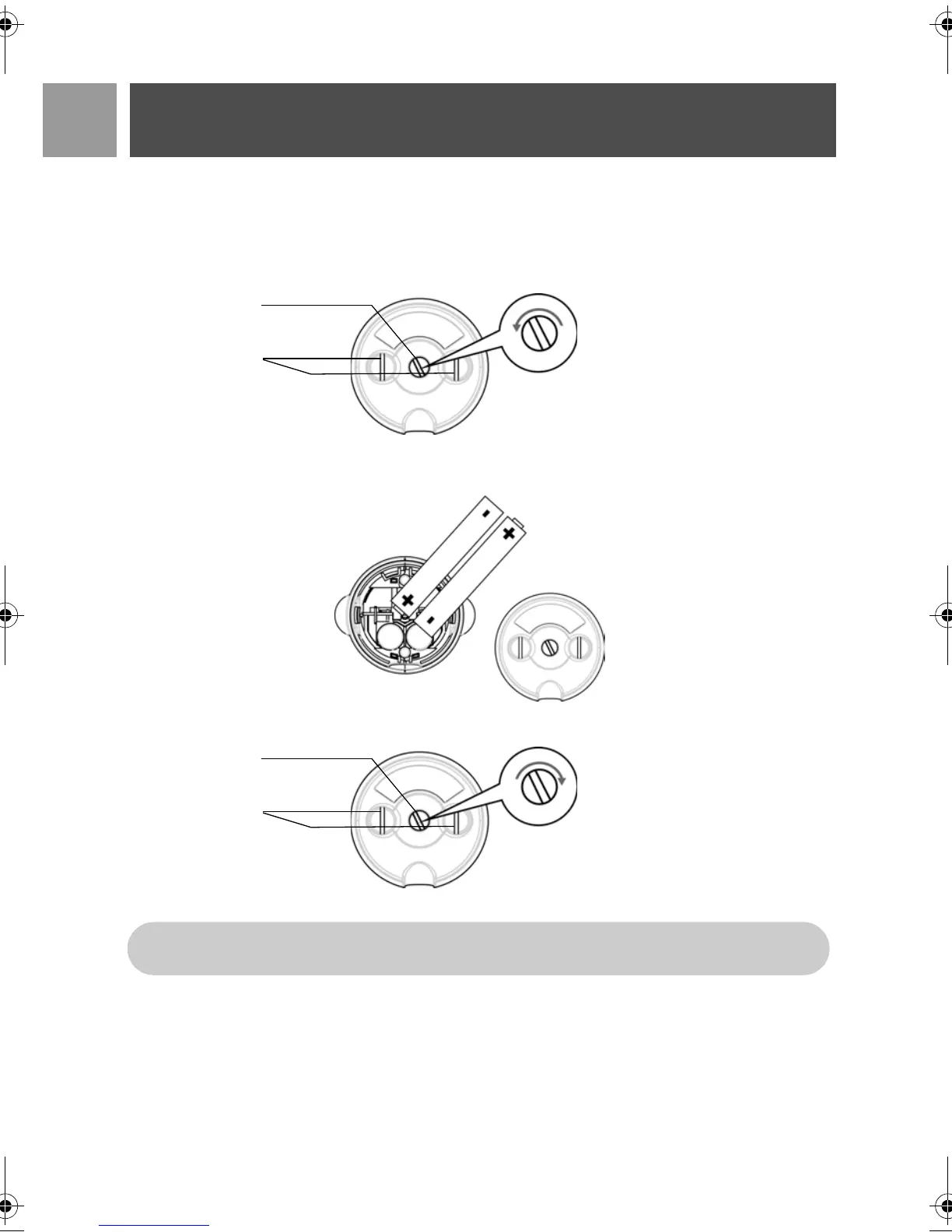
1. Use the coin or screwdriver to unlock the battery cover.
2. Place the batteries as indicated and replace the cover.
3. Lock the battery cover.
Charge battery
1. Place the handset on the charging cradle of the base station. A beep tone is emitted if the handset is
placed correctly.
screw
screw
charger contact
plate
Unlock
Bottom View
anticlockwise
screw
screw
charger contact
plate
Lock
Bottom View
clockwise
Please use a coin or screwdriver that is the right shape and size for the screw that is used. Otherwise
you may damage the screw when tightening it.
ID937_IFU_EN_US.book Page 16 Thursday, February 8, 2007 4:16 PM



 To Next Page