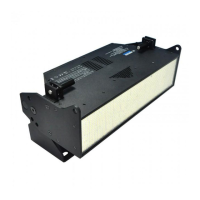
Installation & User’s Manual SL STRIP 400 RGBW LED Luminaires
6 INSTALLATION AND SET UP
Sh wline
INSTALLATION AND SET UP
1. Power Requirements
The SL STRIP 400 RGBW LED Luminaire operates on AC input voltages from 100 to 240 VAC.
WARNING! This unit does not contain an ON/OFF switch. Always disconnect power input cable to completely
remove power from unit when not in use.
AC Power Operation
When connected to an AC source, the unit operates on 100 to 240 volts AC (+/- 10%, auto-ranging). The luminaire
contains an auto-ranging power supply. Each luminaire can draw up to 95 Watts.
WARNING! Maximum amount of units that may be daisy-chained is (A) 17 units 100 ~ 120VAC or (B) 32 units 230
~ 240VAC (10 Amps).
Note: For wiring of AC input connector, refer to "Connecting SL STRIP 400 RGBW LED Luminaires to AC Power"
on page 7.
2. Connecting Power
Units can be powered in one of two ways:
• Direct connection to a AC power source using an AC input cable. For wiring of AC input connector, refer to "Con-
necting SL STRIP 400 RGBW LED Luminaires to AC Power" on page 7.
• Connection from the AC output of another SL STRIP 400 RGBW LED Luminaire. When using this method, it is
very important not to connect any other type of equipment device.
WARNING! Only connect other SL STRIP 400 RGBW LED Luminaires to the AC Output (Thru) connector of a SL
STRIP 400 RGBW LED Luminaire.
Table 1: SL STRIP 400 RGBW LED Luminaire Voltage (VAC) vs. Current*
Voltage (AC) Total Current (A) Voltage (AC) Total Current (A)
100 0.95 180 0.53
110 0.86 190 0.50
120 0.79 200 0.48
130 0.73 210 0.45
140 0.67 220 0.43
150 0.63 230 0.41
160 0.59 240 0.40
170 0.56


 To Next Page