EN 36
Home Theatre System
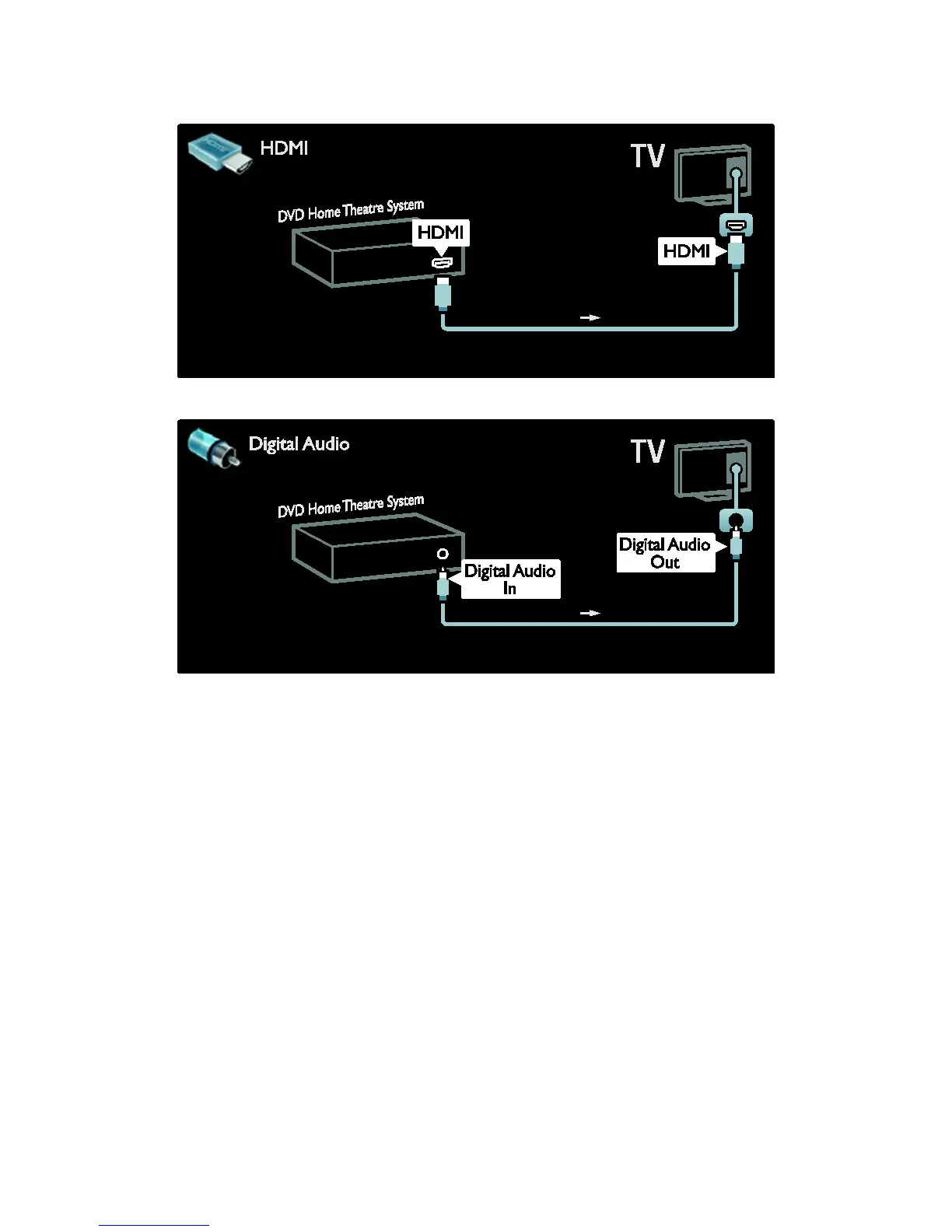
First, use an HDMI cable to connect the device to the TV.
Then, use a digital audio cinch cable to connect the device to the TV.
Audio and video synchronization (sync)
If the sound does not match with the video
on screen, you can set a delay on most DVD
Home Theatre Systems to match the sound
and video.
EasyLink
To automatically mute the TV speakers
when content is played from your Home
Theatre System, enable EasyLink. For more
information, see Connect the TV > Use
Philips EasyLink > Configure TV speakers
(Page 45).







 To Next Page