EN 32
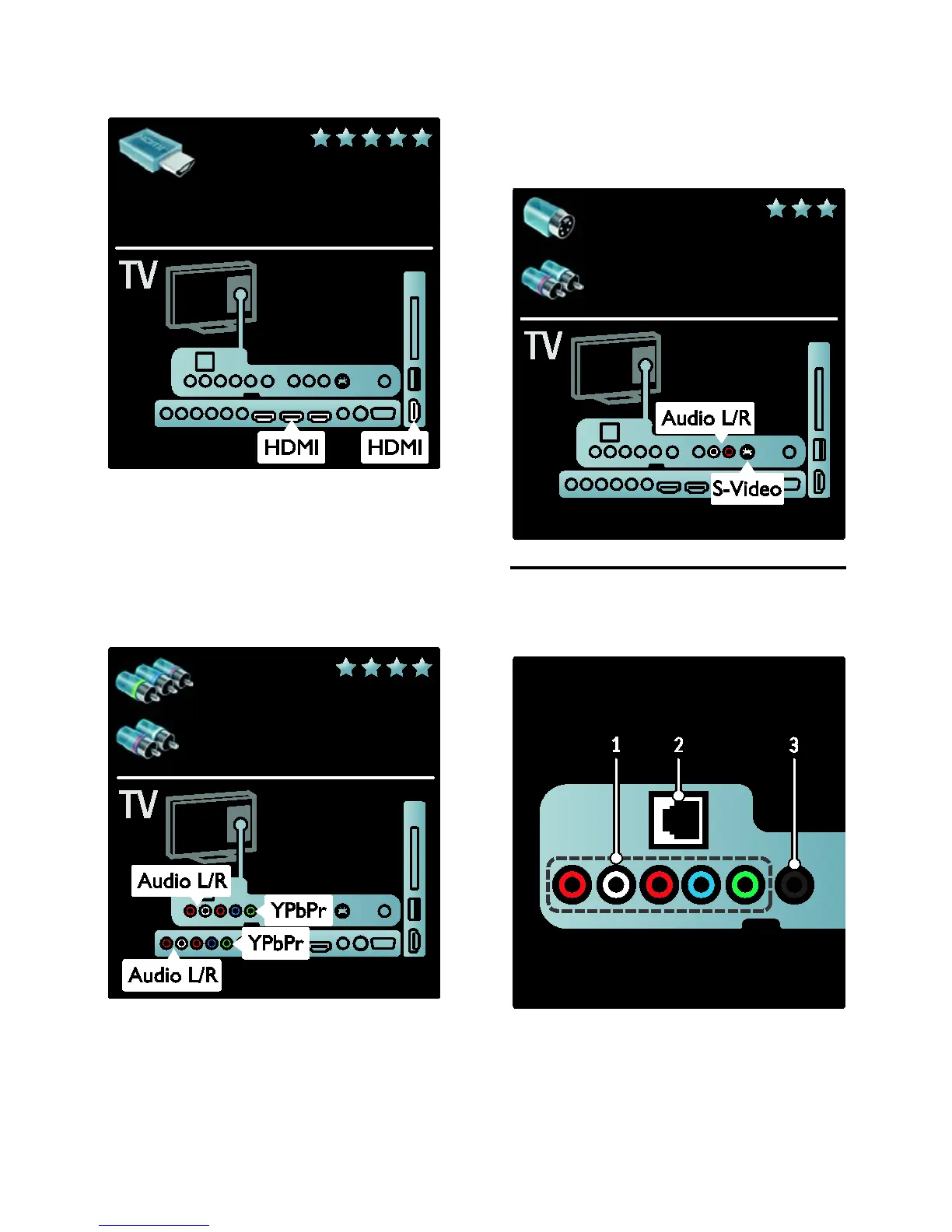
• Do not use an HDMI cable longer than
5 meters/16.4 feet.
Y Pb Pr
Use the Component Video Y Pb Pr
connection together with an Audio Left and
Right connection for sound.
Match the Y Pb Pr connector colours with
the cable plugs when you connect. Y Pb Pr
can handle High Definition (HD) TV signals.
S-Video
Use the S-Video connection together with
an Audio Left and Right connection for
sound. (not to be combined with composite
video cable)
TV connectors overview
Rear
1. CVI 2 (Audio L/R and YPbPr): Analog
audio and video input from analog or digital
devices such as DVD players or game
consoles.
2. NETWORK: Data input from a network.
Available on certain models only.







 To Next Page