Preparations
Inserting batteries
remote control
into the
symbols __
Close he cove_
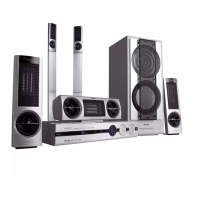
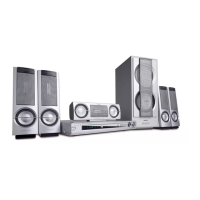
Setting up the surround sound
system
Yoq must conr, ct all the sp akets and s_t qp the system
properly in order to enoy the Digital Cinema experience _t
home (refer o "Connections Connect rig the speakers')
¥oq will have Lheleel ng of-being in the middle of'the action
because sound s coming Pore everywhere around yo_
The subwool_r can enhance the bass pedot mance of yo_r
sysem dtamatica I}/
CAUTION!
- Remove batteries if they are exhausted or will
not be used for a long time.
- Do not use old and new or different types of
batteries in combination.
- Batteries contain chemical substances, so they
should be disposed off properly.
Switching on the system
| Aft_ completing allthe connedLons, connect he AC
power co_d of the player and subwool_r o he power
oust
2 PressSTANDP.Y ON to swtch on he ast seec ed
SO_lfC
3 Ad, ust the SOURCE button (or press I"V/AV, DISC,
TUNER or AUX) to select the input source
-_ Th selec ed source will be displayed
• For viewing a DVD orVCD disc, aTV sot needs o be
connected (taler to"Connec ions Connecting aTV and
additional compon nts').
Swihchon theq_! and se ho the correct video in channel
got example, EXTI, EXT2,AVI,AV2) Relet to yourTV
nstruction manual for detals
-_ Th delaqlt screen appears on theTV
• You can connect other external components o he DVD
sysem in o_det ho use the I IomeTherter Audio System's
s_tround sound capabi ities. For example, connect o aTV
and selectTV/AV asthe input so_tce or connect o aVCR
and select AUX asthe input source
IMPORTANT!
Please sit at your usual listening position in order
to set up the speaker balance correctly.
Placing the speakers
]o obtain the best surround effect pac the sp akers ss
tollows
| Place the front ell and rght speal<ets at equal distances
from the 1_/and st arl angle of approximate y 45 degrees
from the lis ening position
'_ Place the center speaker above or below he-IV so the
center channel's sound s ocalized
3 Place the surround speakels _ normal listening ear level
tacing each other or mounted on he wall
4 Place the subwoolp_ on the qoor near theTV
Notest
- Toavoid magnetic interference, do not position the front
speakers too close to your TY
- If the rear surround speakers are installed farther away
from the listening position than the front and center speakers,
it will weaken the surround effect.
- All speakersshould besecurelyinstalled to prevent
accidents and improve sound quality.
PREPARATIONS 11
pg 01-24/LX3xxx/37-Eng 11 4/16/02, 11:03 AM



 To Next Page
 Loading...