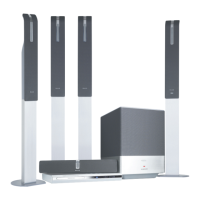
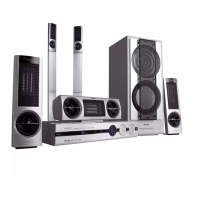
Need help?
Do you have a question about the Philips LX8500W and is the answer not in the manual?
Crucial guidelines to prevent damage, ensure safety, and maintain the system's performance.
Crucial guidelines to prevent damage, ensure safety, and maintain the system's performance.
Covers inserting batteries, setting up the TV, and initial system preferences.
Customizing audio, subtitle, and OSD languages for discs and system menus.
Adjusting speaker volume levels and delay times for optimal surround sound.
Steps for connecting the main DVD system, AV subwoofer, and front speakers.
How to connect the DVD system to the TV using composite or S-video cables.
Instructions for connecting the DVD system to the TV and antennas.
Detailed explanation of each button on the remote control and its function.
Further details on remote control buttons for disc, tuner, and TV operations.
Settings for disc locking, programming tracks, OSD language, and VOD registration.
Settings for analogue output, speaker setup, and CD upsampling.
Enabling progressive scan and customizing picture settings like brightness and contrast.
Setting playback limitation levels based on age ratings and country codes.
Instructions for tuning to radio stations and storing them using Plug and Play.
Addresses issues like no power, no picture, distorted image, and sound problems.
Solutions for playback errors, poor radio reception, and remote control malfunctions.
Visual guide for initial connection of components and basic playback setup.
 Sound Specifications
| D/A converter | 24 bit, 96 kHz |
|---|---|
| frequency response | 30-48000 Hz |
| signal to noise ratio | >95 dB |
| output power (RMS) | 3 x 100W, 2 x 75W + 150W |
| total sound power (RMS) | 600 W |
| satellite speaker frequency range | 120-50000 Hz |
| satellite speaker impedance | 6 ohm |
| center frequency range | 120-30000 Hz |
| center speaker impedance | 6 ohm |
| subwoofer frequency range | 30-120 Hz |
| subwoofer impedance | 4 ohm |
 Power
Power| power supply | 110-240V, 50/60 Hz |
|---|---|
| standby power consumption | < 1W |
 Weight and Dimensions
| center speaker dimensions | 435 x 76 x 70 mm |
|---|---|
| center speaker weight | 1.4 kg |
| packaging dimensions | 1000 x 516 x 495 mm |
| set dimensions | 360 x 40 x 305 mm |
| set weight | 2.5 kg |
| stand dimensions | 95 x 540 x 95 mm |
| subwoofer dimensions | 300 x 400 x 300 mm |
| subwoofer weight | 12 kg |
| surround speaker dimensions | 100 x 550 x 107 mm |
| surround speaker weight | 10.3 kg |
| weight including packaging | 43 kg |


 To Next Page