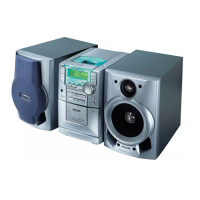
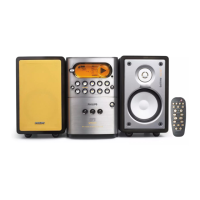
Functional Overview
_0_TITLE +-- (14 Id)
Selectsan HP3 t_le/track.
_ Display screen
_ Disc trays (1-5)
_3_ 5 DISC DIRECT PLAY 1-5 (CD 1-5)
Selectsa disc tray to playback,
_4_ OPENICLOSE _ 1-5
Opens/closesthe individual dsc tray
@ iR
Pont the remote control towards this senson
_6_ MAX SOUND (MAX ONIOFF)
Turnson/off the optimal mx of various sound
features,
_-_ MASTERVOLUME (VOL + --)
Ad;uststhe volume level,
1_8_VEC
Selectsdiffereut type of envronment based
equalzer settings (HALL CINEMA, CONCERT
or CYBER).
_9_ DSC
Selectsdiffereut type of preset sound equalzer
settings(OPTIMAL, jAZZ, ROCK or POP),
_0_ CLOCK.TIMER
_Entersclock or-tmer setting mode,
Sw_chesto dock display mode,
_,_ CD/TUNER/AUX I USB PC LINK
Selectsthe relevant actve mode,
CD:toggies between DISC 1_5.
TUNER: toggles between FMand AM band.
AUX: toggles between AUX and CDR mode,
_22_Connect the USBcable between the systemand
PC'sUSB port.
Plugin the headphones jack. The speakers
output wll be cancelled,
(2_ REPEAT
Repeatsa track/disc/all programmed tracks.
_5_ SLEEP
Selectsa preset turn-off t met option,
(26_CLOCK
_Enters clock selling mode,
SwFLchesto dock display mode,
_7_ SNOOZE
Temporarily deactvate the wake up tit hen
MUTE
Mutes or restores the volume,
TIMER
_Enters tmer selling mode,
Displaysthe timer setting.
_0_ TIMER ON/OFF
Turns on/off timer funct on.
_ SHUFFLE
Turns on/off random playmode.
_2_ DISPLAY
Displaysthe album and tde name for MP3 disc,
@®
Sw_tchesto Eco Power standby mode,
%w}tches to standby mode,
iiiiiiiiiiiiiiiiiiiiiiiiiiiiiiiiiiiiiiiiiiiiiiiiiiiiiiiiiiiiiiiiiiiiiiiiiiiiiiiiiiiiiiiiiiiiiiiiiiiiiiiiiiiiiiiiiii = f, m iiiiiiiiiiiiiiiiiiiiiiiiiiiiiiiiiiiiiiiiiiiiiiiiiiiiiiiiiiiiiiiiiiiiiiiiiiiiiiiiiiiiiiiiiiiiiiiii
11
3139 115 22181



 To Next Page