15
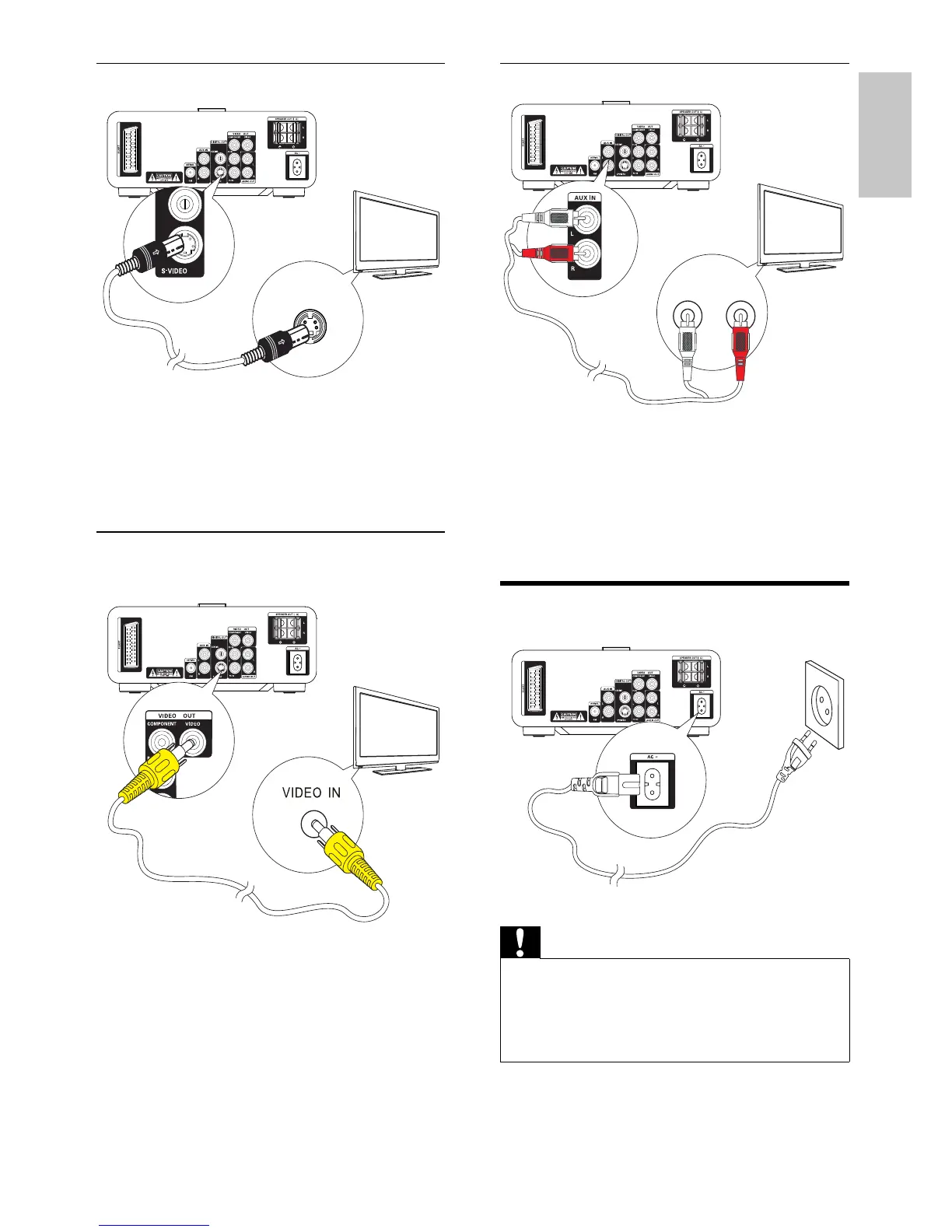
Connect audio cables
1 To play sound from the TV through this
unit, connect audio cables (red/white - not
supplied) to:
the• AUX IN L/R sockets on this unit.
the audi• o output sockets on the TV.
Connect power
Caution
Risk of product damage! Ensure that the power supply •
voltage corresponds to the voltage printed on the back
or the underside of the unit.
Before connecting the AC power cord, ensure you have
•
completed all other connections.
1 Connect the AC power cord to the wall
socket.
TV
L LINE IN R
8
8
Option 3: Connect through S-Video
1 Connect an S-video cable (not supplied)
to:
the• S-Video socket on this unit.
the• S-Video socket on the TV.
Option 4: Connect through
composite video
1 Connect the supplied composite video
cable to:
the• VIDEO OUT socket on this unit.
the video input socket on the TV.•
TV
S-VIDEO IN
8
TV
8
English
EN














 To Next Page