English
24
Disc Operations
Programming favourite
chapters/tracks
You can play the contents of the disc in the
order you want.
For DVD/VCD/SVCD/CD/CDG
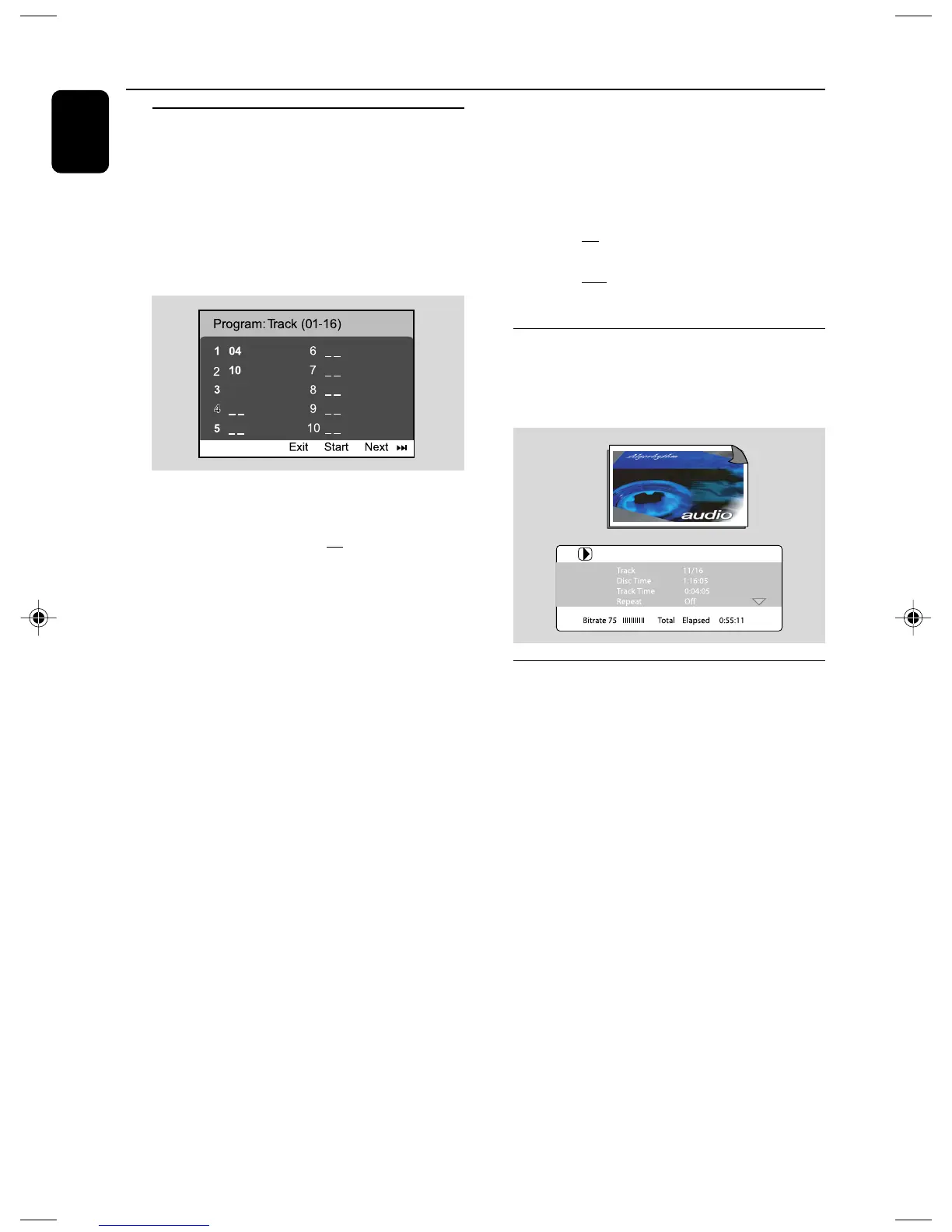
1 Press PROG on the remote control.
➜ The programming menu appears.
2 Use the numeric keys (0-9) to input the track
/chapter number in the order you want. (two
digits must be entered, e.g., 06 ).
➜ If there are more than ten tracks to be
programmed in total, select {NEXT} on the
screen and press OK (or press 3I on the
remote control) to access the next programming
page.
➜ To remove the track/chapter from the
programming menu, select the track/chapter and
press OK.
3 Select {Start} to play the program.
4 To stop playback, press 9 once.
5 To exit the program mode, press 9 twice.
For MP3/WMA/JPEG
1 Press 4 / 3 to select a track/picture on the disc
menu. Then press PROG to add the track/
picture to playlist.
➜ ”Add To Playlist” will show on the disc menu.
2 Press DISC MENU three times.
➜ playlist menu will appear.
3 Press 4 / 3 to select a track/picture on the disc
menu. Then press PROG to add the track/
picture to playlist.
4 Press 4 / 3 to select a track/picture and press
OK to start playback.
➜ You can select a track/picture and press
PROG to remove it from programme playlist.
5 Press STOP to stop program playback .
6 Press DISC MENU return to disc menu.
Notes:
– At most 20 tracks can be stored for DVD/VCD/
SVCD/CD/CDG.
– At most 100 tracks can be stored for MP3/
WMA/JPEG.
Display information
In disc mode, press DISPLAY/CLOCK
repeatedly to select the following display
information.
Moving to another title/chapter
Some discs may contain more than one title or
chapter. If the disc has a title or chapter menu
recorded on it, you can start playback from the
selected item.
1 Press DISPLAY/CLOCK to display the
message of title and chapter.
2 Use 4 / 3 to highlight an item and press OK.
3 Use numeric keys (0-9) to select a desired
title/chapter number.
4 Press DISPLAY/CLOCK to exit the disc
information menu.
Note:
– Selecting a title or chapter might not be possible
on certain discs.
12
pg020-039_MCD177_98_Eng 3/3/08, 10:5924














 To Next Page